
 Need help?
Do you have a question about the Pioneer AVH-X2850BT and is the answer not in the manual?
General warnings about installation, liquids, smoke, and high-voltage components.
Warnings about the parking brake connection lead and video image visibility while driving.
Instructions to contact dealer if product fails and website for updates.
Caution and conditions for resetting the microprocessor to factory settings.
Steps for initial setup including language/location and switching speaker mode.
Steps to access Bluetooth settings and pair new devices.
How to set visibility, input PIN code, and view device information.
How to enable auto connection and delete registered Bluetooth devices.
Procedures for clearing memory, updating software, and checking version.
Steps to manually connect a registered Bluetooth device.
How to answer calls and change phone settings like auto answer and ring tone.
Methods for making calls via direct dial or from the phone book.
How to use Siri Eyes Free and set phone book auto synchronization.
General steps for connecting and setting up an iPod, iPhone, or smartphone.
Details on connections, cables, and available sources for iPod/iPhone and Android.
How to set parental lock levels and passwords for DivX content.
Displays AppRadioMode launcher and explains its direct control usage.
How to operate applications via AppRadioMode and mix audio sources.
Steps to start AppRadioMode and use the audio mix function.
How to download, install, and use the Spotify app with the system.
How to set rear camera activation/polarity and enable/disable demo mode.
Steps to download and update the product's firmware via USB.
How to select system language, keyboard language, and calibrate touch panel.
How to activate and configure the rear view camera function.
Detailed steps and precautions for performing Auto EQ measurement.
How to set the auto-adjusted equalizer for vehicle acoustics.
How to set parental lock levels and register/set the code number.
How to set DVD auto play and the video signal for the rear camera.
Methods to restore product settings to factory defaults.
General precautions before connecting the system and installing the product.
Information about connecting and using a rear view camera.
Precautions before installation and steps for mounting the product.
Lists common problems, causes, solutions, and explains error messages.
Comprehensive chart detailing compatibility for audio, video, and image files.
Information on iPhone/iPod usage and requirements for connected content.
Information on Pandora, Spotify services, and copyright notices.
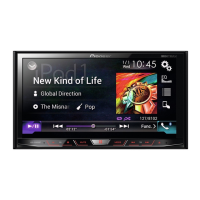
Technical specifications of the product, including audio, dimensions, and display.
 General
| MP3 playback | Yes |
|---|---|
| Audio formats supported | AAC, FLAC, MP3, MP4, WAV, WMA |
| USB version | 2.0 |
| USB ports quantity | 1 |
| DIN size | 2 DIN |
| Output power | 50 W |
| Product color | Black |
| Disc types supported | CD, CD-RW, DVD, DVD+R |
| Display type | LED |
| Display diagonal | 6.2 \ |
| Supported radio bands | AM, FM |




 To Next Page