EasyManua.ls Logo

Pioneer AVH-X4500BT - User Manual

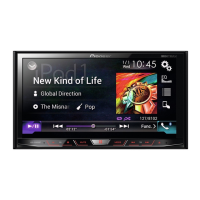
Pioneer AVH-X4500BT
79 pages
Print Icon
To Next Page IconTo Next Page
Loading...
Owners Manual
Mode demploi
Manual de instrucciones
DVD RDS AV RECEIVER
AUTORADIO AV RDS LECTEUR DE DVD
RADIO AV RDS CON DVD
AVH-X5500BHS
AVH-X4500BT
AVH-X3500BHS
AVH-X2500BT
AVH-X1500DVD
<CRD4703-B/N>1
English EspañolFrançais

Table of Contents

Other manuals for Pioneer AVH-X4500BT

Questions and Answers

Summary

Precautions

IMPORTANT SAFEGUARDS

Essential safety instructions for the user and installation.

To ensure safe driving

Guidelines for operating the unit while driving safely.

Parking brake interlock

Explanation of how the parking brake affects unit functions.

When using a display connected to rear monitor output

Guidance on using the rear monitor output safely.

When using the rear view camera

Instructions and warnings for using the rear view camera feature.

To avoid battery exhaustion

Recommendations to prevent unnecessary battery drain.

Before you start

Information to User

General information and notes for the user.

The Safety of Your Ears is in Your Hands

Guidance on maintaining hearing health while using audio equipment.

About this unit

General information about the device's features and operation.

Important Safety Notices

Critical warnings and cautions for safe operation.

Before you start

DVD video disc region numbers

Information on disc region compatibility for playback.

About this manual

Information on the structure and use of the operation manual.

Use and care of the remote control

Instructions for installing the battery and using the remote control.

Whats what

Head unit Overview

Identification of the main unit's controls and connectors.

Home display Overview

Explanation of the main screen interface and its icons.

Turning the source ON;OFF

Instructions on how to power the unit on and off.

Selecting a source

Guide to choosing between different audio/video input options.

Common operations

Common operations for menu settings;lists

General procedures for navigating menus and lists.

Operating the scroll icon and the scrubber bar

Methods for interacting with scrollable content and timelines.

Common operations

Activating the touch panel keys

How to activate and use the touch-sensitive screen controls.

Using the rear view

Instructions for using the rear view camera or monitor.

Changing the wide-screen mode

How to adjust the aspect ratio for video playback.

Basic operations

Adjusting the angle of the LCD panel and ejecting media

How to adjust the screen angle and eject discs.

Setting the clock

Instructions on how to set the unit's internal clock.

HD Radio tuner

About HD Radio stations

Information on HD Radio broadcast technology and features.

HD Radio tuner operations

How to tune, store, and manage HD Radio stations.

HD Radio tuner

Storing and recalling stations

How to save and recall favorite HD Radio stations.

Storing the strongest stations

Using BSM to automatically store the six strongest stations.

Tuning in to strong signals

Using local seek tuning for stations with strong signals.

Tuner

Tuner operations

Basic functions for operating the radio tuner.

Storing and recalling stations

How to save and recall favorite radio stations.

SiriusXM tuner

Introducing SiriusXM tuner operations

Overview of controlling the SiriusXM Connect Vehicle Tuner.

Storing and recalling channels

How to save and recall favorite SiriusXM channels.

SiriusXM tuner

Selecting a SiriusXM channel directly

How to tune to a channel by entering its number.

Setting Parental Control

Feature to restrict access to specific SiriusXM channels.

SiriusXM tuner

Setting SiriusXM Tune Start

Setting the start position for audio playback when changing channels.

Scan play operations

How to use scan play functions like Tune Scan and Category Scan.

Disc (CD;DVD)

Introducing movie operations

How to play DVD, CD, and other video discs.

Playing back videos

Basic steps for playing video content from discs.

Operating the DVD menu

Navigating menus on DVD discs.

Disc (CD;DVD)

Sound playback operations

How to play audio content from discs.

Switching the media file type

Changing between media file types on a disc.

Disc (CD;DVD)

Random play (shuffle)

How to play tracks in a random order.

Repeating playback

How to set the repeat mode for playback.

Searching for the part you want to play

Using search functions to locate specific content.

iPod

Moving images operations

How to play video files from an iPod.

Sound playback operations

How to play audio files from an iPod.

iPod

Using this units iPod function from your iPod

Operating the iPod via the unit's interface.

Shuffle play

How to play iPod tracks in a random order.

Repeating playback

How to set the repeat mode for iPod playback.

iPod

Searching for a video;music by category

How to find iPod content by browsing categories.

Searching the list by alphabet

How to find iPod content using alphabetical search.

Advanced App Mode

Advanced App Mode operation

How to operate iPhone applications via the unit's screen.

Starting procedure

Steps to begin using the Advanced App Mode.

Setting the Keyboard

Configuring the on-screen keyboard settings for input.

Setting the App sound mixing

Adjusting the audio mix between app sound and other sources.

USB

Moving images operations

How to play video files from a USB storage device.

Sound playback operations

How to play audio files from a USB storage device.

Still image playback operations

How to view image files from a USB storage device.

USB

Switching the media file type

Changing between media file types on a USB device.

Random play (shuffle)

How to play USB files in a random order.

Repeating playback

How to set the repeat mode for USB playback.

Bluetooth Audio

Sound playback operations

How to play audio from a Bluetooth-connected device.

Setting up for Bluetooth audio

Steps to establish a Bluetooth connection for audio playback.

Using MIXTRAX

MIXTRAX operation

Explanation of MIXTRAX technology for non-stop music mixes.

MIXTRAX EZ operation

Simplified MIXTRAX functionality for iPod/USB audio files.

Setting MIXTRAX mode

Activating MIXTRAX mode for audio playback.

Using Pandora internet radio

Pandora operations

How to use the Pandora application with the unit.

Limitations

Notes on service availability and compatibility for Pandora.

Setting the Pandora connect mode

Configuring the connection mode for Pandora service.

Using Pandora internet radio

Basic operations: Playing tracks

Steps for playing tracks via Pandora.

Selecting and playing Pandora stations;shuffle

How to choose Pandora stations and playback modes.

Bluetooth telephone

Touch panel keys

Overview of the phone interface controls on the unit.

Setting up for hands-free phoning

Initial setup steps for using the hands-free phone feature.

Incoming call notice

Indicator for incoming calls.

Bluetooth telephone

Calling a number in the phone book

How to make calls using the phone's contact list.

Using the missed, received and dialed call lists

Accessing and managing call history.

Setting automatic answering

Enabling or disabling the auto-answer function.

Bluetooth telephone

Making a call by entering phone number

How to dial a number directly using the keypad.

Setting the private mode

Switching to private mode for direct phone conversation.

Voice control

Using voice commands to operate phone functions.

Settings

Menu operations

General navigation of settings menus.

Audio adjustments

Using fader;balance adjustment

Adjusting the front/rear and left/right speaker balance.

Using the equalizer

Tuning audio frequencies for optimal sound.

Audio adjustments

Adjusting the 8-band graphic equalizer

Fine-tuning audio levels across eight frequency bands.

Using the auto-equalizer

Automatically calibrating audio settings based on car acoustics.

Adjusting loudness

Enhancing low and high frequency response at low volumes.

Boosting the bass

Adjusting the bass level for enhanced low-frequency output.

Audio adjustments

Adjusting source levels

Adjusting volume levels for different sources to ensure consistency.

Setting up the video player

Setting the subtitle language

Choosing the display language for subtitles.

Setting the audio language

Selecting the preferred audio track language.

Setting the menu language

Selecting language for disc menus.

Setting up the video player

Setting the multi-angle DVD display

Enabling the angle icon for scenes with multiple camera angles.

Setting the aspect ratio

Adjusting the display aspect ratio for video content.

Setting parental lock

Restricting access to content based on age rating.

Setting up the video player

Setting the DivX subtitle file

Selecting whether to display DivX external subtitles.

Displaying the DivX VOD registration code

Obtaining the unit's registration code for DivX VOD services.

Automatic playback of DVDs

Enabling or disabling automatic playback upon disc insertion.

System settings

Switching the auxiliary setting

Enabling or disabling the auxiliary audio input.

Setting AV input

Configuring the external video component input.

Setting the RGB Input

Switching the RGB input setting for iPhone or NAVI.

Setting the App sound mixing

Adjusting the audio mix between app sound and other sources.

Changing the picture adjustment

Adjusting brightness, contrast, color, and hue for display.

Selecting the system language

Selecting the user interface language for the unit.

Setting Demo Mode

Enabling or disabling the demonstration mode.

System settings

Switching sound muting;attenuation

Managing audio muting and attenuation based on external signals.

Setting the rear output and subwoofer controller

Configuring rear speaker output for full-range or subwoofer connection.

Clearing Bluetooth memory

Removing paired Bluetooth devices from the unit's memory.

Updating Bluetooth connection software

Procedure for updating the unit's Bluetooth firmware.

System settings

Displaying the Bluetooth system version

Checking the version information of the Bluetooth module.

Setting the rear view camera (back up camera)

Configuring the camera input and polarity settings.

Auto EQ (auto-equalizing)

Automatically calibrating audio settings based on car acoustics.

System settings

Performing auto EQ

Step-by-step guide to measuring and setting auto EQ.

Setting the video signal

Selecting the appropriate video signal for external components.

Favorite menu

Using the Favorite menu

Customizing and accessing frequently used menu items.

Bluetooth connection menu

Bluetooth connection menu operations

Managing paired Bluetooth devices and connections.

Pairing from this unit

Steps to connect a new Bluetooth device to the unit.

Theme menu

Selecting the illumination color

Customizing the color of buttons and display lighting.

Selecting the OSD (on-screen display) color

Changing the color of on-screen display text and elements.

Selecting the background display

Customizing the display background image.

Other functions

Adjusting the response positions of the touch panels (Touch Panel Calibration)

Calibrating the touchscreen for accurate touch input.

Resetting the microprocessor

Restoring the unit's internal settings to factory defaults.

Connection

Safety Precautions for Connection

Important safety guidelines and warnings for wiring.

Grounding the Unit

Instructions for proper electrical grounding.

Connection

Connecting the power cord

Detailed instructions for wiring the unit's power supply.

Optional SiriusXM Tuner connection

How to connect the optional SiriusXM tuner accessory.

When connecting with optional CD-IU201 V cable

Connecting an iPod/iPhone using a specific interface cable.

Installation

Installation using the screw holes on the side of the unit

Methods for securely mounting the unit using screws.

Installation

Installing the microphone

Instructions for optimal placement and mounting of the microphone.

Adjusting the microphone angle

Optimizing microphone positioning for voice recognition.

Additional information

Troubleshooting: Common Issues

Solutions for common operational problems and symptoms.

Troubleshooting: DVD Issues

Solutions for problems related to DVD playback.

Error messages

Explanation of error codes and their meanings.

Indicator list

Explanation of the various icons and indicators on the unit.

Pioneer AVH-X4500BT Specifications

General IconGeneral
Display Size6.2 inches
Screen Size6.2 inches
TouchscreenYes
Resolution800 x 480
BluetoothYes
USB Ports1
USB InputYes
AUX InputYes
DVD PlayerYes
CD PlayerYes
Preamp Outputs3 (front, rear, subwoofer)
RMS Power Output14 watts
Peak Power Output50 watts
NavigationNo
Rear View Camera InputYes
Steering Wheel Control CompatibleYes
AM/FM TunerYes
iPhone CompatibilityYes
Android CompatibilityYes
Audio Formats SupportedMP3, WMA, AAC
Video Formats SupportedMPEG-1, MPEG-2, MPEG-4, AVI
Equalizer13-band
Power Output50 watts x 4 channels

Related product manuals