EasyManua.ls Logo

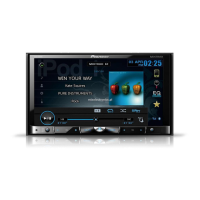
Pioneer AVH-X4650DVD - User Manual

Pioneer AVH-X4650DVD
116 pages
Print Icon
To Next Page IconTo Next Page
Loading...
Black plate (1,1)
Owners Manual
戶手
DVD RDS AV RECEIVER
DVD RDS AV
AVH-X5650BT
AVH-X4650DVD
AVH-X2650BT
AVH-X1650DVD
<CRD4759-A>1
English

Table of Contents

Questions and Answers

  • C
    Christopher RojasSep 18, 2025
    Why can't I switch the viewing angle on my Pioneer AVH-X4650DVD Car Receiver?
    • C
      Casey RodriguezSep 18, 2025
      If you're unable to switch the viewing angle on your Pioneer Car Receiver, it's because the DVD being played does not feature scenes shot from multiple angles. You can only switch between multiple angles when watching scenes recorded from multiple angles.
  • J
    Jeanette AlvaradoAug 25, 2025
    How to fix a Pioneer AVH-X4650DVD that will not turn on?
    • J
      Jacob VasquezAug 25, 2025
      If your Pioneer Car Receiver isn't turning on, start by confirming that all leads and connectors are correctly connected. Next, check the fuse; if it's blown, identify the cause, replace the fuse with one of the same rating. If noise or other factors are causing the built-in microprocessor to operate incorrectly, press RESET.
  • C
    Crystal HornAug 25, 2025
    What to check if my Pioneer AVH-X4650DVD Car Receiver has no sound?
    • D
      Danielle NortonAug 26, 2025
      If you are experiencing no sound from your Pioneer Car Receiver, ensure that all cables are correctly connected. Also, note that there is no sound during still, slow motion, or frame-by-frame playback.
  • S
    Stephanie BrownAug 27, 2025
    Why is there no sound from my Pioneer AVH-X4650DVD?
    • J
      Jessica BellAug 27, 2025
      There could be several reasons for the lack of sound. First, check if the volume level is set too low and adjust it accordingly. Also, ensure that the attenuator function is turned off. Another reason could be that the cables are not connected correctly, so verify and correct the cable connections.
  • J
    Jacob BakerSep 19, 2025
    Why is the image extremely unclear/distorted and dark during playback on my Pioneer AVH-X4650DVD?
    • C
      Cindy GomezSep 22, 2025
      If the image on your Pioneer Car Receiver is extremely unclear, distorted, and dark during playback, it's likely because some discs feature a signal to prohibit copying. Since this unit is compatible with the analog copy generation management system, when playing a disc that has a signal prohibiting copying, horizontal stripes or other imperfections may appear when viewed on some displays. This is not a malfunction.
  • A
    Antonio SparksSep 23, 2025
    What to do if file size and transmission rate are above recommended rates on Pioneer AVH-X4650DVD Car Receiver?
    • J
      Julia SullivanSep 23, 2025
      Create a DivX file that is within the recommended size and transmission rate.
  • C
    charlesberrySep 9, 2025
    What to do if a parental lock message is displayed and playback is not possible on Pioneer AVH-X4650DVD?
    • W
      whitetaylorSep 9, 2025
      If a parental lock message appears and playback is blocked on your Pioneer Car Receiver, it means that the parental lock feature is activated. You'll need to turn the parental lock off or change the level.
  • J
    John HayesSep 12, 2025
    What to do if I can't cancel parental lock on my Pioneer AVH-X4650DVD?
    • C
      Carla JohnsonSep 12, 2025
      If you're having trouble canceling the parental lock on your Pioneer Car Receiver, it could be due to an incorrect code number. Make sure you enter the correct code number. If you've forgotten your code number, press the RESET button.
  • S
    Scott WilliamsSep 3, 2025
    What to do if operation with the remote control is not possible for Pioneer AVH-X4650DVD?
    • P
      paula08Sep 3, 2025
      If you're unable to use the remote control with your Pioneer Car Receiver, make sure the parking brake cable is connected and the parking brake is applied. The remote control functions may be disabled if the parking brake is not engaged.
  • A
    ashlee49Sep 1, 2025
    Why does the image on my Pioneer AVH-X4650DVD Car Receiver pause and stop the unit from operating?
    • O
      owrightSep 1, 2025
      If the image displayed on your Pioneer Car Receiver stops (pauses) and the unit cannot be operated, it may be because the data could no longer be read during playback. Stop playback once, and start playback again.

Summary

Precautions

To ensure safe driving

Critical safety advice for operating the vehicle while driving.

To avoid battery exhaustion

Tips and precautions to prevent the vehicle's battery from draining.

Before you start

About this unit

General information and features of the AVH-X5650BT/AVH-X4650DVD/AVH-X2650BT/AVH-X1650DVD.

If you experience problems

Initial troubleshooting steps and advice for resolving issues.

Use and care of the remote control

Instructions for operating and maintaining the remote control.

What’s what

Head unit

Overview of the main unit's components and buttons.

Home display

Explanation of the main screen interface and icons.

Turning the source ON;OFF

Basic power control of the unit and its sources.

Selecting a source

How to choose and switch between audio/video inputs.

Common operations

Common operations for menu settings;lists

General navigation and interaction within menus and lists.

Using the rear view

How to display and use the rear camera feed.

Using sound retriever

Enhancing compressed audio quality for better sound.

Basic operations

Adjusting the angle of the LCD panel and ejecting media

Physical adjustment of the screen and media removal procedures.

Setting the clock

Configuration of the system's clock and date.

Tuner

Storing and recalling stations

Saving and recalling favorite radio frequencies.

Receiving traffic announcements

Enabling and using the traffic announcement feature.

Disc (CD;DVD)

Introducing movie operations

Overview of playing video discs like DVD, VCD, and DivX.

Playing back videos

How to play video files from discs.

Ejecting a disc

Procedures for removing discs from the unit.

iPod

iPod control

Managing iPod functions via the unit.

Browsing for a video;music on the iPod

Navigating iPod content by category.

AppRadio Mode

AppRadio Mode operation

Using smartphone apps on the unit's screen.

Starting procedure

Steps to enable and start AppRadio Mode.

USB

Music browse mode

Browsing and selecting music files from a USB device.

Still image playback operations

Displaying and managing still images from a USB device.

Bluetooth Audio

Sound playback operations

Playing audio files wirelessly via Bluetooth.

Setting up for Bluetooth audio

Connecting and configuring the unit for Bluetooth audio playback.

Using MIXTRAX

MIXTRAX operation

Overview of MIXTRAX technology for creating non-stop music mixes.

MIXTRAX EZ operation

Overview of the simplified MIXTRAX EZ feature for seamless playback.

Bluetooth telephone

Bluetooth telephone operations

Managing phone calls and features via Bluetooth connection.

Calling a number in the phone book

Making calls using the phone's contact list.

Voice control

Using voice commands for phone operations like making calls.

TV tuner

TV tuner operations

Controlling the functions of the connected TV tuner.

Storing stations

Saving and recalling favorite TV channels.

Settings

Menu operations

Navigating and interacting with the unit's settings menus.

Audio adjustments

Adjusting various audio parameters for optimal sound.

Audio adjustments

Using the equalizer

Adjusting sound frequency response using graphic equalizer settings.

Using the auto-equalizer

Automatic audio equalization based on car acoustics.

Using subwoofer output

Controlling the output level and settings for the subwoofer.

Setting up the video player

Setting the subtitle language

Configuring the display language for subtitles.

Setting parental lock

Restricting access to content based on parental lock levels.

System settings

Selecting MirrorLink Mode

Choosing the operating mode for smartphone link connectivity.

Updating the firmware for the smartphone link adaptor

Procedure for updating the firmware of connected smartphone link accessories.

Favorite menu

Using the Favorite menu

Customizing and accessing frequently used menu items.

Bluetooth connection menu

Pairing from this unit

Connecting a Bluetooth device to the unit for the first time.

Entering PIN code for Bluetooth wireless connection

Security step for Bluetooth pairing using a PIN code.

Theme menu

Selecting the illumination color

Customizing the color of the unit's illumination.

Selecting the background display

Changing the background image shown on the unit.

Other functions

Adjusting the response positions of the touch panels (Touch Panel Calibration)

Calibrating touchscreen response for accurate input.

Operating the sound mixer

Mixing audio from the unit and a connected smartphone.

Connection

Connecting the power cord

Wiring diagram and instructions for connecting the unit's power.

Installation

Installation using the screw holes on the side of the unit

Instructions for physically mounting the unit using side screw holes.

Installing the microphone

Placement and mounting guidelines for the microphone.

Additional information

Troubleshooting

A guide to diagnosing and resolving common problems.

Error messages

A comprehensive list of error messages and their meanings.

Indicator list

Explanations for various icons and indicators displayed on the unit.

Specifications

General

General specifications for the device.

Display

Specifications related to the unit's display panel.

Audio

Specifications related to the unit's audio system.

DVD Player

Technical specifications for the DVD playback system.

USB

Specifications related to the USB port and its capabilities.

Bluetooth

Specifications for the unit's Bluetooth module.

Pioneer AVH-X4650DVD Specifications

General IconGeneral
BrandPioneer
ModelAVH-X4650DVD
CategoryCar Receiver
LanguageEnglish

Related product manuals