EasyManua.ls Logo

Pioneer AVH-X5600BHS - User Manual

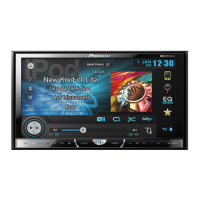
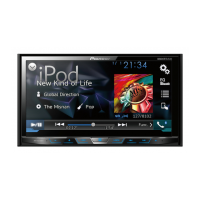
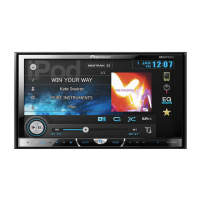
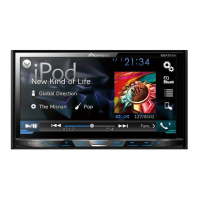
Pioneer AVH-X5600BHS
72 pages
Print Icon
To Next Page IconTo Next Page
Loading...
Black plate (1,1)
Owners Manual
Mode demploi
Manual de instrucciones
DVD RDS AV RECEIVER
AUTORADIO AV RDS LECTEUR DE DVD
RADIO AV RDS CON DVD
AVH-X5600BHS
AVH-X4600BT
AVH-X3600BHS
AVH-X2600BT
AVH-X1600DVD
Important (Serial number)
The serial number is located on the bottom of this unit. For your own security and
convenience, be sure to record this number on the enclosed warranty card.
Important (Numéro de série)
Le numéro de série se trouve au bas de cet appareil. Pour votre sécurité et votre
commodité, veillez à noter ce numéro sur la carte de garantie fournie.
Importante (Número de serie)
El número de serie se encuentra en la parte inferior de esta unidad. Por su
propia seguridad y comodidad, asegúrese de anotar este número en la tarjeta de
garantía que se adjunta.
<CRD4758-A>1
English EspañolFrançais

Table of Contents

Questions and Answers

  • N
    Nicholas ReevesSep 23, 2025
    How to fix the 'file size and transmission rate above recommended rates' error on Pioneer AVH-X5600BHS Car Receiver?
    • R
      Rita EllisSep 23, 2025
      To resolve the 'file size and transmission rate above recommended rates' error on your Pioneer Car Receiver, create a DivX file that is within the recommended size and transmission rate.
  • W
    wesley60Aug 23, 2025
    How to fix a Pioneer AVH-X5600BHS that will not turn on?
    • Q
      qreeseAug 23, 2025
      If your Pioneer Car Receiver's power won't turn on, first, double-check all the leads and connectors to ensure they are correctly connected. If the connections are correct, the fuse might be blown. Identify what caused the fuse to blow, fix it, and then replace the fuse with one of the same rating. If those steps don't work, the built-in microprocessor might be malfunctioning due to noise or other factors. In this case, press the RESET button.
  • P
    Pamela JohnsonAug 25, 2025
    What to do if my Pioneer Car Receiver screen is blank and touch panel is unresponsive?
    • C
      chavezjenniferAug 26, 2025
      If your Pioneer Car Receiver is not displaying anything and the touch panel keys cannot be used, it could be due to the rear view camera not being connected. Connect a rear view camera to resolve this. It could also be that the Camera Polarity is at an incorrect setting. Press the home button to return to the source display and then select the correct setting for Camera Polarity.
  • D
    Dean RogersAug 26, 2025
    Why won't my Pioneer Car Receiver turn on?
    • A
      Andrew HansonAug 27, 2025
      Your Pioneer Car Receiver might not turn on because the leads and connectors are incorrectly connected. Make sure that all connections are correct. Another reason might be a blown fuse. Replace the fuse, ensuring you use one with the same rating. Finally, noise or other factors might be causing the built-in microprocessor to operate incorrectly; in this case, press RESET.
  • T
    Tim VanceAug 27, 2025
    Why is there no sound coming from my Pioneer Car Receiver?
    • H
      hfernandezAug 28, 2025
      If there is no sound coming from your Pioneer Car Receiver and the volume level will not rise, the cables might not be connected correctly. Ensure that the cables are connected correctly.
  • S
    Susan NunezSep 18, 2025
    What does it mean if 'No Title' appears on my Pioneer AVH-X5600BHS?
    • J
      Jeremy ChavezSep 18, 2025
      If 'No Title' appears when a display is changed on your Pioneer Car Receiver, there is no embedded text information. Switch the display or play another track/file.
  • J
    Jerry MillerSep 15, 2025
    Why does the image pause and the Pioneer Car Receiver stop working?
    • A
      adamjacobsSep 15, 2025
      If the image displayed stops (pauses) and the unit cannot be operated, the data could no longer be read during playback. Stop playback once, and start playback again.
  • S
    stacyandersonSep 16, 2025
    Why can't I play subfolders on my Pioneer AVH-X5600BHS Car Receiver?
    • Z
      zhernandezSep 17, 2025
      If subfolders cannot be played back on your Pioneer Car Receiver, folder repeat play has likely been selected. Select the repeat range again.
  • P
    Phillip OwensSep 6, 2025
    How to increase the volume on my Pioneer Car Receiver?
    • C
      Crystal ByrdSep 7, 2025
      If there is no sound or the volume level is low on your Pioneer Car Receiver, first, adjust the volume level. Also, check if the attenuator is on and turn it off.
  • M
    monica67Sep 3, 2025
    Why does my Pioneer AVH-X5600BHS Car Receiver not display text information?
    • K
      Kyle SchultzSep 3, 2025
      If no xxxx appears when a display is changed on your Pioneer Car Receiver, there might be no embedded text information. Try switching the display or playing another track/file.

Pioneer AVH-X5600BHS Specifications

General IconGeneral
BrandPioneer
ModelAVH-X5600BHS
CategoryCar Receiver
LanguageEnglish

Related product manuals