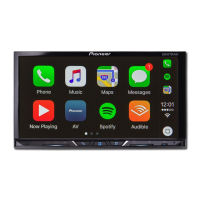
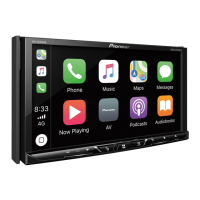
9En
Settings (page 38) and Favourite menu (page 48)
Connected device key
Displays connected device.
Switches the source or application with connected devices such as AppRadio
Mode +, external navigation system, etc.
When a device with a compatible application is connected, the favourite
application key appears. Once the key appears, you can adjust the range of the
favourite application key area with the following steps.
1 Touch and hold .
appears at the top right of the favourite application key.
2 Drag to the desired position.
To finish the adjusting, touch any place of the display except for the
favourite application key.
This function is available only when you stop your vehicle in a safe place and apply
the handbrake.
AV source (page 16)
Hands-free phoning (page 10)
1 Turn on the Bluetooth function on the device.
2 Press .
3 Touch then .
The Bluetooth screen appears.
4 Touch [Connection].
5 Touch .
The unit starts to search for available devices, then displays them in the device list.
6 Touch the Bluetooth device name.
After the device is successfully registered, a Bluetooth connection is established by
the system. Once the connection is established, the device name is displayed on the
list.
• If five devices are already paired, [Memory Full] is displayed. Delete a paired device first (page 10).
• If your device supports SSP (Secure Simple Pairing), a six-digit number appears on the display of this
product. Touch [Yes] to pair the device.
• If you try to connect an unconnected mobile phone while two mobile phones are already connected,
the first one of the two connected mobile phones will be disconnected and the unconnected mobile
phone will be connected instead.
• The Bluetooth connection can also be made by detecting this product from the Bluetooth device.
Before registration, make sure that [Visibility] in the [Bluetooth] menu is set to [On] (page 10). For
details on Bluetooth device operations, refer to the operating instructions supplied with the
Bluetooth device.
• Two mobile phones can be connected to this product at the same time (page 10).
1 Press .
2 Touch then .
Bluetooth
Bluetooth connection
Bluetooth settings



 To Next Page
 Loading...