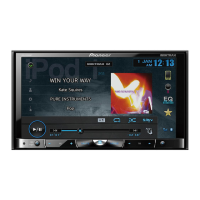
Basic hardware buttons
This guide is intended to guide you through the basic functions of this navi-
gation system. For details, please refer to Operation Manual.
Searching for your destination
by address
1 Display the “Destination
Menu” screen and touch
Address.
2 Select the country you
desire.
3 Input the information that
you want to set as the des-
tination.
Touch one of the options. After
narrowing down your destina-
tion, the Location confirmation
screen will appear.
4 Touch OK.
After searching for the destina-
tion, the Route confirmation
screen appears.
5 Touch OK.
The navigation system gives you
route guidance both visually and
by voice.
Screen switching overview
Published by Pioneer Corporation.
Copyright © 2010 by Pioneer Corporation.
All rights reserved. Printed in Thailand
<KYTZX> <10L00000> <CRB3628-A/N> UC
Quick Start Guide
MULTIMEDIA AV NAVIGATION RECEIVER
AVIC-X930BT/AVIC-X9310BT
Destination Menu
Touch Destination on the “Top Menu” screen.
41
6
2 3
1 button
Press to display the touch panel keys for
ejecting the media.
2
HOME button
Press to display the “Top Menu” screen.
3
Multi-control (Volume knob/ (Volume knob/ /MUTE)
Rotate to adjust the AV (Audio and Video)
source volume.
Press briefly to hear the current route guid-
ance.
Press and hold to mute the AV source.
4
MODE button
Press to switch between the map screen
and the AV operation screen.
5
TRK (m/n) button
1
Searches for a location by
address
2
Calculates the route to your
home
3
Searches for a place such as
stores, restaurants, and
other facilities (Points Of
Interest – POI) in the data-
base
4
Searches for POIs by using
the data on the microSD
card
5
Stores and selects your
favorite locations
6
Returns to the previous
screen
7
Selects a previously routed
destination
8
Searches for a location by
coordinates
9
Cancels your current route
guidance
a
Displays the current route
information
b
Displays traffic information
5 7 8 a9 b
Basic items on the map
1 Name of the street to be used
(or next guidance point)
2
Current time
3 Estimated time of arrival
(default)
4
Current route
5 Current position
6 Street name that your vehicle
is traveling along
7 Eco-Meter
8
Map control
9 Next direction of travel
Dragging the map
allows scrolling.
3
4
5
2
AV operation screen
Destination Menu Phone Menu
Shortcut Menu
1
1
8
5
4
3
2
6
9
7
Top Menu (Classic Menu)














 To Next Page