EasyManua.ls Logo

Pioneer AVIC Z120BT - User Manual

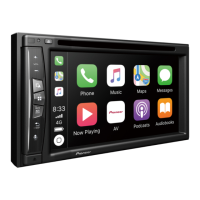
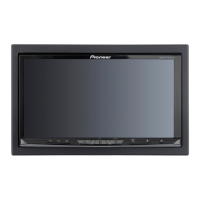
Pioneer AVIC Z120BT
291 pages
Print Icon
To Next Page IconTo Next Page
Loading...
Operation Manual
FLASH MEMORY MULTIMEDIA AV NAVIGATION
RECEIVER
AVIC-Z120BT
AVIC-X920BT
Notice to all users:
This software requires that the navigation system is
properly connected to your vehicles parking brake and
depending on your vehicle, additional installation may
be required. For more information, please contact your
Authorized Pioneer Electronics retailer or call us at
(800) 421-1404.
Be sure to read Important Information for the User
first!
Important Information for the User includes the
important information that you must understand before
using this navigation system.
English

Table of Contents

Other manuals for Pioneer AVIC Z120BT

Questions and Answers

  • M
    Mrs. Jennifer GordonJul 30, 2025
    What to do if the screen that cannot begin the upgrade process is displayed on Pioneer Car Video System?
    • R
      Ruben SanchezJul 30, 2025
      If the screen that prevents the upgrade process from starting is displayed on your Pioneer Car Video System, eject the upgrade microSD card #1 (8 GB), display the map showing your current location, and then reinsert the upgrade microSD card #1 (8 GB).
  • M
    Marc GillAug 4, 2025
    Why Pioneer AVIC Z120BT cannot position my vehicle on the map accurately?
    • M
      Michael HuynhAug 4, 2025
      The inaccurate positioning of your vehicle on the map may be due to several reasons: * The GPS antenna might be in an unsuitable location. * Obstacles could be blocking signals from the satellites. * The position of satellites relative to your vehicle might be inadequate. To resolve this, check the GPS signal reception and the position of the GPS antenna. If necessary, continue driving until reception improves and ensure that the antenna is clear of any obstructions.
  • P
    Patricia RobertsAug 9, 2025
    What to do if the Pioneer Car Navigation system fuse is blown?
    • J
      James GibsonAug 9, 2025
      If the fuse of your Pioneer Car Navigation system is blown, you should first identify and rectify the reason why the fuse blew. Then, replace the blown fuse with a new one that has the same rating. It is crucial to use the correct fuse to avoid further issues.
  • J
    Jennifer DavidsonAug 13, 2025
    Why does Pioneer AVIC Z120BT lose GPS signal?
    • M
      Mr. Peter WestAug 14, 2025
      Temporary loss of GPS reception in your Pioneer Car Navigation system may occur if a vehicle phone or cellular phone is used near the GPS antenna. To avoid this, when using a cellular phone, keep its antenna away from the GPS antenna. If the issue persists, wait until reception improves.
  • A
    Andrea EdwardsAug 18, 2025
    What to do if Pioneer AVIC Z120BT Car Navigation system microprocessor operates incorrectly?
    • A
      Ashley SmithAug 18, 2025
      If noise or other factors are causing the built-in microprocessor in your Pioneer Car Navigation system to operate incorrectly, park your vehicle in a safe place and turn off the engine. Turn the ignition key back to the 'Acc off' position. Then, start the engine again and turn the power to the navigation system back on.
  • R
    Richard RamirezAug 23, 2025
    What to do if Pioneer Car Video System upgrade microSD card was pulled out during upgrade process?
    • K
      kayla83Aug 23, 2025
      If the upgrade microSD card was removed during the upgrade process of your Pioneer Car Video System, it is recommended to consult the nearest authorized service station.

Summary

Introduction

Basic operation

Checking part names and functions

Identifies the names of parts and main features of the navigation unit using buttons.

How to use the map

How to read the map screen

Explains the various elements and information displayed on the navigation map screen.

Searching for and selecting a location

The basic flow of creating your route

Outlines the fundamental steps involved in setting a destination and calculating a route.

Searching for a location by address

Details the process of finding a location by entering its address information.

Registering and editing locations

Browsing information on MSN Direct

Using traffic information

Explains how to view and utilize real-time traffic information for route planning.

Registering and connecting a Bluetooth device

Registering your Bluetooth devices

Provides instructions for pairing Bluetooth devices with the navigation system.

Using hands-free phoning

Displaying the Phone Menu

Explains how to access and navigate the phone menu for call management.

Making a phone call

Details various methods for initiating phone calls using the system.

Basic operations of the AV source

Displaying the AV operation screen

Explains how to access the screen for operating various audio/visual sources.

Using the radio (FM)

HD Radio reception

Playing audio CDs

Playing music files on ROM

Playing a DVD-Video

Playing a DivX video

DVD-Video or DivX setup

Playing music files (from USB or SD)

Playing video files (from USB or SD)

Using an iPod (iPod)

Using Pandora

Using the Bluetooth audio player

Using the XM tuner

Using the SIRIUS tuner

Starting procedure

Details the initial steps for controlling the SIRIUS tuner.

Using AV input

Using the external unit (EXT1, EXT2)

Customizing preferences

Operating Your Navigation System with Voice

Basics of Voice Operation

Introduces the voice recognition technology and its capabilities.

Other functions

Appendix

Troubleshooting

Provides solutions for common problems encountered while operating the system.

Problems with the navigation screen

Lists symptoms and causes for issues related to the navigation display.

Connecting the System

Precautions before connecting the system

Highlights crucial safety precautions before installing and connecting the system.

Installation

Precautions before installation

Details essential safety measures and warnings before installing the product.

Important Safety Information

WARNING

Highlights critical safety warnings regarding installation and usage.

Additional Safety Information

Parking brake interlock

Explains the parking brake interlock system and its safety functions.

Pioneer AVIC Z120BT Specifications

General IconGeneral
Display Size7 inches
Resolution800 x 480 pixels
GPS NavigationYes
BluetoothYes
USB PortYes
Audio Formats SupportedMP3, WMA, AAC, WAV
Built-in AmplifierYes
TouchscreenYes
Voice ControlYes
iPod/iPhone CompatibilityYes
SD Card SlotYes
DVD PlayerYes
CD PlaybackYes
AM/FM TunerYes
AV InputYes
AV OutputYes
Steering Wheel ControlYes
Video Formats SupportedMPEG-4, DivX, WMV
Preamp Outputs3 (front, rear, subwoofer)
Navigation FeaturesText-to-speech, lane guidance, 3D landmarks
Navigation TypeGPS
XM Radio ReadyYes
Traffic InformationYes

Related product manuals