02
15
En
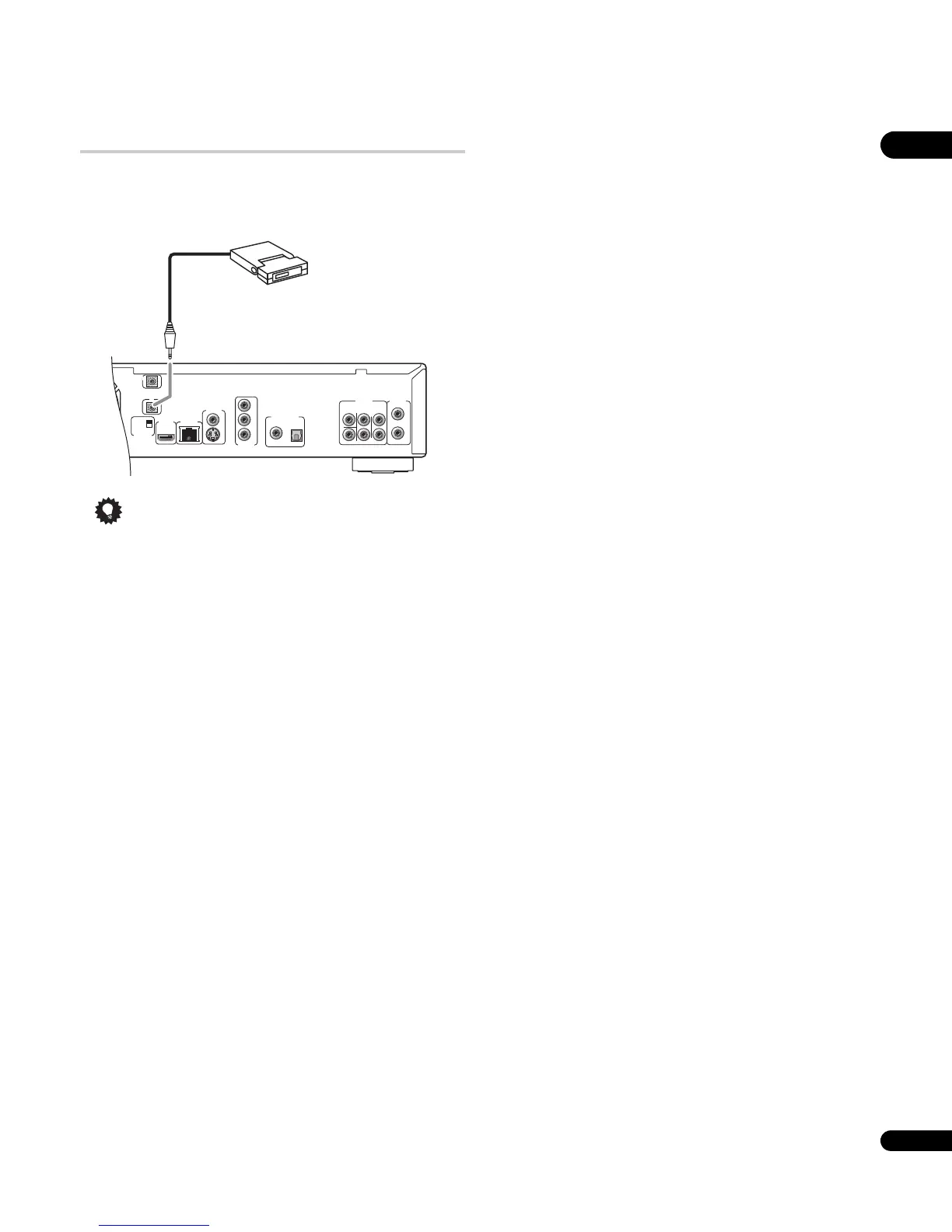
Using an external IR receiver with this player
If you prefer to keep your AV equipment in a closed cabinet, you can
use an external IR receiver connected to the IR IN jack. You can thus
have just the receiver outside of the cabinet and still be able to
control the player.
Tip
• You may need to set the IR RECEIVER switch (located under the
IR IN jack) for this player to recognize the IR receiver correctly.
• This player does not supply power to the external IR receiver.
Please see the operating instructions of the IR receiver for the
power requirements.
AUDIO OUT
(5.1ch)
DIGITAL AUDIO OUT
AUDIO OUT
(2ch)
CENTER
SUB WOOFER
FRONT
SURROUND
L
L
R
R
COAXIAL OPTICAL
COMPONENT
VIDEO OUT
VIDEO OUT
LAN(100)
HDMI OUT
Y
S
P
B
P
R
SETTING 2
SETTING 1
IR RECEIVER
IR
CONTROL
IN
IN
IR receiver



 To Next Page
 Loading...