EasyManua.ls Logo

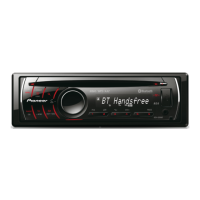
Pioneer DEH-6250BT - User Manual

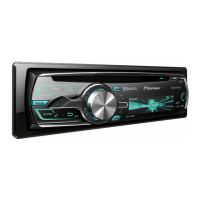
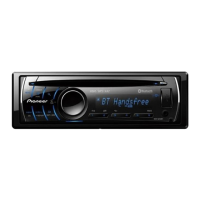
Pioneer DEH-6250BT
88 pages
Print Icon
To Next Page IconTo Next Page
Loading...
Operation Manual
Manual de instrucciones
Manual de operação
CD RECEIVER
RADIO CD
CD PLAYER
DEH-6250BT
English
Español
Português (B)

Table of Contents

Questions and Answers

Summary

Before You Start

User Information and Warnings

Alteration or modifications may invalidate user's right to operate the equipment.

Unit Overview and Safety Precautions

Cautions regarding liquids, laser product classification, and safety.

Troubleshooting Initial Steps

Guidance on what to do if the unit fails to operate properly.

Before You Start - Continued

Demo Mode Operation

Explanation of the demo mode feature and its operation.

Manual Scope and Terminology

Clarifies terminology and scope of the manual.

Microprocessor Reset Procedure

Procedures for resetting the unit's microprocessor.

Operating this unit - Controls

Head Unit Controls and Ports

Identifies and describes the buttons and ports on the main unit.

Remote Control Button Identification

Identifies and describes the buttons on the remote control.

Operating this unit - Display & Basic Ops

Display Indication Guide

Explains the various symbols and text displayed on the unit.

Basic Unit Handling and Operations

Important guidelines for handling the unit and basic functions.

Operating this unit - Remote Care

Remote Control Usage and Battery Replacement

Instructions for using the remote control and replacing its battery.

Remote Battery Safety Warnings

Warnings and cautions regarding battery usage and handling.

Operating this unit - Bluetooth Phone

Bluetooth Phone Setup Guide

Steps to connect and configure the phone for Bluetooth use.

Bluetooth Call Management

Procedures for making, answering, and managing calls.

Operating this unit - Menus & Tuner

Universal Menu Navigation

Describes common menu operations for various settings.

Tuner Operation and Presets

Details on selecting bands, tuning, presets, and seeking stations.

Function Settings and BSM

How to access and configure functions and use Best Stations Memory.

Operating this unit - CD & USB

CD and USB Device Playback

Basic steps for playing CDs and USB devices.

Displaying Text Information (CD;USB)

How to view text data from discs and USB devices.

Operating this unit - File Lists & Special Buttons

File List Navigation and Playback

How to navigate and play audio files from lists.

Special Button Functions (Repeat, Random)

Using buttons for repeat, random, and sound retriever functions.

Operating this unit - iPod Basic

iPod Connection and Basic Playback

Connecting and operating an iPod.

iPod Text Information Display

Viewing text details from the iPod.

iPod Music Browsing

Navigating music by category or artist.

Operating this unit - Advanced iPod

Advanced iPod Operations (Link Play)

Using special buttons for iPod repeat, shuffle, and link play.

iPod Control Mode Switching

Switching between unit and iPod control.

Operating this unit - iPod Settings & Bluetooth Menu

iPod Function Settings (Repeat, Shuffle)

Details on repeat, shuffle, link play, CTRL, and audiobook settings.

Bluetooth Connection Menu

Important note on parking for connection setup.

Operating this unit - Bluetooth Management

Bluetooth Device Management

Connecting, disconnecting, deleting devices, and special device settings.

Bluetooth Connectivity Modes

Auto connect and visibility settings.

Operating this unit - Bluetooth & Phone

Bluetooth PIN and Device Information

Setting PIN and viewing device information.

Phone Book and Call History

Accessing call history and phone book.

Preset Phone Number Storage

Storing and recalling phone numbers.

Operating this unit - Phone & Audio Settings

Phone Function Settings

Setting auto answer and ring tone.

Audio System Adjustments

Fader/balance, preset EQ, graphic EQ, and loudness settings.

Operating this unit - Audio Output & Initial Settings

Subwoofer and Filter Configuration

Adjusting subwoofer output, cut-off frequencies, and bass boost.

Source Level Adjustment (SLA)

Adjusting volume levels between sources.

Initial Setup Options

Accessing and setting language and clock.

Operating this unit - Clock, Tuning & Display

Clock, Tuning, and Warning Tone Settings

Setting clock display, FM/AM tuning steps, and warning tone.

Auxiliary Input and USB PnP

Activating auxiliary input and USB plug and play.

Display Brightness and Output Control

Adjusting display brightness and rear/subwoofer output settings.

Operating this unit - Advanced Functions

Demo, Scroll, and Bluetooth Management

Managing demo display, text scrolling, and Bluetooth reset.

Software Update and AUX Usage

Updating software and using AUX input.

Display and Illumination Control

Turning display and illumination on/off.

Additional Information - Troubleshooting

General Troubleshooting Guide

Common issues and their solutions.

CD Player Error Messages

Error codes for CD playback issues.

Additional Information - Error Messages

USB and iPod Error Messages

Error codes for USB and iPod playback issues.

Additional Information - Handling & Bluetooth Errors

Disc and Player Handling Precautions

Precautions for handling discs and the player.

Bluetooth Module Error

Error code for Bluetooth module failure.

Additional Information - Usage & Compatibility

USB and iPod Usage Guidelines

Guidelines for using USB storage devices and iPods.

DualDisc and Compressed Audio Formats

Information on DualDisc compatibility and file formats.

Additional Information - Audio Specs & iPod List

Compressed Audio Details and USB Specs

File format details and USB storage device specifications.

Supported iPod Models and Software

List of supported iPod models and software versions.

Additional Information - File Sequence & Bluetooth

Audio File Sequencing and Bluetooth Profiles

Methods for specifying playback order and supported Bluetooth profiles.

Copyright and Trademarks

Information on Bluetooth and Pioneer trademarks.

Additional Information - Apple Software

Apple Software and Licensing Information

Information on Apple trademarks and MP3 licensing.

iPod and iPhone Certification

Details on "Made for iPod" and "Works with iPhone" certifications.

Specifications

General and Audio Specifications

Power, dimensions, weight, and audio output details.

Player and Tuner Specifications

CD player, FM/AM tuner, and Bluetooth specifications.

Remote Control and Other Specs

Infrared remote control and other technical details.

Pioneer DEH-6250BT Specifications

General IconGeneral
BluetoothYes
USB PortYes
AUX InputYes
CD PlaybackYes
Radio TunerAM/FM
Display TypeLCD
Preamp Outputs3 (Front, Rear, Subwoofer)
MP3 PlaybackYes
WMA PlaybackYes
AAC PlaybackYes
Subwoofer ControlYes
Remote ControlYes
Equalizer13-Band
Channels4
DIN Size1 DIN
Power Output50W x 4
RMS Power Output22W x 4
Peak Power Output50W x 4

Related product manuals