EasyManua.ls Logo

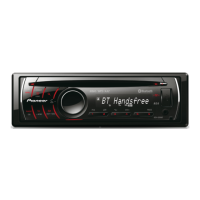
Pioneer DEH-64BT - User Manual

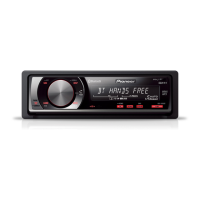
Pioneer DEH-64BT
24 pages
Print Icon
To Next Page IconTo Next Page
Loading...
Owners Manual
Mode demploi
Manual de instrucciones
CD RDS RECEIVER
AUTORADIO CD RDS
REPRODUCTOR DE CD CON RECEPTOR RDS
DEH-6400BT
DEH-5400BT
DEH-64BT
English EspañolFrançais

Questions and Answers

  • O
    Olivia EricksonAug 8, 2025
    What to do if my Pioneer DEH-64BT says 'NO AUDIO'?
    • S
      savannahstoneAug 8, 2025
      If your Pioneer Car Receiver displays 'NO AUDIO', it might be because the disc you've inserted doesn't have any playable files. Try replacing the disc. Alternatively, if you're using a USB storage device, ensure it contains audio files by transferring songs to it and then connecting it to the receiver.
  • R
    Rebecca AveryAug 13, 2025
    How to fix ERROR-07 on Pioneer DEH-64BT?
    • K
      Kathleen MillsAug 13, 2025
      If your Pioneer Car Receiver displays 'ERROR-07', the disc is likely dirty. Try cleaning the disc to resolve the issue.
  • M
    mariah63Aug 19, 2025
    What to do if my Pioneer DEH-64BT displays ERROR-11, 12, 17, 30?
    • A
      alexanderdavisAug 19, 2025
      If your Pioneer Car Receiver displays 'ERROR-11', 'ERROR-12', 'ERROR-17', or 'ERROR-30', it indicates that the disc is scratched. Replacing the disc should solve the problem.
  • R
    Robert TorresAug 26, 2025
    What to do if my Pioneer DEH-64BT Car Receiver displays ERROR-15?
    • J
      Jesus KnightAug 26, 2025
      If your Pioneer Car Receiver displays 'ERROR-15', the inserted disc is blank. You should replace the disc with one that contains data.
  • G
    Gregory RodriguezAug 31, 2025
    What to do if my Pioneer Car Receiver displays ERROR-23?
    • K
      Kathleen HarringtonAug 31, 2025
      If your Pioneer Car Receiver displays 'ERROR-23', it means the CD format is not supported. Try using a different disc with a supported format.

Summary

Getting Started and Safety

Product Overview and Safety Guidelines

Introduces the product, user information, and essential safety advice.

Hearing Safety and Safe Listening

Emphasizes protecting hearing while using the device and setting safe levels.

Manual, Support, and Basic Operations

Manual Overview and After-Sales Service

Guides users to helpful information and support resources.

Head Unit and Remote Control Layout

Identifies key components and their functions.

Basic Operations and Display Indicators

Covers fundamental controls, display symbols, and setup menus.

Media Playback Features

Tuner and Radio Operations

Details how to access and use radio stations.

CD, USB, and iPod Playback Guide

Covers playing music from discs, USB devices, and iPods.

iPod Navigation and Advanced Features

Covers specific iPod functions like browsing, repeat, and shuffle.

Bluetooth and Phone Integration

Bluetooth Connectivity and Device Pairing

Guides users through connecting Bluetooth devices.

Phone Operations and Contact Management

Covers making calls, managing the phone book, and call history.

Customization and Settings

Audio Adjustments and Sound Enhancement

Details how to configure audio output and apply sound enhancements.

Initial Setup, Clock, and Dimmer Settings

Covers initial configuration, clock, dimmer, and illumination settings.

Illumination Color Customization Options

Explains how to personalize the unit's lighting.

Installation Procedures

Wiring and Connections Guide

Provides instructions for connecting the unit's power and audio cables.

Mounting and Microphone Installation

Details physical installation steps and microphone placement.

Additional Information

Troubleshooting and Error Message Solutions

Offers solutions for common operational problems and error codes.

Media Compatibility and Technical Data

Lists supported file formats and provides detailed technical specifications.

Warranty Information

Limited Warranty Terms and Service Procedures

Outlines the warranty period, coverage, and how to obtain service.

Pioneer DEH-64BT Specifications

General IconGeneral
BluetoothYes
USB PortYes
CD PlaybackYes
AM/FM TunerYes
Display TypeLCD
Equalizer13-Band
DIN SizeSingle DIN
RMS Power Output22 watts
RMS Power Bandwidth20 Hz - 20 kHz
Preamp Outputs (Channels)3
Subwoofer Preamp OutputYes
Auxiliary InputYes
USB InputYes
iPod CompatibilityYes
HD RadioNo
Satellite Radio ReadyNo
NavigationNo
Remote ControlYes
FaceplateDetachable
Wireless RemoteYes
CD Signal-to-Noise90 dB
Channels4
High-Pass FilterYes
Low-Pass FilterYes
Subwoofer OutputYes
Steering Wheel ControlYes
Power Output50W x 4
Preamp Outputs3
Preamp Voltage2V

Related product manuals