EasyManua.ls Logo

Pioneer DEH-9350SD - User Manual

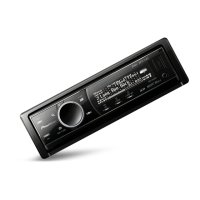
Pioneer DEH-9350SD
104 pages
Print Icon
To Next Page IconTo Next Page
Loading...
Português (B)
EspañolEnglish
Owner’s Manual
Manual de instrucciones
Manual do proprietário
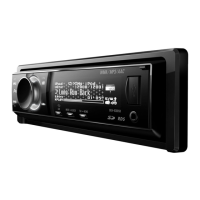
DEH-9350SD
CD RECEIVER
RADIO CD
CD PLAYER
Downloaded from Caradio-Manual.com Manuals

Questions and Answers

  • B
    Benjamin ReedSep 9, 2025
    Why does my Pioneer Car Stereo System say 'PROTECT' when using USB?
    • C
      Christopher JohnsonSep 9, 2025
      If your Pioneer Car Stereo System displays 'PROTECT' and you're using a USB storage device, all the files may be embedded with Windows Media DRM 9/10. Transfer audio files without this DRM to the USB device and try again.
  • M
    Michael ZamoraAug 23, 2025
    What to do if my Pioneer DEH-9350SD says 'NOT COMPATIBLE'?
    • S
      Steven WhitakerAug 23, 2025
      If you see 'NOT COMPATIBLE' on your Pioneer Car Receiver, it means the connected USB device is not supported. Ensure you connect a USB Mass Storage Class compliant device or replace it with a compatible USB storage device.
  • K
    Karen PetersonAug 25, 2025
    What does ERROR-07, 11, 12, 17, 30 mean on Pioneer DEH-9350SD?
    • N
      Nicole GonzalesAug 25, 2025
      If your Pioneer Car Receiver displays ERROR-07, 11, 12, 17, or 30, it could be due to a dirty or scratched disc. Try cleaning the disc first. If the error persists, replace the disc.
  • D
    Diana PerezAug 27, 2025
    Why does my Pioneer Car Receiver say 'NO DEVICE'?
    • K
      Karen FreemanAug 27, 2025
      If your Pioneer Car Receiver shows 'NO DEVICE', it could be because plug and play is off, or no USB storage device or iPod is connected. Turn plug and play on, or connect a compatible USB storage device/iPod.
  • J
    john79Aug 27, 2025
    What does the 'PROTECT' error mean on my Pioneer DEH-9350SD Car Receiver with USB?
    • P
      Patricia KirbyAug 28, 2025
      If your Pioneer Car Receiver displays 'PROTECT' when using a USB storage device, all the files may be embedded with Windows Media DRM 9/10. Transfer audio files not embedded with Windows Media DRM 9/10 to the USB storage device and connect.
  • T
    Timothy RamirezAug 29, 2025
    Why does my Pioneer DEH-9350SD Car Receiver say 'SKIPPED' when playing from USB?
    • M
      Mary HinesAug 29, 2025
      If your Pioneer Car Receiver displays 'SKIPPED' when using a USB storage device, the connected USB storage device contains files embedded with Windows Media DRM 9/10. Play an audio file not embedded with Windows Media DRM 9/10.
  • J
    Jay WatersSep 18, 2025
    How to disable USB security on Pioneer Car Stereo System?
    • N
      Nicholas BoyerSep 18, 2025
      If the connected USB storage device has security enabled on your Pioneer Car Stereo System, follow the USB storage device instructions to disable the security.
  • F
    Frank DavilaSep 18, 2025
    What does ERROR-23 mean on my Pioneer Car Stereo System?
    • L
      Linda HooperSep 22, 2025
      If your Pioneer Car Stereo System displays ERROR-23, it means the disc has an unsupported CD format. Replace the disc with a compatible CD format.
  • C
    courtney45Sep 7, 2025
    What to do if my Pioneer Car Stereo System shows ERROR-07, 11, 12, 17, or 30?
    • C
      Charles ArnoldSep 8, 2025
      If your Pioneer Car Stereo System displays ERROR-07, 11, 12, 17, or 30, it could be due to a dirty or scratched disc. First, try cleaning the disc. If the error persists, replace the disc.
  • H
    Heather SampsonSep 4, 2025
    What does 'FORMAT READ' mean on Pioneer Car Receiver?
    • M
      Martin VargasSep 5, 2025
      If your Pioneer Car Receiver displays 'FORMAT READ', there is a delay between the start of playback and when you start to hear any sound. Wait until the message disappears and you hear sound.

Summary

Before You Start

About this unit

Description of the unit and important safety precautions.

In case of trouble

Guidance on what to do if the unit malfunctions or encounters issues.

Demo mode

Instructions for activating and using the unit's demonstration mode.

Reverse mode

How to activate and deactivate the reverse display mode.

About this manual

Explanation of abbreviations and terms used throughout the manual.

Operating this unit

Head Unit and Remote Control Overview

Introduction to the main unit's controls and the functions of the remote.

Basic Operations and Menu Navigation

Fundamental functions like power, source selection, volume, and menu interaction.

Tuner Operations

Detailed instructions for using the radio functions, including tuning and presets.

Disc and External Storage Media Playback

How to play music from CDs, USB drives, and SD cards.

iPod Operations and Features

Steps for connecting and playing music from an iPod device, including advanced features.

Function Settings and Playback Modes

Configuration of playback modes like repeat, shuffle, and link play.

Audio Adjustments and Sound Customization

Fine-tuning audio output, including EQ, subwoofer, and bass settings.

Initial Unit Setup and System Configuration

Setting language, date, time, and other initial unit parameters.

Additional Functions and Display Control

Using AUX, controlling the clock display, and switching indicators.

Installation

Wiring and Connections Guide

Instructions for connecting speakers, power, and ground wires safely.

Safety Precautions During Installation

Essential safety steps to follow before and during the installation process.

DIN Mounting Procedures (Front and Rear)

Step-by-step instructions for front and rear DIN mounting the unit.

Unit Removal and Front Panel Handling

Procedures for removing the unit and managing the detachable front panel.

Additional Information

Troubleshooting Common Issues

Solutions for common operational problems and error messages.

Media Compatibility and Format Support

Information on supported media formats and device limitations.

iPod Integration and File Management

Notes on iPod settings, file sequencing, and copyright information.

Technical Specifications

Comprehensive technical data for the unit's components and features.

Tuner and Remote Control Specifications

Technical details for FM/AM tuners and the infrared remote.

Pioneer DEH-9350SD Specifications

General IconGeneral
BrandPioneer
ModelDEH-9350SD
CategoryCar Receiver
LanguageEnglish

Related product manuals