
 Need help?
Do you have a question about the Pioneer DEH-P4650MP and is the answer not in the manual?
Provides an overview of the operation manual and its purpose.
Outlines essential safety warnings and handling procedures for the unit.
Details supported media formats including CD, MP3, WMA, and WAV playback capabilities.
Explains WMA (Windows Media Audio) technology and its development.
Instructions for installing the battery and operating the remote control.
Details on detaching the front panel for security and related warning tones.
Step-by-step instructions for detaching the front panel from the unit.
Step-by-step instructions for reattaching the front panel to the unit.
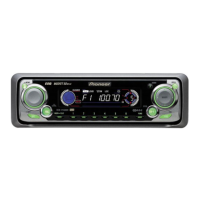
Identifies and explains the functions of buttons and controls on the head unit.
Explains that remote control operation mirrors head unit functions.
Details specific buttons on the remote control, including CD, TUNER, ATT, and VOLUME.
Instructions on how to power on the unit by selecting a source.
Guide to choosing between different audio sources like Tuner, CD player, and AUX.
Instructions on how to power off the unit by pressing and holding the SOURCE button.
Explains the Band, Frequency, Stereo, and Preset Number indicators on the display.
Covers selecting the tuner, adjusting volume, and changing bands.
Details manual tuning and seek tuning for finding radio stations.
Introduces advanced tuner functions and display indicators.
How to store and recall broadcast frequencies using preset buttons.
Details on activating and adjusting local seek tuning for better reception.
How to use BSM to automatically store the six strongest broadcast frequencies.
Basic steps for playing a CD, including insertion and playback start.
Details on ejecting discs and controlling playback like fast forward/skip.
Introduces advanced CD functions and display indicators.
Details how to use repeat play for folders, tracks, or all tracks.
How to play tracks from a CD in a random order.
How to play the first 10 seconds of each track on a CD.
How to temporarily stop and resume CD playback.
Using COMP and BMX functions to adjust sound quality.
Switching between fast forward/reverse and 10-track search.
How to search for tracks by skipping 10 tracks at a time.
Functions for entering and managing custom CD titles.
How to display encoded disc and track titles from CD TEXT discs.
How to view entered custom titles for discs.
How to display encoded disc, track, and artist information from CD TEXT discs.
Basic steps for playing MP3, WMA, and WAV files from a disc.
Details on inserting files, ejecting discs, selecting folders, and controlling playback.
Important notes on mixed discs, file compatibility, DRM, and error messages.
Introduces advanced MP3/WMA/WAV functions and indicators.
Details repeat play options for folders, tracks, or all tracks.
How to play tracks randomly within selected repeat ranges.
How to play the beginning of tracks in folders or discs.
Instructions for temporarily stopping and resuming MP3/WMA/WAV playback.
Choosing between fast forward/reverse and 10-track search.
How to search tracks by skipping 10 at a time within a folder.
Using compression and BMX for sound quality adjustment.
How to turn the text information display (tag display) on or off.
How to view text information like folder, file, track, and artist names.
How to scroll long text information for folder, file, track, and artist names.
How to view text information like folder, file, and sampling frequency on WAV discs.
Basic steps for playing CDs using the multi-CD player.
Notes on supported functions for 50-disc multi-CD players.
Introduces advanced multi-CD player functions and indicators.
Details repeat play options for all discs, current track, or current disc.
How to play tracks randomly within selected repeat ranges.
How to play the beginning of tracks on discs or the first track of each disc.
Instructions for temporarily stopping and resuming CD playback.
How to create custom playlists of favorite tracks for playback.
How to play tracks that have been added to your ITS playlist.
How to remove specific tracks from your ITS playlist.
How to remove all tracks from a specific CD from your ITS playlist.
Functions for entering and managing custom CD titles.
How to view entered custom titles for discs.
How to display encoded disc, track, and artist information from CD TEXT discs.
Using COMP and DBE for sound quality adjustment.
Overview of audio adjustment features and indicators.
How to adjust front/rear and left/right speaker balance.
Explains how to use the equalizer to adjust sound characteristics.
How to select from six stored equalizer curves.
How to customize equalizer settings for Low, Mid, and High bands.
Adjusting center frequency and Q factor for equalizer bands.
How to compensate for low-volume deficiencies with loudness settings.
How to enhance front imaging by cutting rear speaker frequencies.
How to adjust volume levels for different sources to prevent drastic changes.
How to perform initial setup of various unit settings.
How to switch the FM tuning step between 100 kHz and 50 kHz.
How to switch the AM tuning step between 9 kHz and 10 kHz.
How to turn the warning tone for front panel removal on or off.
How to activate the auxiliary setting for connected equipment.
How to turn the clock display on or off.
How to connect and select auxiliary equipment as an audio source.
Explains common error messages and their causes/actions.
Provides instructions on proper handling and maintenance of the CD player.
Information on playback compatibility and precautions for CD-R/CD-RW discs.
Explains the MP3, WMA, and WAV file formats and their compatibility.
Details on MP3 compatibility, ID3 tags, bit rates, and playlist support.
Details on WMA compatibility, bit rates, and frequencies.
Details on WAV compatibility, frequencies, and quantization bits.
Explains how folders are organized and processed for MP3/WMA/WAV files.
Illustrates the hierarchy of folders for MP3/WMA/WAV files.
Defines key technical terms related to audio playback and file formats.
Defines terms like Packet Write, VBR, WAV, and WMA file formats.
Details power, dimensions, weight, and chassis information.
Covers output power, impedance, equalizer, and loudness settings.
Provides specifications for disc compatibility, signal format, and frequency response.
Details specifications for FM and AM tuner performance.
Covers technical specifications for the infrared remote control.
 General
| Brand | Pioneer |
|---|---|
| Model | DEH-P4650MP |
| Category | Car Receiver |
| Language | English |



 To Next Page
