EasyManua.ls Logo

Pioneer DEH-X3500UI - User Manual

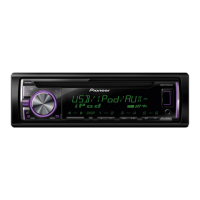
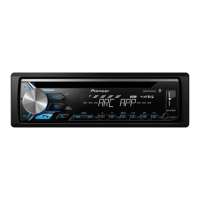
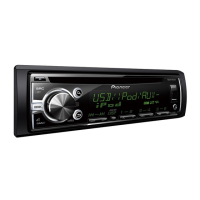
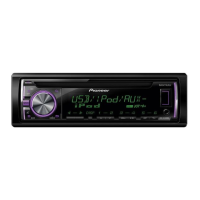
Pioneer DEH-X3500UI
23 pages
Print Icon
To Next Page IconTo Next Page
Loading...
Owners Manual
Mode demploi
Manual de instrucciones
CD RDS RECEIVER
AUTORADIO CD RDS
REPRODUCTOR DE CD CON RECEPTOR RDS
DEH-X3500UI
DEH-X35UI
DEH-2500UI
English EspañolFrançais

Questions and Answers

  • J
    jameschavezJul 26, 2025
    Why is my Pioneer Car Receiver malfunctioning?
    • L
      lhartmanJul 26, 2025
      If your Pioneer Car Receiver is malfunctioning, it may be due to interference from nearby electrical devices. Try moving these devices away from the receiver.
  • B
    Benjamin DavidsonJul 31, 2025
    What to do if my Pioneer Car Receiver says USB device consumes too much current?
    • A
      amywalkerAug 1, 2025
      If your Pioneer Car Receiver says that the connected USB storage device consumes more than the maximum allowable current, disconnect the USB storage device and do not use it. Turn the ignition switch to OFF, then to ACC or ON, and then connect only compliant USB storage devices.
  • R
    riverakelseyAug 5, 2025
    What to do if my Pioneer Car Receiver says USB device not supported?
    • D
      dbutlerAug 5, 2025
      If the USB device is not supported by your Pioneer Car Receiver, ensure that you are connecting a USB Mass Storage Class compliant device. If the issue persists, disconnect the current device and replace it with a compatible USB storage device.
  • S
    Sheri AndersonAug 10, 2025
    Why won't my Pioneer Car Receiver play files from my USB?
    • D
      David JamesAug 11, 2025
      If your Pioneer Car Receiver does not play files, it might be because the connected USB storage device contains files embedded with Windows Media DRM 9/10. Try playing an audio file not embedded with Windows Media DRM 9/10 or transfer audio files not embedded with Windows Media DRM 9/10 to the USB storage device and connect it to the receiver.
  • K
    Kristina RiosAug 15, 2025
    What to do if repeat play range changes unexpectedly on Pioneer Car Receiver?
    • D
      dariusgreenAug 15, 2025
      If the selected repeat play range changes unexpectedly on your Pioneer Car Receiver (when another folder or track is being selected, or during fast forwarding/reversing), select the repeat play range again.
  • S
    Samuel NelsonAug 20, 2025
    What to do if my Pioneer Car Receiver displays no embedded text information?
    • J
      jtrevinoAug 20, 2025
      If there is no embedded text information displayed on your Pioneer Car Receiver, switch the display or play another track/file.

Summary

Before You Start

Information to User

Information regarding user modifications and their impact on equipment operation and rights.

Safety Precautions

Guidelines for safe operation, hearing protection, and warnings about potential hazards like proposition 65 chemicals.

About This Unit

Details regarding the unit's operation, frequency allocation for North America, and important notes.

Serial Number

Information on locating and recording the unit's serial number for security and convenience.

About This Manual

Explanation of abbreviations used in the manual for clarity, such as USB storage devices and iPod.

Operating This Unit

After-Sales Service

Information on contacting Pioneer for product support, updates, and service information via website and customer support.

Head Unit Components

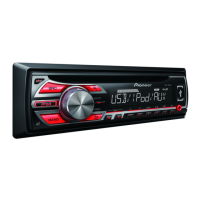
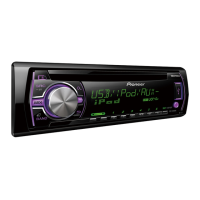
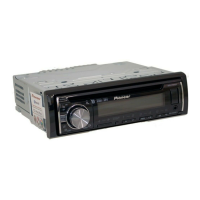
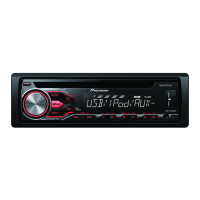
Identification and description of parts for DEH-X3500UI/X35UI and DEH-2500UI models.

Remote Control Overview

Identification and description of buttons and functions on the remote control.

Basic Operations

General operations including adjusting volume, display, and functions using the unit's controls.

Display Indication

Explanation of indicators and states displayed on the unit's screen for various functions.

Setup Menu and Clock Setting

Guides on initial setup, including setting the clock and navigating menu options.

Front Panel Operations

Important handling instructions for the front panel to prevent damage and ensure longevity.

Front Panel Security

Instructions for removing and re-attaching the front panel for theft protection and proper handling.

Source Selection

How to switch between different audio sources like Tuner, CD, USB, iPod, Pandora, and AUX.

Remote Control Usage and Care

Guidelines for using the remote control, including pointing, battery replacement, and handling precautions.

Common Menu Operations

Procedures for navigating back through displays and lists in the unit's menu system.

Tuner Operations

Detailed guide on using the radio tuner, including band selection, tuning, presets, and display options.

Disc and USB Playback

Instructions for playing CDs, CD-Rs/RWs, and USB storage devices, including file selection and navigation.

MIXTRAX Function

How to use the MIXTRAX feature for music playback with sound effects and lighting.

Advanced Playback Operations

Managing display modes, selecting tracks by name, using special buttons, and sound enhancement.

iPod Operations

How to play songs, select tracks/albums, and use MIXTRAX with an iPod.

iPod Control Modes and Browsing

Switching between control modes (iPod/App/Audio) and browsing for songs on iPod.

Advanced iPod Features

Using special buttons, sound retriever, link play, and operating the iPod from the connected device.

Function Settings and Audio Book

Adjusting audio book playback speed and sound retriever settings.

Using Pandora

Requirements, limitations, and basic operations for using the Pandora internet radio service.

Audio Adjustments

Detailed guide on adjusting Fader, Balance, EQ settings, Loudness, and Subwoofer output.

System Settings

Configuring clock, display information, AUX input, and source level adjustments.

Illumination and Display Customization

Adjusting key colors, display colors, dimmer settings, and custom illumination.

MIXTRAX Menu and Settings

Customizing MIXTRAX playback, flash effects, display options, and manual cut-in effects.

Initial Setup Options

Configuring initial settings like SP-P/O MODE for speaker output and subwoofer connections.

AUX Source and Display Settings

Using the AUX input, switching display modes, and managing unwanted displays.

Installation

Wiring Connections

Overview of essential wiring connections, safety warnings, and important installation considerations.

Unit and Power Connections

Connecting the main unit, power cord, and optional amplifier for proper installation.

Subwoofer Wiring

Specific instructions for connecting a subwoofer to the unit, including wiring and settings.

Mounting Procedures

Instructions for DIN front-mount and rear-mount installation, including securing the unit and trim ring.

Unit and Front Panel Removal;Attachment

Steps for removing the unit from the dashboard and handling the front panel for security.

Troubleshooting

Common Issues and Solutions

Guides for resolving common operational symptoms like display issues and playback problems.

Error Messages

Explanation of error codes encountered during operation and their corresponding causes and actions.

Appendix

Specific Error Codes and Pandora Issues

Detailed error messages for USB, iPod, and Pandora, along with solutions and handling guidelines.

Disc Handling and Player Care

Guidelines for safely handling discs and the player to prevent damage and ensure optimal performance.

Disc, USB, and iPod Usage Notes

Important notes and warnings regarding discs, USB storage devices, and iPod usage.

Media Compatibility

Details on compatibility for compressed audio formats (WMA, MP3, WAV) and media types.

iPod Compatibility and USB Notes

List of compatible iPod models and important notes on USB storage device usage and partitions.

File Hierarchy and Copyrights

Explanation of file hierarchy examples and copyright information for audio formats and trademarks.

Technical Specifications

Comprehensive specifications for the unit, including general, audio, tuner, player, and CEA2006 compliance.

Warranty Information

Limited Warranty Terms

Details of the limited warranty, coverage, exclusions, and conditions for US and Canadian products.

Obtaining Service

Instructions on how to get warranty service, contact information, and dispute resolution procedures.

Warranty Exclusions and Legal Clauses

Details on what the warranty does not cover, implied warranties, and legal rights.

Service and Dispute Resolution

Procedures for obtaining warranty service in the USA and Canada, including dispute resolution.

Pioneer DEH-X3500UI Specifications

General IconGeneral
MP3 playbackYes
Playback disc formatsCD audio
Audio formats supportedMP3, WAV, WMA
Supported radio bandsAM, FM
Preset stations quantity24
Product colorBlack
Disc types supportedCD, CD-R, CD-RW
Audio output channels4.0 channels
Equalizer bands quantity5
Maximum power per channel50 W
Display typeLCD
BluetoothNo
Line outputs (RCA)2
Number of optical discs1 discs

Related product manuals