EasyManua.ls Logo

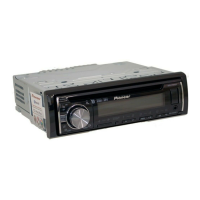
Pioneer DEH-X3600S - User Manual

Pioneer DEH-X3600S
28 pages
Print Icon
To Next Page IconTo Next Page
Loading...
Owners Manual
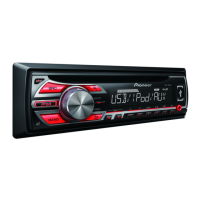
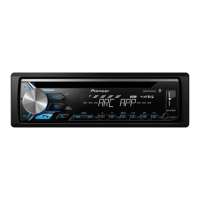
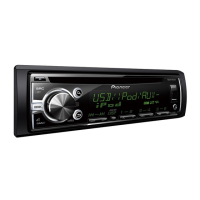
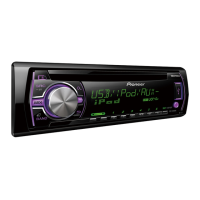
CD RDS RECEIVER
DEH-X6600BS
DEH-X6600BT
DEH-X66BT
DEH-X4600BT
DEH-X3600S
Important (Serial number)
The serial number is located on the bottom of this unit. For your own security and
convenience, be sure to record this number on the enclosed warranty card.

Questions and Answers

  • A
    Amanda AllenJul 31, 2025
    Why is there no sound from my Pioneer Car Receiver Bluetooth audio source?
    • W
      Wayne OliverJul 31, 2025
      If the sound from the Bluetooth audio source is not playing back on your Pioneer Car Receiver, it could be due to a call in progress on a connected Bluetooth phone. The sound will resume once the call ends. Alternatively, if a Bluetooth-connected phone is in use, avoid operating it. If a call was made and immediately ended, try reconnecting the Bluetooth connection between your unit and the phone to properly terminate the previous connection.
  • V
    vtaylorAug 10, 2025
    What does 'NO XXXX' mean on my Pioneer DEH-X3600S Car Receiver display?
    • T
      Tracy HallAug 11, 2025
      When a display is changed on your Pioneer Car Receiver and 'NO XXXX' appears (for example, 'NO TITLE'), it indicates there is no embedded text information. You can switch the display or play another track or file.
  • M
    Mark GainesAug 19, 2025
    Why does the repeat play range change unexpectedly on my Pioneer DEH-X3600S Car Receiver?
    • L
      Lori ThomasAug 19, 2025
      If the repeat play range on your Pioneer Car Receiver changes unexpectedly, it may be because the selected range changes when another folder or track is selected, or during fast forwarding/reversing. Select the repeat play range again.

Summary

Getting Started: Safety and Compliance

Important Safety, Compliance, and Hearing Guidelines

Essential safety guidelines, FCC/IC compliance, and hearing protection advice.

Using Your Pioneer Unit: Initial Steps

Handling Precautions and Cautions

Crucial warnings and precautions for unit operation and handling.

Using Your Pioneer Unit: Controls and Setup

Using Your Pioneer Unit: Audio and Radio

Source Selection, Volume, and Remote Control

How to select audio sources, adjust volume, and utilize the remote control effectively.

Using Your Pioneer Unit: Media and Features

Using Your Pioneer Unit: Online Services

Using Your Pioneer Unit: Connectivity

Using Your Pioneer Unit: Bluetooth and Apps

Bluetooth Telephony and Call Management

Making and receiving calls using the Bluetooth hands-free system.

Using Your Pioneer Unit: Bluetooth Features

Bluetooth Setup and Device Pairing

Steps for connecting and pairing Bluetooth-enabled devices with the unit.

Voice Recognition and Connection Management

Using voice commands and managing connected Bluetooth devices.

Using Your Pioneer Unit: Phone Functions

Phone Menu Operations and Contact Management

Navigating the phone menu, managing contacts, and storing numbers.

Phone Function Settings and Call Handling

Configuring phone functions like auto-answer and managing incoming/outgoing calls.

Using Your Pioneer Unit: Audio Streaming

Bluetooth Audio Streaming and Playback

Streaming audio wirelessly via Bluetooth and controlling playback.

Installation Guide: Basic Mounting

Important Installation Precautions and DIN Mounting

Key safety advice and step-by-step instructions for mounting the unit.

Installation Guide: Wiring Connections

Wiring Diagrams for Speakers and Amplifiers

Detailed wiring diagrams for connecting speakers, amplifiers, and power.

Installation Guide: Unit and Microphone

Additional Information: Troubleshooting

Troubleshooting Common Issues and Errors

Solutions for common operational problems and error messages.

Additional Information: Error Codes

Additional Information: Specifications

Pioneer DEH-X3600S Specifications

General IconGeneral
Radio TunerAM/FM
BluetoothYes
USB PortYes
AUX InputYes
DisplayLCD
DIN SizeSingle DIN
Subwoofer OutputYes
CD PlayerYes
MP3 PlaybackYes
WMA PlaybackYes
USB Input LocationFront
AUX Input LocationFront
Remote ControlOptional
Channels4
USB Port LocationFront
Display TypeLCD
Remote Control OptionalYes
AAC PlaybackYes
Presets24
Power Output50W x 4
Preamp Outputs2 (Front, Rear/Subwoofer)
Pandora ControlYes
iHeartRadio ControlYes
Spotify ControlYes
EQ5-Band Graphic EQ

Related product manuals