EasyManua.ls Logo

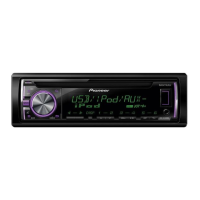
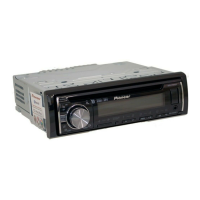
Pioneer DEH-X36UI - User Manual

Pioneer DEH-X36UI
21 pages
Print Icon
To Next Page IconTo Next Page
Loading...
Owners Manual
CD RDS RECEIVER
DEH-X3600UI
DEH-X36UI
DEH-X2600UI
DEH-X26UI
Important (Serial number)
The serial number is located on the bottom of this unit. For your own security and
convenience, be sure to record this number on the enclosed warranty card.

Questions and Answers

Summary

Before you start

Information to User

Information regarding user alterations and modifications to the equipment.

The Safety of Your Ears is in Your Hands

Guidance on maintaining safe listening levels to protect hearing.

About this unit

Information specific to the tuner frequencies and their allocation for North America.

Using this unit

After-sales service for Pioneer products

Information on contacting dealers or distributors for after-sales service and support.

If you experience problems

Guidance on troubleshooting and contacting a dealer for issues.

Head unit

Identification and labeling of the main unit's controls and ports.

Remote control

Identification and labeling of the remote control's buttons and functions.

Display indication

Explains the information displayed on the unit's screen.

Set up menu

Instructions for accessing and configuring the unit's initial setup menu.

Basic operations

Outlines fundamental operations for using the unit, including panel removal.

Selecting a source

How to choose between different audio sources like Radio, CD, USB, iPod, and AUX.

Adjusting the volume

Instructions on using the Multi-Control (M.C.) to adjust the audio volume.

Use and care of the remote control

Guidelines for operating and maintaining the remote control, including battery replacement.

Frequently used menu operations

Common operations for navigating menus, including returning to previous displays.

Radio operations

Basic functions for the radio, including band selection and tuning.

Storing and recalling stations

How to save and access favorite radio stations using preset tuning buttons.

Switching the display

Changing the information shown on the unit's display, such as frequency or track info.

Function settings

Accessing and adjusting various operational settings for the unit.

Operations using special buttons

Details on using specific buttons for playback control and features.

Function settings

How to access and adjust various functions like BSM, LOCAL, and SEEK settings.

CD;CD-R;CD-RW and USB storage devices

Instructions for playing discs and USB devices, including connection.

Operations using the MIXTRAX button

How to activate and use the MIXTRAX feature for music playback.

Switching the display

Changing the information shown on the unit's display, such as track info or clock.

Selecting and playing files;tracks from the name list

Navigating and selecting audio files or tracks using the unit's list interface.

Operations using special buttons

Using specific buttons for repeat, random play, and pause functions.

Function settings

Adjusting functions like Sound Retriever and other operational settings.

iPod basic operations

How to play songs, select tracks, and browse music from an iPod.

iPod MIXTRAX operations

Using the MIXTRAX feature with an iPod for enhanced playback.

iPod display switching

Changing the information displayed when using an iPod.

Browsing for songs on iPod

Navigating and selecting songs from the iPod's library or playlists.

iPod special button operations

Using special buttons for repeat, random play, and shuffle modes with iPod.

Playing songs related to the currently playing song

Linking playback to the current song's artist, album, or genre.

iPod function control from iPod

Managing iPod operations directly from the connected iPod device.

iPod function settings

Adjusting specific settings for iPod playback, like audio book speed.

Pandora streaming

Requirements and procedure for accessing and using Pandora internet radio.

Starting Pandora for iPhone users

Steps to connect and initiate Pandora playback with an iPhone.

Pandora basic operations

Playing tracks, skipping, and switching displays for Pandora.

Pandora display switching

How to cycle through display information when using Pandora.

Selecting and playing Pandora stations

Navigating and selecting stations or shuffle lists within Pandora.

Pandora special button operations

Using buttons for pause, sound retriever, and thumbs up/down for Pandora.

Pandora function settings

Adjusting settings like bookmarking and creating new stations in Pandora.

Using connected device applications

Performing streaming playback and control via iPhone applications.

Compatibility of connected devices

Information regarding terminals required for iPhone application use.

iPhone app operations

Operating iPhone applications, including basic playback and display.

iPhone app function settings

Adjusting specific function settings for iPhone applications.

Audio adjustments

Modifying audio settings such as Fader, Balance, EQ, Loudness, and Subwoofer.

System menu

Accessing and adjusting system-wide settings like Clock, Dimmer, and display options.

Selecting the illumination color

Customizing the key and display illumination colors, including scan and custom modes.

About MIXTRAX

Explanation of MIXTRAX technology for seamless music mixing and visual effects.

MIXTRAX menu

Accessing and adjusting MIXTRAX functions like playback mode and flash patterns.

Initial menu

Setting up initial system parameters like speaker output mode and subwoofer settings.

Installation

General precautions and steps for installing the unit in a vehicle.

System menu

Procedure to display and adjust system settings, including demo mode.

Using an AUX source

Instructions for connecting and selecting an auxiliary audio source.

Switching the display

Cycling through display information for source name and clock.

If an unwanted display appears

Steps to turn off unwanted displays, such as demo mode.

Installation

This unit connections

Wiring diagrams for connecting the main unit to power, speakers, and antenna.

Power cord connections

Specific wiring for power cord input and related connections.

Power amp connections

Wiring instructions for connecting an optional power amplifier.

Installation precautions

Important checks and considerations before and during installation.

Removing and re-attaching the front panel

DIN Front-mount installation

Steps for installing the unit using the DIN front-mount method.

DIN Rear-mount installation

Steps for installing the unit using the DIN rear-mount method.

Removing the unit

Procedure for safely removing the unit from the dashboard.

Securing the front panel

Instructions on how to secure the front panel using a provided screw.

Troubleshooting

Common issues and solutions

Troubleshooting common symptoms like display issues, repeat changes, and interference.

Error messages

List of error codes, their meanings, and recommended actions.

AMP ERROR

Troubleshooting for amplifier errors due to incorrect speaker connection or protective circuits.

CD player errors

Specific error codes related to CD playback issues like dirty or scratched discs.

USB storage device errors

Troubleshooting for USB device errors like format issues or communication failures.

Additional information

iPod failure and errors

Troubleshooting steps for iPod connection issues and specific error codes.

Pandora troubleshooting

Solutions for Pandora errors like communication failure or station limits.

Handling guidelines for discs and player

Proper handling of discs, including types to use and cleaning methods.

Compressed audio compatibility

Details on supported audio formats like WMA, MP3, and WAV for discs and USB.

USB storage device compatibility

Information on USB device compatibility, file systems, and limitations.

iPod compatibility

List of compatible iPod models and software versions.

Sequence of audio files

Guidelines on how audio files are sequenced and named on discs and USB devices.

Copyright and trademark information

Information regarding trademarks and licenses for software and services.

Specifications

General specifications

Power source, grounding, and dimensions of the unit.

Audio specifications

Details on power output, impedance, preout level, and equalizer settings.

CD player specifications

Information on the CD player system and compatible disc types.

USB specifications

Details on USB standard, supply, class, and file system compatibility.

FM tuner specifications

Frequency range, sensitivity, and signal-to-noise ratio for FM reception.

AM tuner specifications

Frequency range, sensitivity, and signal-to-noise ratio for AM reception.

CEA2006 Specifications

CEA-2006 compliant power output and S/N ratio.

Pioneer DEH-X36UI Specifications

General IconGeneral
Max Power Output50W x 4
TunerAM/FM
CD PlaybackYes
USB InputYes
BluetoothYes
Aux InputYes
Display TypeLCD
RDSYes
Faceplate SecurityDetachable
Subwoofer Preamp RCA OutputYes
Preamp Voltage2V
iPod and iPhone CompatibilityYes
Android CompatibilityYes
Remote ControlOptional
Preset Stations24
High-Pass FilterYes
Low-Pass FilterYes
Subwoofer OutputYes
Wireless Audio StreamingYes
Hands-Free CallingYes
DIN Size1 DIN
RMS Power Output22W x 4
PlaybackMP3/WMA/WAV
EQ Settings5-band
Steering Wheel ControlYes
Dimensions (W x H x D)178mm x 50mm x 160mm

Related product manuals