EasyManua.ls Logo

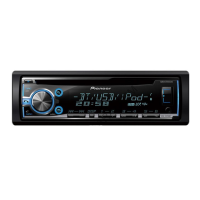
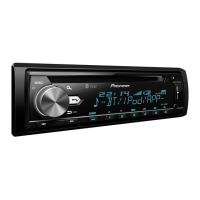
Pioneer DEH-X5500HD - User Manual

Pioneer DEH-X5500HD
64 pages
Print Icon
To Next Page IconTo Next Page
Loading...
Owners Manual
Mode demploi
Manual de instrucciones
CD RDS RECEIVER
AUTORADIO CD RDS
REPRODUCTOR DE CD CON RECEPTOR RDS
DEH-X5500HD
DEH-X55HD
English EspañolFrançais

Table of Contents

Questions and Answers

  • M
    morganjohnAug 15, 2025
    What does 'NO XXXX' mean on my Pioneer DEH-X5500HD Car Receiver display?
    • B
      Brian CabreraAug 15, 2025
      If 'NO XXXX' (e.g., NO TITLE) appears when a display is changed on your Pioneer Car Receiver, it indicates that there is no embedded text information. Try switching the display or playing another track/file.
  • S
    Spencer MartinAug 18, 2025
    Why is there interference with my Pioneer Car Receiver?
    • A
      Angela CollinsAug 18, 2025
      If you are experiencing interference with your Pioneer Car Receiver, it may be due to nearby electronic devices emitting electrical waves, such as a cellular phone. To resolve this, move any such devices away from the unit.
  • C
    christopher47Aug 21, 2025
    What to do if the display automatically returns on Pioneer DEH-X5500HD?
    • R
      Renee NguyenAug 22, 2025
      If the display on your Pioneer Car Receiver automatically returns to the ordinary display, it is likely because no operation was performed within approximately 30 seconds. To continue, simply perform the desired operation again.
  • S
    Stacy LloydAug 25, 2025
    What to do if USB device consumes too much current in Pioneer Car Receiver?
    • S
      Samantha SpenceAug 26, 2025
      If the connected USB storage device consumes more than the maximum allowable current for your Pioneer Car Receiver, disconnect the USB storage device and refrain from using it. Turn the ignition switch to OFF, then to ACC or ON, and then connect only compliant USB storage devices.
  • C
    Carol RodriguezAug 28, 2025
    Why does the repeat play range change unexpectedly on my Pioneer DEH-X5500HD Car Receiver?
    • P
      Philip StephensAug 28, 2025
      If the repeat play range on your Pioneer Car Receiver changes unexpectedly, it may be due to selecting another folder or track, or during fast forwarding/reversing. In this case, select the repeat play range again.
  • D
    Douglas FletcherSep 1, 2025
    Why is a subfolder not playing on my Pioneer DEH-X5500HD Car Receiver?
    • R
      Robin RobinsonSep 1, 2025
      If a subfolder is not playing back on your Pioneer Car Receiver, it might be because subfolders cannot be played when FLD (folder repeat) is selected. Select another repeat play range.
  • C
    Cindy JacksonSep 3, 2025
    What to do if USB connector short-circuited on Pioneer Car Receiver?
    • E
      Erik HumphreySep 4, 2025
      If the USB connector or USB cable has short-circuited on your Pioneer Car Receiver, check that the USB connector or USB cable is not caught in something or damaged.
  • J
    James SmallSep 7, 2025
    What to do if all files are embedded with Windows Media DRM 9/10 on Pioneer Car Receiver?
    • C
      Cindy SimmonsSep 7, 2025
      To resolve this issue with your Pioneer Car Receiver, transfer audio files not embedded with Windows Media DRM 9/10 to the USB storage device and connect.
  • C
    Courtney HolmesSep 12, 2025
    What to do if USB device is not supported by Pioneer DEH-X5500HD Car Receiver?
    • M
      micheal12Sep 12, 2025
      To resolve this issue with your Pioneer Car Receiver, connect a USB Mass Storage Class compliant device.

Pioneer DEH-X5500HD Specifications

General IconGeneral
BrandPioneer
ModelDEH-X5500HD
CategoryCar Receiver
LanguageEnglish

Related product manuals