EasyManua.ls Logo

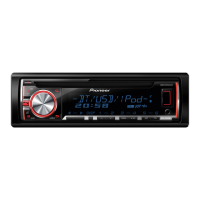
Pioneer DEH-X5600HD - User Manual

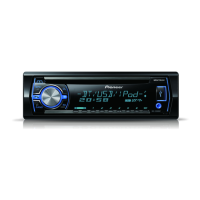
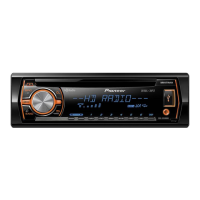
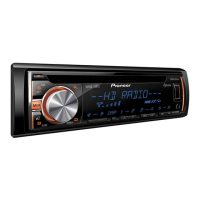
Pioneer DEH-X5600HD
64 pages
Print Icon
To Next Page IconTo Next Page
Loading...
Black plate (1,1)
Owners Manual
Mode demploi
Manual de instrucciones
CD RDS RECEIVER
AUTORADIO CD RDS
REPRODUCTOR DE CD CON RECEPTOR RDS
DEH-X5600HD
DEH-X56HD
Important (Serial number)
The serial number is located on the bottom of this unit. For your own security and
convenience, be sure to record this number on the enclosed warranty card.
Important (Numéro de série)
Le numéro de série se trouve au bas de cet appareil. Pour votre sécurité et votre
commodité, veillez à noter ce numéro sur la carte de garantie fournie.
Importante (Número de serie)
El número de serie se encuentra en la parte inferior de esta unidad. Por su
propia seguridad y comodidad, asegúrese de anotar este número en la tarjeta de
garantía que se adjunta.
<QRD3199-A>1
English EspañolFrançais

Table of Contents

Questions and Answers

  • S
    Stephen YoungAug 10, 2025
    What to do if I see AMP ERROR on my Pioneer DEH-X5600HD Car Receiver?
    • A
      Andrea ValenzuelaAug 10, 2025
      The AMP ERROR message indicates that the protective circuit has been activated. First, check the speaker connection. If the error persists even after restarting the engine, it is recommended to contact your dealer or an authorized Pioneer Service Station for assistance.
  • J
    Joseph ForbesAug 19, 2025
    What to do if 'NO XXXX' appears on my Pioneer DEH-X5600HD display?
    • J
      Joseph WilkinsonAug 19, 2025
      If 'NO XXXX' (e.g., 'NO TITLE') appears when changing the display, it could be due to a dirty or scratched disc. Try cleaning the disc first. If the issue continues, consider replacing the disc.
  • P
    Paul BrayAug 30, 2025
    How to stop audible interference on my Pioneer Car Receiver?
    • S
      Sara CollierAug 30, 2025
      Audible interference can be caused by nearby electrical devices. Move any devices, such as cellular phones, away from the unit to minimize this interference.

Summary

Initial Setup and Safety Information

iPod Control and Song Browsing

Advanced iPod Song Selection Methods

Details methods for browsing and selecting iPod songs by category, artist, album, and using alphabet search.

iPod, Pandora, and iPhone App Integration

Audio Settings and iPhone App Playback

Comprehensive Audio Adjustment Options

Explains detailed audio adjustments: Fader, Balance, EQ, Loudness, Subwoofer, Bass Boost, and High Pass Filter.

System Settings and Illumination Customization

Customizing Unit Illumination Colors

Details selecting and customizing key, display, and combined illumination colors, including effects and custom color creation.

Installation Wiring and Connections

General Installation Warnings and Grounding

Provides critical warnings on speaker impedance, grounding, and ACC connection for safe installation.

Power Cord and Speaker Wiring Diagrams

Illustrates connections for the power cord, speakers, and subwoofer, covering various wiring scenarios.

Installation Procedures and Unit Mounting

Subwoofer and Amplifier Wiring Details

Specifies connections for subwoofers and optional power amplifiers, including system configuration notes.

Installation Location and Unit Removal

Covers selecting an installation location, mounting the unit, and removing it using extraction keys.

Unit Removal and Troubleshooting Guide

Removing and Securing the Unit Panel

Explains how to remove the unit from the dashboard, detach/reattach the front panel, and secure it with a screw.

Common Error Messages and Solutions

Lists common error messages (AMP ERROR, CD player errors) and provides recommended actions to resolve them.

Appendix: Troubleshooting and Error Codes

Disc and USB;iPod File Playback Errors

Details common issues encountered during disc and USB/iPod file playback, such as format errors and skipped files.

Device Connectivity and Application Errors

Covers errors related to USB device compatibility, communication failures, iPod issues, and Pandora/app errors.

Device Handling, Compatibility, and Audio Formats

Disc, USB, and iPod Handling Care

Provides guidelines for handling discs, USB devices, and iPods, including care and connection precautions.

Supported Compressed Audio Formats

Lists compatibility details for WMA and MP3 audio files, including bit rates and sampling frequencies.

Audio File Specifications and iPod Support

Detailed Audio File Format Support

Provides detailed specifications for MP3 and WAV audio file compatibility, including bit rates and ID3 tag versions.

Product Information and Technical Specifications

Comprehensive Technical Specifications

Provides detailed technical specifications for the unit, covering power, audio, tuners, and CEA-2006 compliance.

Pioneer DEH-X5600HD Specifications

General IconGeneral
Max Power Output50 watts x 4 channels
TunerAM/FM
BluetoothYes
USB PortYes
Preamp Outputs3 pairs (front, rear, subwoofer)
DIN SizeSingle DIN
Faceplate SecurityDetachable faceplate
RMS Power Output22 watts x 4 channels
Preamp RCA Outputs3 pairs
Subwoofer OutputYes
iPod and iPhone CompatibilityYes
AUX InputYes
Remote ControlYes
CD PlayerYes
High-Pass FilterYes
Low-Pass FilterYes
Preamp Voltage4 volts
Channels4
Display TypeLCD
Compatible FormatsMP3, WMA, FLAC
Display ColorsVariable
Steering Wheel ControlYes (with adapter)
Weight2.2 lbs
EQ13-band graphic equalizer

Related product manuals