EasyManua.ls Logo

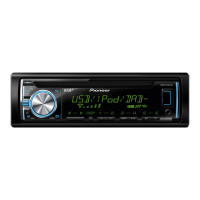
Pioneer DEH-X6600DAB - User Manual

Pioneer DEH-X6600DAB
148 pages
Print Icon
To Next Page IconTo Next Page
Loading...
Black plate (1,1)
Owners Manual
Mode demploi
Manuale distruzioni
Manual de instrucciones
Bedienungsanleitung
Handleiding
Руководство пользователя
CD RDS RECEIVER
AUTORADIO CD RDS
SINTOLETTORE CD RDS
REPRODUCTOR DE CD CON RECEPTOR RDS
CD RDS-EMPFÄNGER
CD RDS-ONTVANGER
CD RDS ПРИЕМНИК
DEH-X6600DAB
<QRD3198-B>1
English NederlandsDeutschEspañolItalianoFrançais Русский

Table of Contents

Questions and Answers

  • E
    emcdonaldAug 15, 2025
    Why does my Pioneer Car Receiver say 'AMP ERROR'?
    • R
      Ronald AdamsAug 15, 2025
      The 'AMP ERROR' message on your Pioneer Car Receiver indicates that the speaker connection is incorrect, which has activated the protective circuit. Check the speaker connection. If the message persists after switching the engine off and on, seek assistance from your dealer or an authorized Pioneer Service Station.
  • J
    jbaxterAug 18, 2025
    What does ERROR-07 mean on Pioneer DEH-X6600DAB Car Receiver?
    • T
      Timothy BakerAug 18, 2025
      The error message ERROR-07, 10, 11, 12, 15, 17, 30, A0 on your Pioneer Car Receiver indicates an electrical or mechanical error. Wait until the message disappears and you hear sound.
  • R
    rreillyAug 21, 2025
    Why is there a delay between the start of playback on my Pioneer DEH-X6600DAB?
    • S
      Shawn LivingstonAug 22, 2025
      If you are experiencing a delay at the start of playback on your Pioneer Car Receiver, disconnect the USB storage device and do not use it. Turn the ignition switch to OFF, then to ACC or ON and then connect only compliant USB storage devices.
  • H
    Herbert BellAug 25, 2025
    What to do if my Pioneer DEH-X6600DAB Car Receiver display automatically returns to the ordinary display?
    • C
      Cindy Welch MDAug 26, 2025
      If the display on your Pioneer Car Receiver automatically returns to the ordinary display, perform the operation again.
  • B
    Barbara ChavezAug 27, 2025
    Why does my Pioneer DEH-X6600DAB Car Receiver not play a subfolder?
    • K
      Karen JonesAug 27, 2025
      If a subfolder is not playing back on your Pioneer Car Receiver, select another repeat play range.
  • F
    fcarpenterAug 31, 2025
    What to do if my Pioneer Car Receiver inserted disc does not contain any playable files?
    • M
      Michael WillisAug 31, 2025
      If the inserted disc does not contain any playable files, replace the disc.
  • B
    Brandon SmithSep 2, 2025
    What to do if my Pioneer DEH-X6600DAB inserted disc is blank?
    • B
      bailey15Sep 2, 2025
      If the inserted disc is blank, replace the disc.
  • F
    Francis JacksonSep 5, 2025
    What to do if my Pioneer DEH-X6600DAB Car Receiver USB storage device has security enabled?
    • N
      nrossSep 5, 2025
      If the connected USB storage device has security enabled, follow the USB storage device instructions to disable the security.
  • H
    heather21Sep 8, 2025
    What to do if my Pioneer DEH-X6600DAB disc is dirty?
    • M
      Michelle SalazarSep 8, 2025
      If the disc is dirty, clean the disc.
  • Y
    yoderlindsaySep 12, 2025
    What to do if my Pioneer DEH-X6600DAB Car Receiver disc is scratched?
    • L
      Leon RamirezSep 12, 2025
      If the disc is scratched, replace the disc.

Summary

Before you start

Using this unit

Source Selection and Volume Control

How to select audio sources and adjust the volume level.

Using this unit

Advanced Subwoofer and Audio Filters

Adjusting subwoofer output, bass boost, and high-pass filter settings.

System Menu Configuration Options

Accessing and adjusting system settings like language, clock, display, and power saving.

iPhone Application Control

Using iPhone applications for audio playback and control.

Using this unit

iPhone App Integration and Setup

Connecting and starting iPhone applications for audio control.

Comprehensive Audio Adjustments

Configuring Fader, Balance, EQ, Loudness, and Subwoofer settings.

Installation

Critical Connection Procedures

Crucial advice on wiring, grounding, and power connections for safe installation.

Power Cord and Wiring Diagrams

Detailed instructions and diagrams for connecting the power cord and other wires.

Installation

Unit Mounting and Removal Procedures

Procedures for mounting the unit in the dashboard and removing the front panel.

Additional information

General Troubleshooting Steps

Common issues like display reset, repeat range changes, and interference.

Error Message and Code Solutions

Explains common error messages from AMP, DAB, CD, and USB sources.

Additional information

USB and iPod Troubleshooting Tips

Solutions for USB security, format errors, iPod firmware, and communication failures.

Specifications

General and Audio Specifications Overview

Power source, dimensions, audio output, and equalizer settings.

Pioneer DEH-X6600DAB Specifications

General IconGeneral
Audio systemMOSFET
MP3 playbackYes
Audio formats supportedMP3, WAV, WMA
AM band range530 - 1710 kHz
FM band range87.5 - 107.9 MHz
Supported radio bandsAM, FM
Preset stations quantity24
Output power200 W
RDS featuresAF, PI, PS, TA, TP
Product colorBlack
Volume controlRotary
Disc types supportedCD, CD-R, CD-RW
Equalizer bands quantity5
Display typeLCD
Display number of lines1.5 lines
USB version2.0
Line outputs (RCA)2
USB ports quantity1
Key illumination colorMulti

Related product manuals