Need help?
Do you have a question about the Pioneer DEQ-P7000 and is the answer not in the manual?
Steps for setting a safe listening volume to protect hearing.
Provides decibel levels for common sounds and dangerous noise exposure.
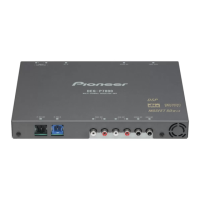
Details about the unit, including Dolby Digital/DTS compatibility.
Explains the purpose and recommended use of the operation manual.
Information on contacting Pioneer for service and warranty.
General safety and operational precautions to follow.
Instructions for resetting the unit's microprocessor.
Guide to setting digital output and selection on a connected DVD player.
Identifies and explains the functions of the head unit controls.
Overview of the audio settings and adjustments available.
How to navigate and use the main audio adjustment menu.
Explains how the SFC function creates a live performance sound.
How to set listening positions for a natural stereo image.
How to select fader/balance settings for an ideal listening environment.
Adjusting volume levels for each source to prevent volume changes.
Compressing sound differences for clearer listening at low volumes.
Overriding audio settings to check effectiveness.
Selecting the channel to output when playing a dual mono disc.
Enhancing spatial and directional effects for a theater-like experience.
Adjusting speaker size and type for optimal output.
How to adjust subwoofer phase to improve bass output.
Setting the frequency for subwoofer and speaker sound reproduction.
Readjusting speaker output levels after initial setup.
Using a test tone to balance speaker output levels.
Fine-tuning delay times for speaker output to improve sound image.
Adjusting equalization to match car interior acoustics.
How to recall stored equalizer curves for different sound profiles.
Detailed steps for adjusting EQ bands, center frequency, level, and Q factor.
Minimizing distortion caused by equalizer settings.
Common symptoms, causes, and remedies for operational issues.
Troubleshooting specific issues related to audio and DSP functions.
Resolving issues related to DVD player output settings.
Explanation of Dolby Digital's multi-channel audio capabilities.
Describes how Pro Logic converts 2-channel audio to 4-channel.
Explanation of DTS surround sound system.
Explanation of the DRC function for sound compression.
Explanation of PCM recording technology used for CDs and DVDs.
Details about optical digital inputs for signal transmission.
General technical specifications like power source, dimensions, and weight.
Technical details about the amplifier's performance.
Information on supported audio decoding formats.
Specifications related to subwoofer output and crossover frequency.
Specifications for speaker settings like time alignment and equalizer.
 General
| Brand | Pioneer |
|---|---|
| Model | DEQ-P7000 |
| Category | Car Receiver |
| Language | English |

 To Next Page