Need help?
Do you have a question about the Pioneer DEQ-P9 and is the answer not in the manual?
Guidelines for safe listening levels to prevent hearing damage.
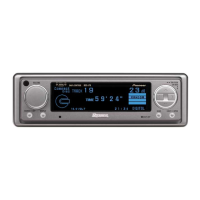
Overview of buttons and their functions on the main unit.
Details of the remote control unit and its buttons.
Instructions on opening and closing the remote controller cover.
Overview of the product and the manual's purpose.
Key notes on serial numbers and digital network constraints.
Instructions for MODE switch setting, microprocessor reset, and general precautions.
How to switch between Main, Equalizer, and Network audio menus.
Overview of adjustments available in the Main Menu.
Adjusting front/rear and left/right speaker balance.
Modifying bass and treble frequencies and levels.
Optimizing sound image based on listener's position.
Adjusting volume levels between different audio sources.
Navigating and using the Equalizer Menu.
Understanding frequency characteristics and their impact on sound.
Guidance on making effective equalizer curve adjustments.
Step-by-step guide to adjusting the 31-band graphic equalizer.
Temporarily resetting equalizer settings to a flat response.
Explanation of multi-amp system benefits and operation.
How to access and use the Network Menu.
Synchronizing speaker arrival times for sound image positioning.
Configuring crossover frequencies and filter slopes.
Advanced points on slope, phase, and specific band adjustments.
How the system stores equalizer and network settings.
Procedures for saving audio settings into memory.
Methods for retrieving saved audio settings.
How to prevent accidental erasure of stored memory data.
Steps to delete stored audio settings from memory.
Entering text for saved audio configurations.
Template for logging equalizer frequency adjustments.
Template for logging network filter characteristics.
Template for logging time alignment data.
Important safety and general guidelines for connecting the unit.
Proper handling and routing of the optical cable.
A visual guide showing how components are interconnected.
How to connect the RCA input amplifier.
Connecting the power source and ground leads.
Connecting the digital interface cables.
Mounting the unit using brackets and screws.
A table of symptoms, causes, and remedies for malfunctions.

 To Next Page

 General