Need help?
Do you have a question about the Pioneer DEX-P99R and is the answer not in the manual?
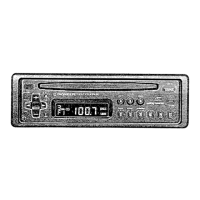
Overview of the main unit's controls and buttons.
Identification of buttons on the remote controller.
Details about the product's features and compliance.
Explains the purpose and structure of the operation manual.
Instructions on how to reset the device's internal processor.
Safety precautions and warnings for using the product.
Guidance on what to do if the product malfunctions.
Proper usage and battery installation for the remote controller.
Instructions for using the steering wheel remote controller.
Explains the detachability of the front panel to deter theft.
Step-by-step guide on how to remove the front panel.
Instructions for reattaching the front panel to the main unit.
How to turn the device's power on and off using different controllers.
Fundamental steps for operating the radio tuner.
Methods for tuning to radio stations by frequency.
How to activate and configure the local seek tuning mode.
Setting the sensitivity level for local station reception.
Automatic storage of strongest radio stations.
Manual storage and recall of radio station presets.
Explanation of the Radio Data System and its features.
How to toggle between station frequency and name display.
Displays program type information for tuned stations.
Automatic switching to a stronger frequency for the same station.
Searching for stations broadcasting the same program type.
Limiting reception to regional broadcast programs.
Receiving traffic announcements automatically.
Searching for stations by program type.
Alerts for emergency announcements using PTY codes.
How to insert, play, and control CDs.
Changing display information for CD TEXT discs.
Accessing advanced CD player functions.
Further settings for Disc Title Input and PGM button.
Playing tracks or discs repeatedly.
Playing tracks in random order.
Playing the first few seconds of each track.
Temporarily stopping and resuming CD playback.
Adjusting sound quality with COMP and DBE functions.
Guidelines for selecting and handling CDs to prevent damage.
Explains common error messages and their solutions.
How to select and play discs from a multi-CD changer.
Accessing advanced multi-CD player functions.
Further settings for Title Input and PGM button.
Temporarily stopping and resuming multi-CD playback.
Adjusting sound quality using COMP and DBE on multi-CD players.
Different modes for repeating tracks or discs.
Playing discs or tracks in random order.
Playing the first few seconds of tracks on multiple discs.
Selecting tracks instantly based on programmed data.
How to remove programmed track selections.
Entering custom titles for discs for easier selection.
Browsing and selecting discs using their entered titles.
Searching discs by the first letter of their title.
Organizing and playing discs based on user-defined music groups.
How to view disc titles or assigned music groups.
Playing discs based on frequency of play.
Removing individual discs from the multi-CD player.
Advanced DSP settings for professional audio tuning.
Standard DSP settings for general audio enhancement.
How to switch between PRO and STD DSP modes.
Accessing various DSP adjustment functions.
Accessing in-depth settings for DSP parameters.
Adjusting sound imaging based on seating position.
Compensating for speaker distance differences for accurate sound.
Adjusting frequency bands for individual speakers.
Selecting subwoofer output mode.
Fine-tuning crossover frequencies and levels for speakers.
Automatically calibrating sound based on car interior acoustics.
Choosing between different auto-equalizer sound profiles.
Manually adjusting sound frequencies.
Fine-tuning equalizer settings for user-defined curves.
Saving custom equalizer settings.
Simulating acoustic environments for sound playback.
Adjusting the balance between left/right or front/rear speakers.
Enhancing low-frequency response at low volumes.
Adjusting volume automatically based on driving noise.
Matching volume levels between different audio sources.
Accessing the initial setup options for the device.
Adjusting the frequency increment for FM tuning.
Configuring priority for DAB broadcasts.
Enabling or disabling automatic PI seek for radio stations.
Adjusting the warning tone for specific functions.
Activating or deactivating the auxiliary audio input mode.
Adjusting display brightness.
Choosing the display's illumination color.
Adjusting the output level for the DSP unit.
Changing the display mode for entertainment information.
Setting up the Removable Front Panel alert feature.
Configuring the delay time for RFP alerts.
Controlling the built-in speaker for alerts.
Adjusting the volume for alert sounds.
Selecting the alert output type (Pulse/Constant).
Configuring how door status affects alerts.
Verifying the correct door system type is set.
Disarming the RFP alert using the ignition key.
Managing door locking behavior with the RFP system.
How the RFP alert system functions.
Procedures for arming the vehicle's alert system.
Methods for disarming the vehicle's alert system.
How the system detects unauthorized entry.
Memorizing and using functions with the PGM button.
Adjusting display angle and contrast settings.
Switching between different display modes.
Instantly reducing the volume.
Activating and using the auxiliary audio input.
Entering titles for auxiliary sources.
Automatically muting audio during calls.
Basic steps for operating MD players.
Displaying disc or track titles.
Accessing advanced MD player functions.
Playing tracks or discs repeatedly on MD players.
Selecting discs based on their titles.
Playing MD tracks in random order.
Playing the first few seconds of MD tracks.
Using Random, Scan, and Repeat modes together.
Troubleshooting common error messages for MD players.
General specifications including power and dimensions.
Specifications for pre-amplifier outputs.
Technical specifications for the CD player component.
Technical specifications for the FM radio tuner.
Technical specifications for the MW radio tuner.
Technical specifications for the LW radio tuner.
Detailed specifications for the graphic equalizer.
Specifications for network settings in PRO mode.
Specifications for auto-equalizer in PRO mode.
Specifications for network settings in STD mode.
Specifications for subwoofer settings.
Specifications for time alignment settings.
 General
| DIN Size | 1 DIN |
|---|---|
| Burr Brown DAC | Yes |
| DSP | Yes |
| Crossover | Yes |
| Channels | 4 |
| Built-in DSP | Yes |
| Digital Time Alignment | Yes |
| Built-in Parametric EQ | Yes |
| High-Voltage Preouts | Yes |
| Bluetooth | No |
| USB Input | No |
| Auxiliary Input | Yes |
| CD Player | Yes |
| MP3 Playback | Yes |
| WMA Playback | Yes |
| AAC Playback | Yes |
| Detachable Faceplate | Yes |
| Subwoofer Output | Yes |
| MOSFET Power Supply | Yes |
| Gold-Plated Terminals | Yes |
| Low-Pass Filter | Yes |
| High-Pass Filter | Yes |
| Phase Control | Yes |
| Source | CD |
| Number of Preouts | 3 |
| Slope Settings | 12 dB/octave |
| Display Type | Organic EL |


 To Next Page