
 Need help?
Do you have a question about the Pioneer DMH-220EX and is the answer not in the manual?
Details FCC/IC compliance, RF exposure limits, and antenna information.
General warnings regarding product usage, installation, and potential hazards.
Covers pairing, connecting, and managing Bluetooth devices and settings.
Covers language, camera, restore, calibration, and dimmer settings.
Details on EQ, speaker levels, subwoofer, and other sound adjustments.
Provides solutions for common display, AV, and phone operational issues.
Explains common error codes and suggests corrective actions.
Covers safety warnings and essential checks before starting installation.
Details the product's warranty coverage, duration, and exclusions.
 General
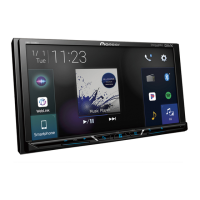
| Display Size | 6.2 inches |
|---|---|
| Touchscreen | Yes |
| Bluetooth | Yes |
| USB Ports | 1 |
| Auxiliary Input | Yes |
| Built-in Amplifier | Yes |
| Backup Camera Input | Yes |
| Apple CarPlay | No |
| Android Auto | No |
| Output Power | 50 watts x 4 channels |
| Resolution | 800 x 480 pixels |
| EQ Settings | 13-band |
| RMS Power Output | 14W x 4 |
| Dimensions | 178 mm x 100 mm x 160 mm |





 To Next Page
