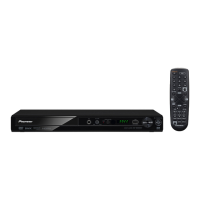
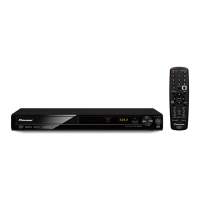
Need help?
Do you have a question about the Pioneer DV-353 and is the answer not in the manual?
Follow instructions, heed warnings, avoid water, ensure ventilation and proper power sources.
Proper location, cleaning, grounding, power cord protection, and hazard avoidance.
Refer servicing to qualified personnel; unplug for damage; regulatory compliance and user notices.
Establish safe listening levels and understand dangerous noise exposure.
Overview of player features, MP3 compatibility, and disc format support.
Includes box contents, remote battery installation, remote usage, and disc compatibility.
Details on supported disc formats, MP3 requirements, and DVD region codes.
Identifies connection ports and guides basic A/V setup to TV.
Connecting via S-Video, Component Video, and to AV receivers for surround sound.
Addresses common connection issues like no TV inputs or no picture.
Front panel buttons, player display indicators, and remote control functions.
Steps to power on, set TV input, navigate welcome screen, and use on-screen displays.
Setting up audio output, AV receiver compatibility, and languages.
Loading discs, starting playback, using Disc Navigator, and basic controls.
Scanning, slow motion, frame advance, looping, repeat, random play, and program lists.
Searching discs, switching subtitles, audio languages, zoom, and camera angles.
Adjusting dynamic range and enabling virtual surround sound effects.
Setting digital audio formats, aspect ratio, and S-Video output.
Setting languages, display preferences, and managing parental lock and country codes.
Guidelines for disc handling, cleaning, player installation, and power cord safety.
Understanding aspect ratios, disc formats, and resetting the player to defaults.
Language/Country code lists and definitions of technical terms.
Technical details on system type, power, dimensions, audio/video outputs, and accessories.
 General
| DVD Player Type | Standard DVD Player |
|---|---|
| Progressive Scan | No |
| Output Resolution | 480i |
| Remote Control Type | Infrared |
| Video Formats Supported | MPEG-2 |
| Audio Formats Supported | Dolby Digital |
| Playable Media Format | CD-R, CD-RW |
| Audio D/A Converter | 24bit / 96kHz |
| Video DAC | 10 bit / 27 MHz |
| Video Output System | NTSC |
| Video Output | Composite, S-Video |
| Audio Output | Digital audio coaxial, Digital audio optical |


 To Next Page