EasyManua.ls Logo

Pioneer DV-393-S - User Manual

Pioneer DV-393-S
48 pages
Print Icon
To Next Page IconTo Next Page
Loading...
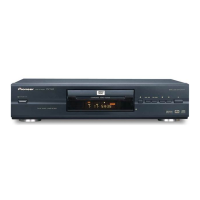
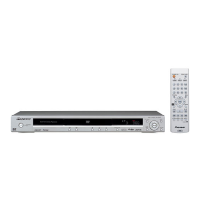
DV-393-s
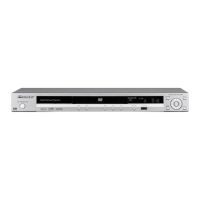
DV-490V-s
DVD Player
Discover the benefits of registering your product online at
www.pioneer.co.uk (www.pioneer-eur.com).
DV393_WV.book Page 1 Wednesday, January 25, 2006 11:19 AM

Table of Contents

Other manuals for Pioneer DV-393-S

Questions and Answers

  • L
    Lindsey RamirezJul 28, 2025
    How to troubleshoot a Pioneer DV-393-S DVD Player when the tray won't open?
    • A
      Alison MitchellJul 28, 2025
      If your Pioneer DVD player's tray cannot be opened but the opening screen is displayed, verify that the voltage of CP2302-pin 3 and pin 1 on the DVD MT Assy changes normally. Check if a LOAD-DRV signal is reaching the DVD IC (IC4002). Check the signals output from IC2301-pin 5 and pin 6 (CP2302-pin 4 and pin 5) on the DVDM Assy. Also, ensure that the voltage of CP2303-pin 5 changes by pressing the Inside switch.
  • M
    Mr. Christian Martin IIAug 2, 2025
    How to fix a Pioneer DV-393-S DVD Player that is not turning on?
    • A
      Amanda WilsonAug 2, 2025
      If your Pioneer DVD Player is not turning on, start by checking the voltage of AT+3.3V, –28V, and FLDC on the POWER SUPPLY Unit. Also, verify that the wires of the output connector (POWER PCB ASSY) and CP4003 (DVDM Assy) are correctly connected and undamaged. Check the voltage at IC651-pin 10 (K 1) on the FLKY Assy, it should be about 2.7V when the POWER key is pressed and 0 V when it is released. Finally, ensure that the voltage at OS651-pin 1 (IR) on the OPERATION1 Assy is between 0 and 3.3 V when receiving signals from the remote control unit.
  • M
    Mariah SmithAug 6, 2025
    Why won't my Pioneer DVD Player play and the spindle doesn't turn?
    • L
      Laura TaylorAug 6, 2025
      If your Pioneer DVD player is unable to play discs and the spindle isn't turning, check the signals output from IC2301-pin 13 (MOT SPDL–), and pin 14 (MOT SPDL+) on the DVD MT Assy. Inspect the spindle motor for detached parts or foreign objects. Also, verify that the wires of CP2303 on the DVD MT Assy are neither disconnected nor damaged. Finally, check the signal output from IC4002-pin 37 (DMSO) on the DVDM Assy.
  • S
    Shane RiosAug 11, 2025
    Why is there no sound on my Pioneer DVD Player but the picture is normal?
    • B
      Brianna SchultzAug 11, 2025
      If your Pioneer DVD Player shows no sound but the picture is normal, check for signal output from IC4001-pin184 and pin 186 on the DVD MT Assy.
  • S
    savagejeffreyAug 15, 2025
    What causes a Pioneer DVD Player to stop playback?
    • P
      Patricia MurphyAug 15, 2025
      If your Pioneer DVD Player is unable to play discs (playback stops), it may be due to the deterioration of the 650-nm LD. If the voltage at each end of R2303 and R2305 on the DVD MT Assy is 0.4 V or more, the 650-nm LD is likely deteriorated. Alternatively, the 780-nm LD may be deteriorating; if the voltage at each end of R2302 and R2304 on the DVD MT Assy is 0.4 V or more, the 780-nm LD is likely deteriorated. Also, check the disc for scratches or dirt.
  • K
    Kenneth NicholsAug 19, 2025
    Why is my Pioneer DVD Player unable to focus during playback?
    • Y
      ysmithAug 19, 2025
      If your Pioneer DVD Player is unable to focus during playback, check the signals output from IC2301-pin 9 (F+) and pin 8 (F–) on the DVDM Assy. Confirm that the 650-nm LD emits light, the pickup lens moves up and down, and the actuator spring bends. Inspect plastic parts for damage, ensure the shaft isn't detached, and check that the turntable isn't detached or tilted. Finally, verify that the flexible cable of CP2301 on the DVD MT Assy is connected and undamaged and check the signal output from IC4002-pin 42 (FOSO) on the DVDM Assy.
  • B
    Brianna MurrayAug 23, 2025
    What to do if the opening screen is not displayed on Pioneer DV-393-S?
    • S
      Stacy HallAug 23, 2025
      If your Pioneer DVD player's opening screen is not displayed on the monitor, but the FL display lights and the mechanism does not work, check the voltage of E+6.8V and SW+3.3V on the POWER SUPPLY Unit. Check the output voltage at IC4006-pin 5 : 1.8V, on the DVD MT PCB Assy. Check if the resonator (X4001 : 27MHz) on the DVDM Assy is oscillating. Is a signal input into IC4004-pin26 (PCE#) on the DVDM Assy? (Is a signal 'H' for 80 mS and then 'L' after the power is turned on ?) Communication with flash ROM. Check the video signal path between DVD IC (DVD MT Assy IC4002) and video-out terminal.

Summary

Important Safety and Usage Guidelines

Electrical Safety and Laser Precautions

Warnings about not opening unit, referring servicing, and laser product caution.

Environmental and Operational Warnings

Guidelines for ventilation, humidity, sunlight, and fire prevention.

Connecting Your DVD Player

Basic AV Connections to TV

Connecting player to TV using supplied cables for stereo audio output.

Audio and Video Connections

Connecting to an AV Receiver

Instructions for connecting to an AV receiver for surround sound.

HDMI Connectivity (DV-490 V)

Guide for high-quality digital audio/video connection via HDMI.

Playing Discs

Basic Disc Playback Procedures

Loading, playing discs, and using fundamental playback controls.

Audio Settings

Audio DRC and Virtual Surround

Enhancing dialogue clarity with DRC and enabling surround sound effects.

Dialog, Equalizer, and Video Adjust

Adjusting dialogue, EQ presets for music, and video picture quality.

Initial Settings Configuration

Initial Setup and Digital Audio Output

Guide to initial setup and configuring digital audio formats.

Video Output and HDMI Configuration

Setting TV screen, component out, HDMI resolution, and color.

Parental Controls and Region Codes

Password Management and Parental Lock

Setting up passwords and parental controls for content access.

Country;Area Code and DivX VOD Setup

Setting region codes and registering for DivX VOD services.

Product Specifications

Pioneer DV-393-S Specifications

General IconGeneral
BrandPioneer
ModelDV-393-S
CategoryDVD Player
LanguageEnglish

Related product manuals