EasyManua.ls Logo

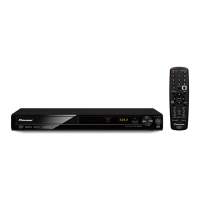
Pioneer DV-355 - User Manual

Pioneer DV-355
56 pages
Print Icon
To Next Page IconTo Next Page
Loading...
DVD Player
DV-355
Operating Instructions

Table of Contents

Other manuals for Pioneer DV-355

Question and Answer IconNeed help?

Do you have a question about the Pioneer DV-355 and is the answer not in the manual?

Summary

Operating Instructions

Safety and Installation Guidelines

Important Safety Warnings

Crucial safety notices regarding electrical shock, laser exposure, water, heat, and ventilation.

Operating Environment Recommendations

Guidelines for suitable installation locations and environmental conditions for the player.

Technical and Regulatory Information

FCC Compliance and User Information

Notes on FCC regulations, user modifications, and electronic interference.

Battery Disposal and Product Usage Notes

Information on proper battery disposal and usage limitations for household purposes.

Before You Start

Player Features Overview

Highlights key features like 24-bit/192kHz DAC, Dolby Digital/DTS support, TruSurround, and Picture Zoom.

Unpacking and Remote Control Setup

Details on checking package contents and correctly installing batteries in the remote control.

Remote Control Usage Guidelines

Best practices for operating the remote control, including range and interference tips.

Disc and Content Compatibility

Information on compatible disc formats, including general compatibility, recordable discs, and compressed audio.

DVD-Video Structure and Regions

Explanation of DVD titles, chapters, track structure, and regional coding.

Connecting Up

Rear Panel Connections Overview

Diagram and description of all rear panel ports for audio, video, and power connections.

Easy Connections for TV Setup

Step-by-step guide for basic connections using supplied cables to a TV.

Advanced Video Connections (S-Video, Component)

Using S-Video and Component Video outputs for improved picture quality.

Taiwanese Model D1 Video Output

Specific connection instructions for the D1 video output on Taiwanese models.

Connecting for Multichannel Surround Sound

How to connect to an AV receiver using digital outputs for multichannel audio.

Connection Troubleshooting FAQ

Answers to common questions regarding audio/video connections and setup issues.

Controls and Displays

Front Panel Controls

Description of buttons and indicators located on the player's front panel.

Front Panel Display Indicators

Explanation of the various display elements and indicators on the player's front panel.

Remote Control Functions

Detailed guide to all buttons and their functions on the provided remote control.

Getting Started

Initial Power On and Setup

Instructions for powering on the player and completing the initial 'Let's Get Started' setup.

Navigating On-Screen Displays (OSDs)

Guide to interacting with the player's graphical user interface and menus.

Configuring with the Setup Navigator

Step-by-step guide to setting up player preferences using the Setup Navigator.

AV Receiver Audio Configuration

Setting up audio output based on AV receiver compatibility (Dolby Digital, DTS, MPEG, PCM).

Basic Disc Playback Controls

Introduction to fundamental controls for playing DVDs, CDs, and MP3s.

Playing Discs

Disc Navigator and Playback Selection

Using the Disc Navigator to browse and select content, and starting playback.

Playback Control Features

Covers scanning, slow motion, frame advance, repeat play, random play, and program list creation.

Searching for Content and Zooming

Methods for searching discs, adjusting zoom levels, and switching audio/subtitle languages.

Camera Angles and Disc Information

Switching camera angles for multi-angle scenes and displaying disc playback information.

Audio Settings Menu

Audio DRC Adjustment

Adjusting Dynamic Range Control (DRC) for improved dialogue clarity.

Virtual Surround Sound Setup

Enabling and configuring Virtual Surround sound for a two-speaker setup.

Initial Settings Menu

Overview of Initial Settings

Guide to accessing and using the Initial Settings menu for player configuration.

Digital Audio Output Configuration

Setting up digital audio outputs (Dolby Digital, DTS, MPEG, PCM) for AV receiver compatibility.

Video Output and TV Screen Settings

Configuring video output, TV screen aspect ratio, and S-Video settings.

Language Settings (Audio, Subtitle, Menu)

Setting preferred languages for audio, subtitles, and DVD menus.

Display and Indicator Settings

Customizing on-screen display language, angle indicators, and operation displays.

Parental Lock and Password Management

Setting up parental lock levels, registering passwords, and changing passwords.

Country Code Setting

Configuring the player's country code for disc region compatibility.

Additional Information

Disc Care and Handling

Guidelines for maintaining discs, including cleaning, storage, and identifying problematic discs.

Player Installation and Maintenance

Information on proper installation, cleaning the lens, managing condensation, and moving the player.

Power Cord Safety Precautions

Essential safety guidelines for handling and using the power cord to prevent electric shock or fire.

Screen Size and Player Reset

Adjusting screen settings for different TVs and resetting the player to factory defaults.

Language and Country Code Lists

Reference lists for language and country codes used in player settings.

Glossary of Terms and Language Selection

Definitions of technical terms and instructions for selecting languages using code lists.

TV System Settings and NTSC;PAL Conversion

Configuring the TV system and troubleshooting picture issues with NTSC discs on PAL TVs.

Taiwanese Model OSD Language Change

Specific instructions for changing the on-screen display language to English on Taiwanese models.

Technical Specifications

Detailed technical specifications for the DVD player's system, outputs, and power.

Summary

Operating Instructions

Safety and Installation Guidelines

Important Safety Warnings

Crucial safety notices regarding electrical shock, laser exposure, water, heat, and ventilation.

Operating Environment Recommendations

Guidelines for suitable installation locations and environmental conditions for the player.

Technical and Regulatory Information

FCC Compliance and User Information

Notes on FCC regulations, user modifications, and electronic interference.

Battery Disposal and Product Usage Notes

Information on proper battery disposal and usage limitations for household purposes.

Before You Start

Player Features Overview

Highlights key features like 24-bit/192kHz DAC, Dolby Digital/DTS support, TruSurround, and Picture Zoom.

Unpacking and Remote Control Setup

Details on checking package contents and correctly installing batteries in the remote control.

Remote Control Usage Guidelines

Best practices for operating the remote control, including range and interference tips.

Disc and Content Compatibility

Information on compatible disc formats, including general compatibility, recordable discs, and compressed audio.

DVD-Video Structure and Regions

Explanation of DVD titles, chapters, track structure, and regional coding.

Connecting Up

Rear Panel Connections Overview

Diagram and description of all rear panel ports for audio, video, and power connections.

Easy Connections for TV Setup

Step-by-step guide for basic connections using supplied cables to a TV.

Advanced Video Connections (S-Video, Component)

Using S-Video and Component Video outputs for improved picture quality.

Taiwanese Model D1 Video Output

Specific connection instructions for the D1 video output on Taiwanese models.

Connecting for Multichannel Surround Sound

How to connect to an AV receiver using digital outputs for multichannel audio.

Connection Troubleshooting FAQ

Answers to common questions regarding audio/video connections and setup issues.

Controls and Displays

Front Panel Controls

Description of buttons and indicators located on the player's front panel.

Front Panel Display Indicators

Explanation of the various display elements and indicators on the player's front panel.

Remote Control Functions

Detailed guide to all buttons and their functions on the provided remote control.

Getting Started

Initial Power On and Setup

Instructions for powering on the player and completing the initial 'Let's Get Started' setup.

Navigating On-Screen Displays (OSDs)

Guide to interacting with the player's graphical user interface and menus.

Configuring with the Setup Navigator

Step-by-step guide to setting up player preferences using the Setup Navigator.

AV Receiver Audio Configuration

Setting up audio output based on AV receiver compatibility (Dolby Digital, DTS, MPEG, PCM).

Basic Disc Playback Controls

Introduction to fundamental controls for playing DVDs, CDs, and MP3s.

Playing Discs

Disc Navigator and Playback Selection

Using the Disc Navigator to browse and select content, and starting playback.

Playback Control Features

Covers scanning, slow motion, frame advance, repeat play, random play, and program list creation.

Searching for Content and Zooming

Methods for searching discs, adjusting zoom levels, and switching audio/subtitle languages.

Camera Angles and Disc Information

Switching camera angles for multi-angle scenes and displaying disc playback information.

Audio Settings Menu

Audio DRC Adjustment

Adjusting Dynamic Range Control (DRC) for improved dialogue clarity.

Virtual Surround Sound Setup

Enabling and configuring Virtual Surround sound for a two-speaker setup.

Initial Settings Menu

Overview of Initial Settings

Guide to accessing and using the Initial Settings menu for player configuration.

Digital Audio Output Configuration

Setting up digital audio outputs (Dolby Digital, DTS, MPEG, PCM) for AV receiver compatibility.

Video Output and TV Screen Settings

Configuring video output, TV screen aspect ratio, and S-Video settings.

Language Settings (Audio, Subtitle, Menu)

Setting preferred languages for audio, subtitles, and DVD menus.

Display and Indicator Settings

Customizing on-screen display language, angle indicators, and operation displays.

Parental Lock and Password Management

Setting up parental lock levels, registering passwords, and changing passwords.

Country Code Setting

Configuring the player's country code for disc region compatibility.

Additional Information

Disc Care and Handling

Guidelines for maintaining discs, including cleaning, storage, and identifying problematic discs.

Player Installation and Maintenance

Information on proper installation, cleaning the lens, managing condensation, and moving the player.

Power Cord Safety Precautions

Essential safety guidelines for handling and using the power cord to prevent electric shock or fire.

Screen Size and Player Reset

Adjusting screen settings for different TVs and resetting the player to factory defaults.

Language and Country Code Lists

Reference lists for language and country codes used in player settings.

Glossary of Terms and Language Selection

Definitions of technical terms and instructions for selecting languages using code lists.

TV System Settings and NTSC;PAL Conversion

Configuring the TV system and troubleshooting picture issues with NTSC discs on PAL TVs.

Taiwanese Model OSD Language Change

Specific instructions for changing the on-screen display language to English on Taiwanese models.

Technical Specifications

Detailed technical specifications for the DVD player's system, outputs, and power.

Pioneer DV-355 Specifications

General IconGeneral
TypeDVD Player
Media TypeDVD, CD, VCD
Audio OutputAnalog Stereo, Digital Optical, Digital Coaxial
Video D/A Converter10-bit / 27 MHz
Surround SoundDolby Digital, DTS
Remote ControlYes
Width420 mm
Power Consumption15 W
Progressive Scan OutputNo
Disc CompatibilityDVD-Video, DVD-R/RW, CD-DA, CD-R/RW, Video CD
Video OutputComposite Video, S-Video
Playback FeaturesRepeat

Related product manuals