EasyManua.ls Logo

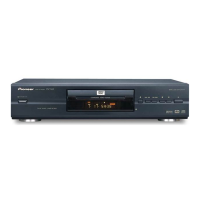
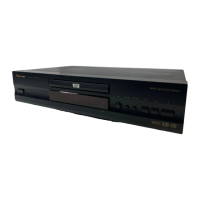
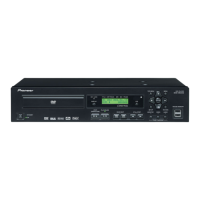
Pioneer DVD-V8000 - User Manual

Pioneer DVD-V8000
188 pages
Print Icon
To Next Page IconTo Next Page
Loading...
DVD PLAYER
LECTEUR DE DVD
DVD-V8000
Operating Instructions
Mode d’emploi

Table of Contents

Other manuals for Pioneer DVD-V8000

Questions and Answers

  • A
    Ashley HoffmanSep 8, 2025
    What to do if images are disturbed when DVI resolution is changed on Pioneer DVD Player?
    • T
      Tiffany WilsonSep 9, 2025
      If the DVI resolution is changed and images are disturbed or do not display on your Pioneer DVD Player, your DVI display may not support the display resolution you have set. Consult the operation instructions for your display. Holding the remote control unit’s [0] number button depressed for 5 or more seconds will reset the resolution to the value initially set when the display was first connected to the player. Also, depending on the display, inputting a signal of non-supported resolution may cause the unit to stop responding until the display’s power is disconnected and reconnected.
  • A
    Aaron PearsonAug 23, 2025
    What to do if Pioneer DVD-V8000 DVD Player shows 'USB OVER CURRENT DISABLE ALL PORT'?
    • A
      audrey20Aug 23, 2025
      If the Pioneer DVD Player displays the 'USB OVER CURRENT DISABLE ALL PORT' error, it means that the total current draw of the connected USB devices exceeds the unit's limit (0.7 A). Remove the USB memory device and reconnect the main unit's power cord. This error can also indicate a problem with the USB device itself.
  • C
    Cynthia HopkinsAug 25, 2025
    Why does my Pioneer DVD-V8000 DVD Player say '[Please disable External Sync setting]'?
    • M
      Michael WilliamsAug 26, 2025
      If the Pioneer DVD Player displays '[Please disable External Sync setting]' and ejects the CD/VCD disc, it is because non-DVD discs cannot be played when the external sync function is turned ON. To resolve this, go to the ADV. SETUP menu and set [EXTERNAL SYNC] to [OFF].
  • S
    Scott FuentesAug 27, 2025
    What to do if Pioneer DVD-V8000 DVD Player displays '[TV System selector error. External sync type mismatch]'?
    • K
      Kristopher FergusonAug 27, 2025
      If your Pioneer DVD Player displays '[TV System selector error. External sync type mismatch]' and ejects the disc, the TV mode (NTSC/PAL) you are trying to apply external sync to does not match the mode of the DVD. Go to the ADV. SETUP menu and set [EXTERNAL SYNC] to [OFF], or adjust the proper TV mode.
  • B
    Barbara PattersonAug 27, 2025
    Why does my Pioneer DVD-V8000 DVD Player say '[NO USB MEMORY]'?
    • W
      williammyersAug 28, 2025
      If the Pioneer DVD Player displays [NO USB MEMORY] when you try to load/save with a USB memory device, it means the device isn't being detected properly. Try reinserting the USB memory device and try again.
  • J
    Jennifer GeorgeSep 22, 2025
    Why does the internal clock display the wrong time on my Pioneer DVD-V8000 DVD Player?
    • B
      Brandon Perry MDSep 22, 2025
      The internal clock has a permissible operating deviation of about 2 minutes per month. If the power cord is disconnected for more than about 7 to 10 days, the internal clock’s time will be cleared and must be reset when the power is restored.
  • R
    Robert HuangSep 16, 2025
    Why is there no sound on my Pioneer DVD-V8000?
    • B
      Bradley HowardSep 16, 2025
      Digital audio is not output unless [Digital Audio Out] is set to “ON” in the Initial Settings section (page 40). Also, analog audio is not output if DTS audio has been selected.
  • D
    Deanna HendersonSep 18, 2025
    What does error code F8 Loading Error mean on Pioneer DVD-V8000?
    • J
      James ClarkSep 18, 2025
      If the Pioneer DVD Player displays the error code F8 Loading Error, it occurs when the disc tray is blocked when attempting to open or close. Check to be sure the disc is not impeded.
  • H
    hernandezbrentSep 7, 2025
    Why no file displayed when loading from a USB memory device on Pioneer DVD-V8000?
    • U
      ureidSep 7, 2025
      If no files are displayed when loading from a USB memory device on your Pioneer DVD Player, the file extension may be incorrect. The files that can be displayed include LOAD SETUP files (extension “set”) and LOAD COMMAND STACK files (extension “cmd”).
  • J
    jbarnettSep 4, 2025
    Why does my Pioneer DVD-V8000 say '[Unsupported memory device]'?
    • J
      Jennifer FrederickSep 4, 2025
      If the Pioneer DVD Player displays '[Unsupported memory device]' when connecting a USB memory device, it means that the connected memory device is not supported by the DVD-V8000.

Pioneer DVD-V8000 Specifications

General IconGeneral
BrandPioneer
ModelDVD-V8000
CategoryDVD Player
LanguageEnglish

Related product manuals