
 Need help?
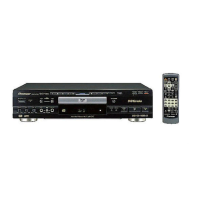
Do you have a question about the Pioneer DVD-V550 and is the answer not in the manual?
Basic setup guide for connecting the DVD player to a TV or monitor.
Guide to simplifying player setup using on-screen prompts.
Basic steps to power on, load disc, start playback, and interact with menus.
Guide to navigating and operating the player's setup menus.
Configuring digital audio output for compatibility with AV components.
Initial steps for setting up and performing karaoke, including mic volume.
Using one-touch karaoke and queuing up multiple songs for playback.
Adjusting vocals, selecting vocal partners, and fine-tuning vocal volume.
Choosing desired subtitle languages or turning them off.
Restricting content access and managing the parental lock password.
Adjusting lock levels and procedures to change the password.
Resuming playback from where you left off, even after disc removal.
Saving player settings for DVDs for automatic recall.
Addresses problems like disc table issues, no picture, and screen aspect problems.
Solutions for audio problems, digital output issues, and karaoke mode errors.
 General
| Brand | Pioneer |
|---|---|
| Model | DVD-V550 |
| Category | DVD Player |
| Language | English |


 To Next Page