EasyManua.ls Logo

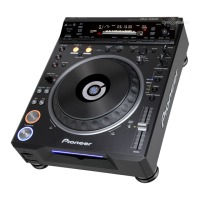
Pioneer DVJ-1000 - User Manual

Pioneer DVJ-1000
56 pages
Print Icon
To Next Page IconTo Next Page
Loading...
Operating Instructions
DVD PLAYER
DVJ-1000

Table of Contents

Other manuals for Pioneer DVJ-1000

Questions and Answers

Summary

Important Safety Instructions

Product Safety and Operational Warnings

Laser Safety and Electrical Precautions

Details laser product warnings and electrical shock prevention measures.

Environmental and Power Cord Safety

Addresses ventilation requirements and safe handling of the power cord.

Hearing Health Guidance

Features and Functions

Jog Dial Functions and Modes

Details various operations and modes associated with the jog dial.

Tempo and Pitch Control Features

Explains tempo control slider, master tempo, and pitch bend functions.

Cue and Loop Functionality

Describes hot cue, auto cue, cue point sampler, and real-time seamless loop features.

Advanced Features and Playback Modes

Loop Playback Modes

Covers reloop, 4-beat, one-track, and back & forth loop modes.

Advanced Audio and Video Features

Details preview output, Legato PRO, Hi-Bit audio, and digital audio output.

DVD Playback Limitations in DJ Mode

Outlines functions limited or disabled when using DJ mode with DVDs.

Handling Precautions

Installation Location and Environmental Considerations

Discusses proper placement, heat dissipation, and managing condensation.

Unit Handling and Maintenance Precautions

Covers carrying case use, cleaning, lens care, power cord safety, and copyright.

Disc Compatibility and Handling

Supported Disc Types and Formats

Lists playable and non-playable discs, including DVD, CD, MP3, and special formats.

Disc Playback Compatibility Notes

Details compatibility issues, copy-control CDs, and DualDisc playback.

Disc Information and MP3 Playback

DVD Disc Markings and Operating Limits

Explains DVD symbols and limitations on certain operations.

MP3 File Format Requirements

Specifies the required format for playing MP3 files, including MPEG, ID3 tags, and file structure.

Disc Management

Disc Composition and Structure

Describes how DVD and CD discs are structured into titles, chapters, and tracks.

Disc Handling and Care Guidelines

Provides instructions on handling, storing, and cleaning discs to prevent damage.

Names and Functions of Parts

Operation Panel Overview

Identifies and describes the buttons and controls on the player's operation panel.

Jog Dial Functions and Display

Details the jog dial, its display, and associated functions like scratch and frame search.

Control Panel Details

Playback and Search Controls

Explains buttons for playback, track/title search, and tempo adjustment.

Memory and Setup Controls

Describes buttons for memory card operations, menu navigation, and setup.

Display Information

Component Identification

Jog Dial Display Elements

Details the information shown on the jog dial's integrated display.

Rear Panel Connectors and Switches

Identifies and describes rear panel connectors and the NORMAL/DJ switch.

Video Output Information

Connections to External Devices

Audio and Digital Connections

Relay Play and Amplifier Connections

Explains relay play using control cords and connecting to stereo amplifiers.

Digital Input and NORMAL;DJ Switch Settings

Describes connecting digital components and setting the NORMAL/DJ mode switch.

Video Output Connections

System Connections

Initial Setup Procedures

Initial Setup and TV System Configuration

Guides through initial setup, TV system settings, and using the Setup Navigator.

On-Screen Display Language Selection

Explains how to select the OSD language for menus and displays.

Setup Configuration

Setup Menu Options

Setup Menu Options Overview

Lists all available setup menu items and their default values.

Video and Audio Output Settings

Details settings for video output, audio DRC, Dolby Digital, DTS, and MPEG audio.

Setup Menu Navigation and Defaults

Resetting to Factory Defaults and Menu Navigation

Explains how to reset settings and navigate the setup menu.

Disc-Specific Settings and Playback Restrictions

Covers settings that vary by disc and items unchangeable during playback.

Advanced Setup Options

Advanced Setup Menu and Dolby Digital Adjustment

Explains expert mode settings and how to adjust Dolby Digital audio and digital output.

Digital Output Format Settings

Details settings for Dolby Digital, DTS, and 96kHz PCM output formats.

Audio Settings

Video Settings

Picture Quality Adjustments

Customizing Picture Quality

Display and Language Settings

Display and Language Settings

Covers on-screen display, angle mark, OSD, audio, and subtitle language settings.

Language Selection Methods

Automatic Language Selection and DVD Menu Language

Explains automatic language settings and selecting DVD menu languages, including using language codes.

Subtitle Settings

Subtitle Display and Forced Subtitle Settings

Details subtitle display options, forced subtitles, and a language code list.

Parental Lock Management

Country Code Selection

Loading and Removing Discs

Basic Playback Operations

Playback Control Features

Auto Cue Function and Playback Control

Details the auto cue function, stopping playback, resuming, and pausing.

DVD Playback Adjustments

Explains how to change language/subtitle settings and viewing angles during DVD playback.

Search and Angle Functions

Track, Title, and Folder Search

Cue Point Management

Cue Point Management

Details how to set, modify, and recall cue points using different modes.

Tempo Control and Playback Speed Adjustment

Explains changing playback speed, tempo control range, and tempo reset.

Jog Dial and Tempo Operations

Master Tempo and Jog Dial Operations

Covers master tempo, jog dial functions like pitch bend, scratch play, and jog sensitivity.

WAVE Display and Jog Sensitivity

Explains the WAVE display for track analysis and adjusting jog dial sensitivity.

Text Display and Track Mixing

Advanced Playback Modes

Scratch, Spin, and Braking Playback Modes

Details advanced playback modes like scratch play, spin play, and braking.

Hot Cue Point Management

Explains how to set and use hot cue points for instant playback.

Loop and Hot Cue Operations

Automatic Loops and Relay Play

Automatic Loop Modes and Reverse Play

Covers automatic loop settings, reverse play, and fader start functions.

Relay Play Operation with Two Players

Explains how to perform automatic relay play between two connected DJ players.

MP3 Navigation and Guide Displays

Memory Card Operations

Recording Data to Memory Cards

Recalling Data from Memory Cards

Memory Card Data Management

Troubleshooting Common Issues

Advanced Troubleshooting

Error Message Display

Dot Matrix Guide Display Messages

Product Specifications

Pioneer DVJ-1000 Specifications

General IconGeneral
TypeProfessional DVD Player
Output VideoComposite, S-Video, Component
Digital OutputCoaxial
Jog WheelYes
Video FormatMPEG2
Audio FormatDolby Digital
Playback FormatsDVD-Video, DVD-R, DVD-RW, CD, CD-R, CD-RW
Output AudioDigital (Coaxial)
Frequency Response4 Hz - 20 kHz
Dynamic Range100 dB
Disc FormatsDVD, CD
Signal-to-Noise Ratio115 dB (DVD), 102 dB (CD)

Related product manuals