EasyManua.ls Logo

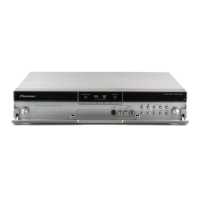
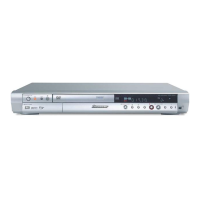
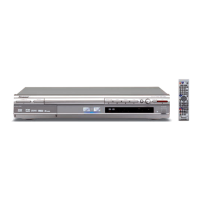
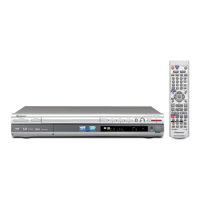
Pioneer DVR-540H-S - User Manual

Pioneer DVR-540H-S
135 pages
Print Icon
To Next Page IconTo Next Page
Loading...
Should this product require service in the U.S.A. and you wish to locate the nearest Pioneer
Authorized Independent Service Company, or if you wish to purchase replacement parts,
operating instructions, service manuals, or accessories, please call the number shown
below.
8 0 0 – 4 2 1 – 1 4 0 4
Please do not ship your product to Pioneer without first calling the Customer Support
Division at the above listed number for assistance.
Pioneer Electronics (USA) Inc.
Customer Support Division
P. O. BOX 1760, Long Beach,
CA 90801-1760, U.S.A.
For warranty information please see the Limited Warranty sheet included with your product.
Should this product require service in Canada, please contact a Pioneer Canadian
Authorized Dealer to locate the nearest Pioneer Authorized Service Company in Canada.
Alternatively, please contact the Customer Satisfaction Department at the following address:
Pioneer Electronics of Canada, Inc.
Customer Satisfaction Department
300 Allstate Parkway, Markham, Ontario L3R OP2
1(877)283-5901
For warranty information please see the Limited Warranty sheet included with your product.
Si ce produit doit être réparé au Canada, veuillez vous adresser à un distributeur autorisé
Pioneer du Canada pour obtenir le nom du Centre de Service Autorisé Pioneer le plus près
de chez-vous. Vous pouvez aussi contacter le Service à la clientèle de Pioneer:
Pioneer Électroniques du Canada, Inc.
Service à la clientèle
300, Allstate Parkway, Markham, Ontario L3R OP2
1(877)283-5901
Pour obtenir des renseignements sur la garantie, veuillez vous reporter au feuillet sur la
garantie restreinte qui accompagne le produit.
S018_A_EF
<VRB1412-A>Printed in China
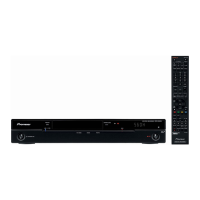
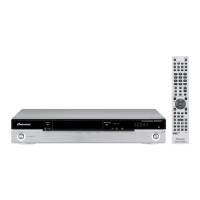
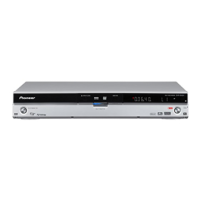
DVD Recorder
DVR-640H-S
DVR-543H-S
DVR-540H-S
Operating Instructions
DVD RECORDER
Operating Instructions
K002_A_En
Published by Pioneer Corporation.
Copyright © 2006 Pioneer Corporation.
All rights reserved.
PIONEER CORPORATION
4-1, Meguro 1-Chome, Meguro-ku, Tokyo 153-8654, Japan
PIONEER ELECTRONICS (USA) INC.
P.O. BOX 1540, Long Beach, California 90810-1540, U.S.A. TEL: (800) 421-1404
PIONEER ELECTRONICS OF CANADA, INC.
300 Allstate Parkway, Markham, Ontario L3R OP2, Canada TEL: 1-877-283-5901
PIONEER EUROPE NV
Haven 1087, Keetberglaan 1, B-9120 Melsele, Belgium TEL: 03/570.05.11
PIONEER ELECTRONICS ASIACENTRE PTE. LTD.
253 Alexandra Road, #04-01, Singapore 159936 TEL: 65-6472-7555
PIONEER ELECTRONICS AUSTRALIA PTY. LTD.
178-184 Boundary Road, Braeside, Victoria 3195, Australia, TEL: (03) 9586-6300
PIONEER ELECTRONICS DE MEXICO S.A. DE C.V.
Blvd.Manuel Avila Camacho 138 10 piso Col.Lomas de Chapultepec, Mexico,D.F. 11000 TEL: 55-9178-4270
Register Your Product on
www.pioneerelectronics.com (US)
www.pioneerelectronics.ca (Canada)
00 Cover_back_KU_EN.fm 1 ページ 2006年3月1日 水曜日 午後7時3分

Table of Contents

Question and Answer IconNeed help?

Do you have a question about the Pioneer DVR-540H-S and is the answer not in the manual?

Summary

Safety and Important Notices

Caution: Risk of Electric Shock

Warns against removing covers and referring servicing to qualified personnel.

Important Notice: Serial Number

States the serial number location and advises recording it for security.

FCC Compliance and Warnings

Details FCC compliance, radiation exposure, and fire/moisture hazards.

Laser Radiation Danger

Warns of visible and invisible laser radiation when open and advises avoiding beam exposure.

Power Cord and Proposition 65 Warnings

Cautions about power cord handling and chemical exposure from cords.

Getting Started: Before You Start

Whats in the Box

Lists the accessories provided with the recorder for confirmation.

Remote Control Setup and Usage

Provides instructions for inserting batteries and using the remote control effectively.

Disc and Format Compatibility

Lists supported DVD disc types and their playback/recording speeds.

Internal Hard Disk Drive Care

Provides essential guidelines for protecting the HDD from failure and data loss.

Symbols Used in Manual

Introduces icons used in the manual to identify instructions for different disc types.

Connecting Your Device

Rear Panel Connection Ports

Identifies and describes the purpose of each connection port on the rear panel.

Front Panel Connection Ports

Identifies and describes the purpose of front panel connection ports, including USB and AV inputs.

Connecting AV Sources

Guides connecting various AV sources like TVs, receivers, VCRs, and camcorders.

Connecting USB Devices and Plugging In

Explains connecting USB devices and the final step of plugging in the power cord.

Controls and Displays

Front Panel Controls Overview

Identifies and describes the function of each button and indicator on the recorder's front panel.

Remote Control Button Functions

Explains the function of each button on the remote control for operating the recorder.

Display Indicators and Symbols

Describes the meaning of various lights and symbols shown on the front panel display.

Initial Setup and Operation

Initial Setup Wizard

Guides through the initial setup wizard for language, clock, and tuner settings.

Clock and Tuning Settings

Explains how to set the clock (auto/manual) and perform auto channel tuning.

Display and Finalization Settings

Covers TV screen type, progressive scan, and completing the initial setup process.

Recording Content

DVD and HDD Recording Basics

Explains DVD recording modes and HDD recording capabilities.

Recording Quality and Timer Setup

Details picture quality settings and how to set up timer recordings.

Disc Finalization and Initialization

Guides on finalizing discs for playback and initializing recordable discs.

Playback Features

Basic Playback Controls

Explains fundamental controls for playing discs and HDD content.

Playing Various Media Types

Covers playback for DVDs, HDD content, CDs, WMA/MP3, DivX, and Video CDs.

Disc Navigator and Playback Modes

Details using the Disc Navigator and various playback modes like slow motion.

Audio and Subtitle Options

Explains how to switch audio tracks, channels, and subtitles during playback.

Editing Recorded Content

Disc Navigator for Editing

Introduces the Disc Navigator screen for editing video content on discs and HDD.

Title and Section Editing

Guides on playing, erasing titles, and erasing specific sections of a title.

Chapter Editing and Play List Management

Details chapter editing, moving, combining titles, and managing play lists.

Genre and Lock Settings

Explains how to set genres for titles and lock/unlock them for protection.

Copying and Backup

Copyright and Copying Restrictions

Outlines copyright laws and restrictions on copying protected material.

One Touch Copy and Copy Lists

Explains the One Touch Copy feature and how to use Copy Lists for selective copying.

Disc Backup Process

Guides through the process of backing up discs to the HDD and then to another disc.

Using the Jukebox

Copying Music to HDD

Explains how to copy music from CDs and USB devices to the HDD.

Playing and Editing Jukebox Albums

Guides on playing music from the Jukebox and editing album information.

PhotoViewer

Locating and Importing JPEG Pictures

Explains how to find JPEG files on discs/USB and import them to the HDD.

Playing Slideshows and Image Manipulation

Guides on playing slideshows, zooming, rotating images, and reloading files.

File Operations (Erase, Copy, Print)

Details file operations like erasing, copying, naming, locking, and printing.

Disc Setup Menu

Basic Disc Settings (Name, Lock)

Covers naming discs and locking them to prevent accidental changes.

Disc Initialization and Finalization

Guides on initializing discs for recording and finalizing them for playback.

HDD Maintenance (Optimize, Initialize)

Explains how to optimize and initialize the HDD for performance and system repair.

Video Adjust Menu

Picture Quality for TV and External Inputs

Details how to adjust picture quality for the built-in tuner and external inputs.

Picture Quality for Disc Playback

Guides on setting picture quality specifically for playing discs.

Advanced Picture Settings

Explains adjustments for motion, cinema mode, noise reduction, and color settings.

Initial Setup Menu

Basic Configuration (Clock, Tuning)

Covers initial setup for clock setting, tuner auto-tuning, and navigation.

Channel and Audio Settings

Details manual channel settings, VCR Plus+ configuration, and audio input/output settings.

Language and DVD Menu Settings

Guides on setting OSD, audio, subtitle, and DVD menu languages.

Recording and Playback Settings

Covers manual recording modes, optimized recording, and playback preferences.

Additional Information

Minimum Copying Times

Shows minimum HDD to DVD copying times for various recording modes and disc types.

Troubleshooting Guide

Provides solutions for common operational problems and error messages.

Disc Care and Maintenance

Offers guidelines for handling discs, warnings about damaged discs, and lens cleaning.

Product Specifications

Lists detailed technical specifications for the recorder's hardware and features.

Pioneer DVR-540H-S Specifications

General IconGeneral
TypeDVD Recorder
Hard Drive Capacity160 GB
Video FormatMPEG-2
TV TunerYes
Progressive ScanYes
Remote ControlYes
Video Recording ModesXP, SP, LP, EP, SEP
Recording FormatDVD-R, DVD-RW, DVD+R, DVD+RW
Playback FormatDVD-Video, MP3, JPEG
Audio FormatDolby Digital
InputsComposite, S-Video, Component, HDMI, RF
OutputsComposite, S-Video, Component, HDMI

Related product manuals