
 Need help?
Do you have a question about the Pioneer DVR-545H-S and is the answer not in the manual?
Alerts users to risks of electric shock and advises against removing covers.
Warns against water exposure and improper voltage usage.
States product is Class 1 laser but contains higher class laser diode.
Covers operating environment, ventilation, power cord safety, disposal, and household use guidelines.
Lists accessories, remote control usage, and battery insertion.
Details compatibility of various disc types and formats for playback.
Details compatibility for WMA audio, DivX video, and JPEG files.
Discusses PC disc compatibility and provides guidance on using the internal hard disk drive.
Identifies and describes the connectors on the rear and front panels of the recorder.
Provides a basic setup guide for common connections like antenna and SCART.
Instructions for connecting cable boxes, satellite receivers, decoders, and AV amplifiers.
Guides for connecting to HDMI displays and USB devices like cameras.
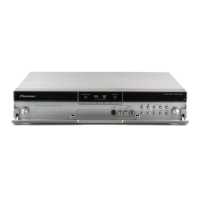
Identifies and describes the buttons and indicators on the front panel of the recorder.
Explains the meaning of various indicators shown on the front panel display.
Details the functions of each button on the remote control.
Guides through initial setup for clock, tuner, language, and video output.
Steps to set up the GUIDE Plus+ system for program listings and recording.
Explains remote control buttons for navigating and interacting with GUIDE Plus+.
How to use One-Button-Record and manage the video window.
Browsing listings, searching programs, and managing channels in the Editor Area.
Explains DVD recording formats like Video mode vs. VR mode and disc compatibility.
Information on HDD recording flexibility, capacity, and video restrictions.
How to adjust picture quality and recording time using standard and manual modes.
Guide to programming timer recordings and managing their settings.
Instructions for recording from external devices like camcorders or VCRs.
Steps to finalize discs for compatibility and initialize recordable discs.
How to perform basic playback of discs and HDD content.
Details playback controls for DVD-Video, HDD, CD, and DivX content.
Using Disc Navigator for browsing, and features like search, repeat, and program play.
How to display subtitles and switch audio soundtracks or channels.
How to play back and record video from a DV camcorder via the DV IN jack.
How to adjust DV video settings and details about DV connections.
Table of editing commands and explanation of editing accuracy types.
Introduction to the Disc Navigator screen for editing video content on discs and HDD.
How to erase titles, set thumbnails, erase sections, and divide titles.
How to edit chapters, combine them, assign genres, and lock files.
How to undo edits and common troubleshooting tips for editing functions.
Overview of copying features for backing up recordings and transferring video.
How to copy titles with one touch and manage lists of titles for copying.
Steps for copying content from HDD to DVD and performing disc backups.
Steps for copying content from a DVD to the HDD.
Steps to copy music from CDs or WMA/MP3 files to the recorder's HDD.
How to select and play music stored in the Jukebox or from a USB device.
Commands for editing album details like title, genre, and playback order.
How to find JPEG photos and picture files on HDD, discs, or USB devices.
How to play slideshows and import files from discs or USB devices to the HDD.
Commands for editing, organizing, erasing, and creating folders for picture files.
How to print picture files from the HDD or a digital camera via USB.
How to find JPEG photos and picture files stored on CD-R/-RW/-ROM.
How to start a slideshow from a selected thumbnail image.
Options for naming discs and preventing accidental recording or erasure.
How to initialize discs for recording and finalize them for compatibility.
How to optimize the HDD file system and initialize it to fix problems.
How to set picture quality for the built-in tuner and external inputs using presets.
How to set picture quality specifically for playing discs using presets.
Explains advanced video settings like Subtitle Adjust, YNR, CNR, Sharpness, etc.
Overview of the Initial Setup menu for configuring sound, picture, language, etc.
Settings for tuner, channel management, and video/audio input/output.
Settings for OSD, audio, subtitle languages, and recording modes.
Settings for thumbnails, auto chapter marking, DVD-RW initialization, and HDD format.
Configuration of HDMI output, screen resolution, colour format, and video priority.
Settings related to TV systems, AV Link, DivX VOD, and language selection.
Tables showing copying times and approximate recording times for manual modes.
Lists common problems and their remedies for recorder operation.
Troubleshooting steps for HDMI connection and USB device functionality.
Guidelines for handling, storing, and cleaning discs and the pickup lens.
Advice on installation, moving the unit, and resetting to factory settings.
Technical specifications including power, weight, dimensions, and disc compatibility.
 General
| Analog signal format system | NTSC, PAL |
|---|---|
| Audio formats supported | MP3, WMA |
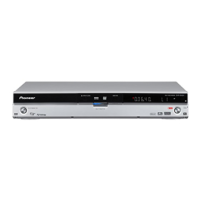
| Device type | DVD recorder |
| Product color | Black, Silver |
| HDD capacity | 160 GB |
| Maximum HDD recording time | 455 h |
| Disc types supported | CD, CD-R, CD-RW, DVD+R, DVD+RW, DVD-R, DVD-RAM, DVD-RW |
| SCART ports quantity | 2 |
| Digital audio coaxial out | 1 |
| Power requirements | AC 220 - 240V, 50/60 Hz |
| Power consumption (standby) | 0.61 W |
| Power consumption (typical) | 40 W |
 Weight and Dimensions
| Depth | 318 mm |
|---|---|
| Width | 420 mm |
| Height | 69 mm |
| Weight | 4400 g |


 To Next Page