EasyManua.ls Logo

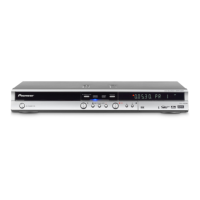
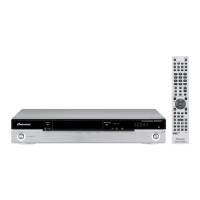
Pioneer DVR-531H-S - User Manual

Pioneer DVR-531H-S
134 pages
Print Icon
To Next Page IconTo Next Page
Loading...
ORDER NO.
PIONEER CORPORATION 4-1, Meguro 1-chome, Meguro-ku, Tokyo 153-8654, Japan
PIONEER ELECTRONICS (USA) INC. P.O. Box 1760, Long Beach, CA 90801-1760, U.S.A.
PIONEER EUROPE NV Haven 1087, Keetberglaan 1, 9120 Melsele, Belgium
PIONEER ELECTRONICS ASIACENTRE PTE. LTD. 253 Alexandra Road, #04-01, Singapore 159936
PIONEER CORPORATION 2005
HDD/DVD
MENUTOP MENU
RETURN
REC
ENTER
HOME
MENU
ONE TOUCH
COPY
PULL - OPEN

STANDBY / ON
DVR-533H-S
RRV3173
DVD RECORDER
DVR-533H-S
DVR-633H-S
DVR-531H-S
THIS MANUAL IS APPLICABLE TO THE FOLLOWING MODEL(S) AND TYPE(S).
Model Type Power Requirement Region No.
Serial No.
Please confirm 3rd & 4th
alphabetical letters.
DVR-533H-S KUXV AC120V 1 &&DL######$$
DVR-533H-S KCXV AC120V 1 &&DL######$$
DVR-633H-S KUXV/CA AC120V 1 &&DL######$$
DVR-531H-S KUXV/CA AC120V 1 &&DL######$$
DVR-531H-S KCXV AC120V 1 &&DL######$$
÷ When servicing this model, some service procedures may reset the customer settings
to the factory default settings. Make sure to explain this to the customer.
An HDD (Hard Disc Drive) is mounted in this product.
The HDD is a precision instrument very vulnerable to shock and electrostatic charges. Please read
"7.3 Cautions on Handling the HDD" in this manual and exercise sufficient caution when handling the
HDD itself, as well as the product with the HDD built in.
When an HDD becomes defective and inoperable, restoration of the user's data recorded on the HDD,
or copying of the user's recorded data to other media (such as a new HDD) is totally impossible.
Before servicing, OBTAIN THE USER'S PRIOR CONSENT to that effect.
The user must be made aware that all recorded data are deleted if the HDD is intialized.
For details, refer to "Important Check Points for Good Servicing" .
T-ZZV JUNE 2005 printed in Japan
Question and Answer IconNeed help?

Do you have a question about the Pioneer DVR-531H-S and is the answer not in the manual?

Summary

SAFETY INFORMATION

1. SAFETY PRECAUTIONS

General safety precautions for service technicians and customers.

LEAKAGE CURRENT CHECK

Procedure to measure leakage current to ensure safety before returning the unit.

2. PRODUCT SAFETY NOTICE

Notice regarding safety-related characteristics of electrical and mechanical parts.

[Important Check Points for Good Servicing]

2. EXPLODED VIEWS AND PARTS LIST

3. BLOCK DIAGRAM AND SCHEMATIC DIAGRAM

3.2 OVERALL WIRING DIAGRAM

5. PCB PARTS LIST

6. ADJUSTMENT

7. GENERAL INFORMATION

7.1.1 Model Setting

Procedure to recognize the unit's model, destination, and region number.

7.1.2 CPRM ID Number and Data Setting

Setting ID number and data for DVD-RW recording/playback.

7.1.3 Firmware Downloading Method

Methods to download firmware for system control, drive, and IR microcomputer.

7.1.4 Video Adjustment for Specific Area

Adjusting picture settings for specific channels or inputs to correct flicker.

7.1.5 Service Mode

Checking product status and collecting failure diagnosis information.

7.1.5 OSD Filter Setting

Selecting filter response to correct character flicker on the OSD.

7.1.6 DV Service Mode

Checking communication between DV device and unit for normal operation.

7.1.7 EPG Service Mode

Checking the version of the TV Guide library.

7.1.8 Aging Mode

Performing long-time tests to reproduce difficult-to-reproduce symptoms.

7.1.10 SETUP SEQUENCE

7.3 CAUTIONS ON HANDLING THE HDD

8.4 REMOTE CONTROL

Pioneer DVR-531H-S Specifications

General IconGeneral
BrandPioneer
ModelDVR-531H-S
CategoryDVD Recorder
LanguageEnglish

Related product manuals