
 Need help?
Do you have a question about the Pioneer DVR-650H-S and is the answer not in the manual?
Confirms the accessories included with the recorder when opening the box.
Provides guidelines for effective operation of the remote control unit.
Details compatibility with various DVD disc types and file system formats.
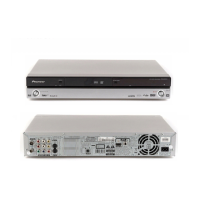
Illustrates and explains the various input/output terminals on the rear of the unit.
Details the input/output terminals located on the front panel of the unit.
Explains how to connect and use USB devices like cameras, printers, and PCs.
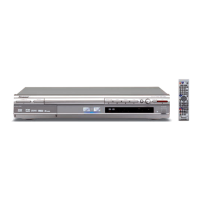
Identifies and describes the controls and indicators on the front panel of the recorder.
Explains the various indicators and symbols shown on the front panel display.
Details the functions and buttons of the supplied remote control.
Guides the user through initial setup using the Setup Navigator feature.
Explains the different DVD formats and modes for recording.
Details the features and benefits of recording to the internal hard disk drive.
Describes how to select recording quality and time settings.
Explains how to program recordings for future broadcast times.
Covers the fundamental steps for playing discs and HDD content.
Details the basic playback controls specific to DVD-Video and recordable DVDs.
Explains the basic playback controls for video recorded on the hard disk drive.
Provides access to search functions, repeat, and programme play features.
Guides on how to play back video from a connected DV camcorder.
Explains the process of recording video from a DV camcorder.
Lists the available editing commands for HDD and various disc types.
Introduces the screen for editing content on discs and the HDD.
Details how to name or rename titles for recordings.
Outlines the functions for backing up recordings and making copies.
Explains the simple one-step process for copying HDD titles to DVD or vice versa.
Describes how to create and manage lists of titles for copying.
Guides on how to copy music from CDs, DVDs, or USB devices to the HDD.
Explains how to transfer WMA/MP3 files from USB devices to the HDD.
Details how to select and play music albums or tracks from the Jukebox.
Explains how to find and select JPEG photo files on various media.
Guides on transferring pictures from cameras or discs to the HDD.
Covers commands for organizing and managing picture files stored on the HDD.
Explains how to prevent accidental recording, editing, or erasing of discs.
Details how to initialize recordable DVDs for VR or Video mode recording.
Describes how to optimize the HDD for better performance.
Guides on adjusting picture quality for TV tuner and external inputs.
Details how to adjust picture quality settings for disc playback.
Explains how to access and use the initial setup options for the recorder.
Describes how to manually adjust channel presets and fine-tune channels.
Explains settings for external audio input and dual mono recording.
Covers settings for OSD, audio, and subtitle language preferences.
Provides minimum HDD to DVD copying times for various recording modes.
Details approximate recording times for different DVD types and manual modes.
Offers solutions for common problems and malfunctions encountered with the unit.
Explains how programmes appear on different screen sizes and TV types.
 General
| Type | DVD Recorder |
|---|---|
| Hard Drive Capacity | 250 GB |
| Video Format | MPEG-2 |
| Audio Format | Dolby Digital, PCM |
| Audio D/A Converter | 24-bit / 192kHz |
| Progressive Scan | Yes |
| Dolby Digital Recording | Yes |
| Tuner | NTSC |
| Recording Format | DVD-R, DVD-RW, DVD+R, DVD+RW, DVD-R DL |
| Video Recording Modes | SP, LP, EP |
| Playback Format | DVD-Video |
| Inputs | Composite, S-Video, Component |
| Outputs | Composite, S-Video, Component, HDMI |





 To Next Page
