Need help?
Do you have a question about the Pioneer DVR-920H and is the answer not in the manual?
Identifies and explains all input/output ports on the rear of the unit.
Guides on connecting external receivers for TV recording.
Instructions for connecting a dedicated external decoder box.
Alternative connection method for an external decoder box.
Explains how to connect the recorder to a display via HDMI for high-quality output.
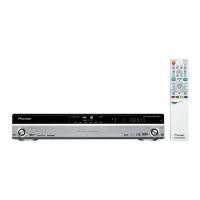
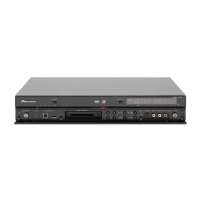
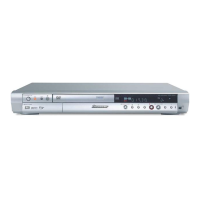
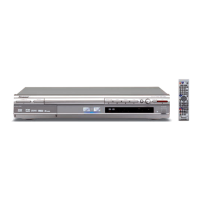
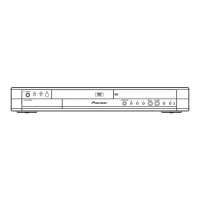
Identifies controls and indicators on the front panel of the recorder.
Explains the information shown on the recorder's front panel display.
Details the functions and layout of the remote control.
Guides through the initial setup process using the Setup Navigator.
Instructions for setting up the interactive TV program guide.
A quick guide to making a basic TV recording.
General guide to playing back discs and HDD content.
Introduction to the interactive TV program guide and its features.
Explains the common elements and navigation within the GUIDE Plus+ interface.
Managing scheduled timer recordings.
Answers to common questions and solutions for GUIDE Plus+ issues.
How to use the Disc Navigator to find and play content on discs.
Navigating and playing content from recordable discs and the HDD.
Explains the differences between DVD-R and DVD-RW media and modes.
Information on recording to the internal hard disk drive and its organization.
Details on preset recording modes and their time/quality trade-offs.
How to select recording quality and time settings before recording.
Step-by-step guide for recording TV programs.
Recording the current TV broadcast directly without setup.
How to program recordings in advance using timer functions.
A simplified method for setting timer recordings.
Recording audio/video from connected external devices.
How to record video from a DV camcorder via the front panel jack.
Steps to finalize discs for playback on standard DVD players.
Details on the fast, digital copying process between HDD and DVD.
Simple copying of titles from HDD to DVD with one button.
Simple copying of titles from DVD to HDD with one button.
Building a Copy List to transfer titles from HDD to DVD.
How to execute the created Copy List to record onto a DVD.
Transferring titles from a DVD to the HDD using a Copy List.
Creating a backup copy of finalized Video mode discs.
Overview of the interface for editing video content.
How to edit content on VR mode discs, Video mode discs, and HDD.
Setting disc names and other basic disc-related configurations.
Preventing accidental editing or erasure of disc content.
Preparing DVD-RW discs for recording (VR or Video mode).
Fixing recordings for playback on standard DVD players.
Adjusting picture settings for tuner and external video sources.
Configuring picture settings specifically for DVD and other disc playback.
Overview of the initial setup options for the recorder.
Configuring essential settings like clock and language.
Initial setup guide accessed automatically on first use.
Configuring channel scanning and manual tuning.
Adjusting color system and output settings for video connections.
Configuring audio input types, NICAM, and tuner levels.
Setting digital audio output formats (Dolby Digital, DTS, PCM).
Setting manual recording levels and optimized recording options.
Configuring TV screen size and other playback behaviors.
Setting up parental controls and passwords.
Configuring settings for HDMI connection and output.
Restoring the recorder to its factory default settings.
Programming the remote to operate a connected TV.
Common problems and their solutions for the recorder.
Answers to common user queries about the recorder's functionality.
Information on recording formats, recordable discs, and time/quality settings.
Specifications for all input and output terminals and signals.
 General
| Type | DVD Recorder |
|---|---|
| Hard Drive Capacity | 250 GB |
| Video Recording Format | MPEG-2 |
| Inputs | Composite, S-Video, Component, HDMI |
| Audio D/A Converter | 24-bit / 192 kHz |
| Progressive Scan | Yes |
| DTS Digital Out | Yes |
| Remote Control | Yes |
| Recording Format | DVD-R, DVD-RW |
| Playback Format | DVD, CD, MP3 |
| Audio Recording Format | Dolby Digital |
| Output Resolution | 480p |
| Outputs | HDMI, Composite, S-Video, Component |
| Video D/A Converter | 10-bit |
| Connectors Front | Composite, S-Video |
| Connectors Rear | Composite, S-Video, Component, HDMI |
| Video Recording Modes | SP, LP, EP |


 To Next Page