EasyManua.ls Logo

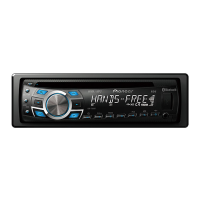
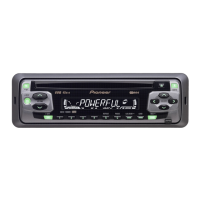
Pioneer DXT-1469UB - User Manual

Pioneer DXT-1469UB
72 pages
Print Icon
To Next Page IconTo Next Page
Loading...
Owners Manual
Manual de instrucciones
Manual do proprietário
COMPLETE CAR AUDIO PACKAGE
CD RECEIVER, 16 cm 2-WAY SPEAKERS AND
6" × 9" 3-WAY SPEAKERS
PAQUETE COMPLETO DE AUDIO AUTOMOTRIZ
RADIO CD, ALTAVOCES DE 2 VÍAS DE 16 cm Y
ALTAVOCES DE TRES VÍAS DE 6" × 9"
PACOTE DE ÁUDIO VEICULAR COMPLETO
RECEPTOR DE CD, ALTO-FALANTES BIDIRECIONAIS DE 16 cm E
ALTO-FALANTES TRIDIRECIONAIS DE 6 ×9
CD١٦٦×٩
ﯿ
،۲۱۶۳۶×۹
DXT-1469UB
English
Português (B)
Español

Questions and Answers

  • F
    franksteinAug 2, 2025
    Why does Pioneer Car Stereo System repeat play range change?
    • R
      Robert JensenAug 2, 2025
      If the repeat play range on your Pioneer Car Stereo System changes unexpectedly, it might be because the selected range changes when another folder or track is selected, or during fast forwarding. Try selecting another repeat play range.
  • A
    Allison MirandaAug 9, 2025
    How to turn off demo mode on Pioneer Car Stereo System?
    • K
      Kimberly McneilAug 9, 2025
      If demo mode is on for your Pioneer Car Stereo System, turn off the demo display setting.
  • A
    allenjessicaAug 17, 2025
    What to do if Pioneer Car Stereo System displays NO XXXX?
    • T
      Taylor NguyenAug 17, 2025
      If the Pioneer Car Stereo System displays 'NO XXXX' when changing the display, it indicates interference. Try moving electrical devices away from the unit, as they may be the cause.
  • J
    Jennifer SellersAug 25, 2025
    What to do if Pioneer Car Stereo System display returns automatically?
    • M
      Monica JonesAug 25, 2025
      If the Pioneer Car Stereo System automatically returns to the ordinary display, perform the operation again.

Summary

Before You Start

About This Unit

General info, safety, and warnings about the device.

Demo Mode

Explanation and control of the demo display feature.

In Case of Trouble

Basic troubleshooting steps for operational issues.

Operating This Unit

Unit and Remote Control Overview

Description of the head unit and remote control.

Display Indication

Explanation of the unit's display elements.

Set Up Menu Operations

Initial configuration steps for the device.

Clock Setting

Procedure to set the device's clock time.

FM Tuning Step Setting

Adjusting FM radio tuning frequency steps.

AM Tuning Step Setting

Adjusting AM radio tuning frequency steps.

Basic Operations

Core functions: power, source selection, volume, and panel handling.

Front Panel Removal and Re-attachment

Steps for security and maintenance.

Remote Control Use and Care

Proper handling and battery replacement guidance.

Tuner Operations

Radio functions including band selection, tuning, and presets.

Manual Tuning and Seeking Stations

Methods for finding radio stations.

Storing and Recalling Stations

Saving and accessing favorite radio frequencies.

CD;USB Media Operations

Playing music from CDs and USB drives.

Playing CDs and USB Devices

Core playback controls for media.

Navigating Media Files

Selecting tracks, folders, and fast-forwarding.

Function Settings

Customizing device behavior and playback modes.

Repeat and Random Playback Modes

Setting playback repetition and shuffle.

Pause, Sound Retriever, and File Selection

Playback control and audio enhancement.

Audio Adjustments

Customizing sound output.

Fader;Balance, Equalizer, and Tone Control

Adjusting sound staging and equalization.

Loudness and Source Level Adjustment

Volume compensation and consistency.

Initial Settings

Procedures for initial device setup.

Installation

Wiring Connections

Electrical hookups for the unit and accessories.

Power Cord and Amplifier Wiring

Connecting the main power and optional amplifier.

Mounting the Unit

Procedures for installing the main device.

DIN Front-Mount Installation

Specific method for front installation.

DIN Rear-Mount Installation

Alternative method for rear installation.

Speaker Installation

Procedures for installing speakers.

TS-165 P Speaker Mounting

Specific installation details for TS-165P.

TS-695 P Speaker Mounting

Specific installation details for TS-695P.

Additional Information

Troubleshooting

Resolving common operational issues.

Error Messages and CD Player Errors

Interpreting device error codes.

Handling Guidelines

Best practices for media and device care.

Disc and Player Handling

Proper care for discs and the playback unit.

USB Storage Device Handling

Proper care for USB drives.

Media Compatibility

Supported file formats and device types.

Compressed Audio Compatibility

Support for WMA and MP3 file formats.

DualDisc Compatibility

Information on using two-sided discs.

Specifications

Technical details of the unit and speakers.

General, USB, and Audio Specifications

Technical data for the unit.

Tuner and Speaker Specifications

Technical data for radio and speakers.

Pioneer DXT-1469UB Specifications

General IconGeneral
Power Output50 W x 4
RMS Power Output22 W x 4
TunerFM/AM
CD PlaybackYes
BluetoothNo
Display Type1-Line LCD
Preamp Outputs2-channel
Equalizer5-band Graphic EQ
Preamp Voltage2V
Remote ControlYes
Display ColorWhite
High-Pass FilterYes
Low-Pass FilterYes
Subwoofer OutputYes
USB Direct Control for iPod/iPhoneYes
Built-in MicrophoneNo
USB InputYes (Front)
DIN Size1 DIN
AUX InputYes (Front)
PlaybackMP3/WMA
Preset Stations18 FM, 6 AM
Steering Wheel ControlYes

Related product manuals