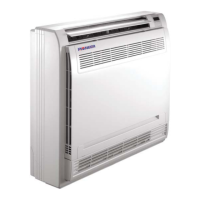
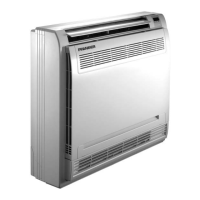
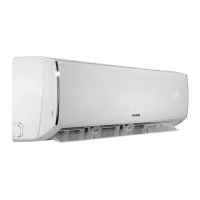
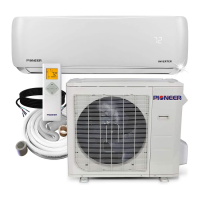
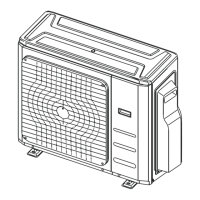
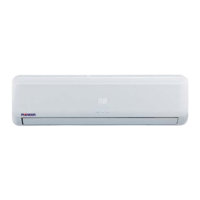
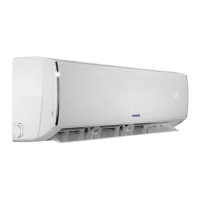
This document is an owner's manual for Pioneer Floor Console Type Ductless Split Systems, specifically covering FB009 - FB012 Indoor Units and FYB009 - FYB012 System Sets. It provides essential information for safe and effective operation, maintenance, and troubleshooting of these air conditioning units.
Function Description:
The Pioneer Floor Console Type Ductless Split System is an air conditioning unit designed for residential or commercial use. It consists of an indoor unit, an outdoor unit, connecting pipes, and a remote controller. The system provides cooling, heating (for Inverter models), and drying functions to maintain a comfortable indoor environment. The indoor unit is a floor-standing console type, designed to be placed on the floor against a wall. It features an air flow louver at the air outlet, an air inlet with a filter, and a display panel. The outdoor unit is responsible for heat exchange with the outside air. The system can be operated via a remote controller or a temporary button on the indoor unit's display panel for basic functions.
Important Technical Specifications:
The manual outlines the recommended operating temperature ranges for safe and effective operation:
- Cooling Operation:
- Outdoor Temperature: 0°C ~ 50°C (32°F ~ 122°F)
- Outdoor Temperature (for models with low ambient cooling system): -15°C ~ 50°C (5°F ~ 122°F)
- Room Temperature: 17°C ~ 32°C (62°F ~ 90°F)
- Heating Operation (Inverter Models Only):
- Outdoor Temperature: -25°C ~ 24°C (-12°F ~ 76°F)
- Room Temperature: 0°C ~ 30°C (32°F ~ 86°F)
- Drying Operation:
- Outdoor Temperature: 0°C ~ 50°C (32°F ~ 122°F)
- Room Temperature: 17°C ~ 32°C (62°F ~ 90°F)
The manual also includes a detailed troubleshooting table (Table 9-1) for various malfunctions, indicating the display (nixie tube) error code, timer lamp status, and running lamp flash pattern (flashes per second). Examples include:
- E0: Indoor EEPROM error (timer lamp OFF, running lamp 1 flash/sec)
- E1: Communication malfunction between indoor and outdoor units (timer lamp OFF, running lamp 2 flashes/sec)
- F0: Current overload protection (timer lamp ON, running lamp 1 flash/sec)
- P0: Inverter module IPM protection (Flash, running lamp 1 flash/sec)
Usage Features:
- Remote Controller Operation: The primary method of control, allowing selection of modes (AUTO, COOL, HEAT, DRY, FAN ONLY), temperature settings, and fan speed. (Note: Remote controller operations are detailed in a separate manual).
- Temporary Button: Located on the indoor unit's display panel, this button allows temporary operation in AUTO, FORCED COOL, or OFF modes if the remote controller is unavailable or its batteries are exhausted. The sequence is AUTO, FORCED COOL, (COOLING TEST HEATING TEST), OFF, and back to AUTO.
- Air Flow Direction Adjustment:
- Auto-Swing: Pressing the SWING button enables automatic up and down louver movement.
- Manual Swing: The Air Direction button allows fixing the louver at a desired angle.
- Louver Angle Memory Function (optional): Some models retain the last set horizontal louver angle after power failure or ON/OFF button press.
- Air Outlet Selection Switch: Allows users to select the air flow pattern. The system can automatically decide the blowing pattern based on the operating mode/situation (e.g., air blown through upper and lower outlets for high-speed cooling/heating, or only upper outlet for comfort). Alternatively, a setting can force air to blow only from the upper air outlet, regardless of mode.
- Three-Minute Protection Feature: Prevents the compressor from restarting immediately after a brief shutdown, protecting the motor.
- Refrigerant Leakage Detection (optional): Displays "EC" (if applicable) and flashes LED indication lamps if the outdoor unit detects refrigerant leakage.
Maintenance Features:
- Air Filter Cleaning: The air filter should be cleaned every two weeks during long-term usage to maintain efficiency. It can be cleaned with a vacuum cleaner or pure water. For heavy dust accumulation, a soft brush and mild detergent can be used. The air-in side should face up when vacuuming and down when using water. Direct sunlight should be avoided for drying.
- Special Function Filter: This filter can be renewed by washing with water every 6 months and should be replaced every 3 years.
- General Cleaning:
- Before cleaning, ensure the power supply is off.
- Use a dry cloth to wipe the indoor unit and remote controller. A wet cloth can be used for very dirty indoor units, but not the remote controller.
- Avoid chemically-treated dusters, benzene, paint thinner, polishing powder, or similar solvents.
- Maintenance After a Long Break Period (e.g., beginning of season):
- Check and remove any blockages from inlet and outlet vents.
- Clean air filters and casings.
- Turn on power at least 12 hours before operation for smoother startup.
- Maintenance Before a Long Stop Period (e.g., end of season):
- Run indoor units in fan-only operation for about half a day to dry the interior.
- Clean air filters and casings.
The manual emphasizes several safety precautions:
- Ensure an earth leak detector is installed and the unit is properly grounded.
- Do not operate with wet hands or touch heat exchanger fins.
- Avoid placing items that can be damaged by moisture underneath the indoor unit.
- Check unit stand and fitting for damage after extended use.
- Ventilate the room sufficiently if other burning equipment is used.
- Ensure smooth drainage of the drain hose.
- Never touch internal parts of the controller or remove the front panel without proper authorization.
- Keep children, plants, and animals away from direct airflow and prevent children from climbing on the outdoor unit.
- Do not operate with room fumigation-type insecticides.
- Avoid placing open fire appliances near the unit's airflow.
- Do not install where flammable gas may leak.
- The appliance is not intended for unsupervised use by young children or infirm persons. Children aged 8 and above, and persons with reduced capabilities, can use it with supervision and understanding of hazards.
- If the supply cord is damaged, it must be replaced by the manufacturer or a qualified person.
- Do not operate in wet rooms like bathrooms or laundry rooms.
- Do not press remote controller buttons with hard, pointed objects.
- Replace fuses with correctly rated ones.
- Avoid prolonged exposure to airflow.
- Do not insert fingers or objects into air inlet/outlet.
- Avoid flammable sprays near the unit.
- Do not touch the air outlet or horizontal blades during swing flap operation.
- Do not inspect or service the unit yourself; contact a qualified service person.
- Dispose of the product and electrical appliances properly through separate collection facilities.
- Contact the dealer for refrigerant leak prevention and repair.
- Do not use the air conditioner for abnormal purposes (e.g., cooling precision instruments, food, plants, animals, or artwork).
- Turn off power before cleaning.


 To Next Page

 General