Thank you for purchasing this PIONEER
product
To ensure proper use, please read through this
manual before using this product. It is especially
important that you read and observe WARN-
INGs and CAUTIONs in this manual. Please
keep the manual in a safe and accessible place for
future reference.
About this unit
CAUTION:
USE OF CONTROL OR ADJUSTMENT OR
PERFORMANCE OF PROCEDURES
OTHER THAN THOSE SPECIFIED HEREIN
MAY RESULT IN HAZARDOUS RADIATION
EXPOSURE.
CAUTION:
THE USE OF OPTICAL INSTRUMENTS
WITH THIS PRODUCT WILL INCREASE
EYE HAZARD.
CAUTION
! Do not allow this unit to come into contact
with liquids. Electrical shock could result.
Also, damage to this unit, smoke, and over-
heating could result from contact with
liquids.
! Always keep the volume low enough to hear
outside sounds.
! Avoid exposure to moisture.
! If the battery is disconnected or discharged,
any preset memory will be erased.
CAUTION
This product is a class 1 laser product classi-
fied under the Safety of laser products, IEC
60825-1:2007.
Note
Function setting operations are completed even
if the menu is canceled before the operations
are confirmed.
About this manual
! In the following instructions, USB memories
and USB audio players are collectively re-
ferred to as “USB storage device”.
! In this manual, iPod and iPhone will be re-
ferred to as “iPod”.
In case of trouble
Should this unit fail to operate properly, please
contact your dealer or nearest authorized
PIONEER Service Station.
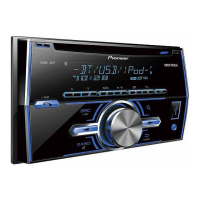
Head unit
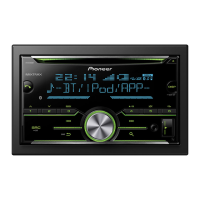
FH-X755BT
1 2 4 5
8 9
7 a c6 b d
3
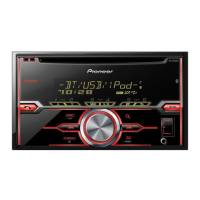
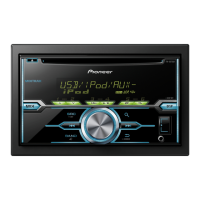
FH-X555UI
1 2 4 5
3
Part Part
1 h (eject) 8 c/d
2
FH-X755BT
(phone)
9
MULTI-CONTROL
(M.C.)
FH-X555UI
MIX (MIXTRAX)
3 1/
to 6/ a
(back)/
DIMMER
(dimmer)
Part Part
4 Disc loading slot b
(list)
5 DISP/DISP OFF c
AUX input jack
(3.5 mm stereo
jack)
6 SRC/OFF d USB port
7
BAND/
(iPod
control)
CAUTION
! Use an optional Pioneer USB cable (CD-
U50E) to connect the USB storage device as
any device connected directly to the unit will
protrude out from the unit, which could be
dangerous.
! Do not use unauthorized products.
Remote control
Remote controller buttons marked with the
same numbers as on the unit operate in the
same way as the corresponding unit button re-
gardless of button name.
e
i
h
f
g
j
7
l
k
6
8
Before you start
2
Section
Operating this unit
En
01
02






 To Next Page