EasyManua.ls Logo

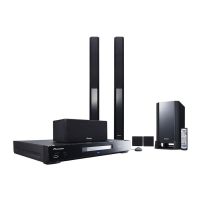
Pioneer HTZ-BD50 - User Manual

Pioneer HTZ-BD50
166 pages
Print Icon
To Next Page IconTo Next Page
Loading...
P/NO: MFL67205130
ENGLISH FRANÇAIS
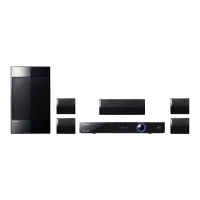
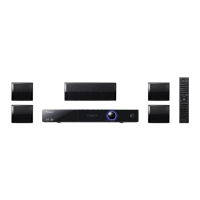
HTZ-BD50
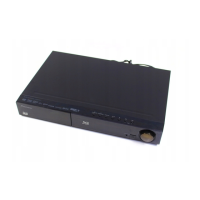
XV-BD707
S-BD50T
S-BD50SW
HTZ-BD30
XV-BD707
S-BD30
Blu-ray Disc surround system | Système de cinéma maison Blu-ray Disc
Blu-ray Disc receiver | Récepteur Blu-ray Disc
Speaker System | Enceintes acoustiques
Speaker System (Only subwoofer) | Enceinte acoustique
Register your product at:
http://www.pioneerelectronics.com (US)
http://www.pioneerelectronics.ca (Canada)
http://www.pioneerelectronics.com (US)
http://www.pioneerelectronics.ca (Canada)
Protect your new investment
The details of your purchase will be on file for reference in the event of an insurance claim such as loss or theft.
Improve product development
Your input helps us continue to design products that meet your needs.
Receive a free Pioneer newsletter
Registered customers can opt in to receive a monthly newsletter.
Receive free tips, updates and service bulletins on your new product
HB985-FB.BUSAPPK_Eng.indd 1HB985-FB.BUSAPPK_Eng.indd 1 2010-05-14  10:47:402010-05-14  10:47:40

Table of Contents

Questions and Answers

  • A
    Amanda MorrisSep 23, 2025
    Why the subtitle language cannot be changed or turned off on Pioneer Blu-ray Player?
    • J
      Justin JacksonSep 23, 2025
      The subtitle language cannot be changed or turned off on your Pioneer Blu-ray Player because subtitles are not recorded on the DVD Video being played.
  • B
    Brandi GilmoreAug 25, 2025
    Why there is no sound or the sound is distorted on my Pioneer HTZ-BD50?
    • C
      Catherine SimpsonAug 25, 2025
      If you're not getting any sound or the sound is distorted on your Pioneer Home Theater System, check if the unit is in scan, slow motion, or pause mode. Make sure the volume isn't too low. Also, check the speaker cable connections.
  • M
    Mark MasseyAug 25, 2025
    What to do if there is no picture on Pioneer Blu-ray Player?
    • A
      Adam FisherAug 26, 2025
      If there's no picture on your TV when using the Pioneer Blu-ray Player, first, make sure you've selected the correct video input on your TV. Then, check that all video connections are secure. You might also need to verify that the HDMI Colour Setting in the Setup menu matches your video connection type. If the resolution is not supported, change the resolution to one that your TV accepts.
  • B
    Brent HaleyAug 27, 2025
    What to do if Pioneer Blu-ray Player does not start playback?
    • K
      Kelsey BurkeAug 27, 2025
      If your Pioneer Blu-ray Player isn't starting playback, try these steps: - Ensure you've inserted a playable disc, verifying its type, color system, and regional code. - Place the disc with the playback side facing down. - Make sure the disc is correctly placed inside the guide on the disc tray. - Clean the disc. - Cancel the rating function or adjust the rating level.
  • C
    crystal18Aug 27, 2025
    Why BD-LIVE feature does not work on Pioneer Blu-ray Player?
    • S
      Shane CarterAug 27, 2025
      To address BD-LIVE feature issues on your Pioneer Blu-ray Player: - Connect a USB storage device with at least 1GB of free space. - Make sure the unit is properly connected to your local network and can access the internet. - If your broadband speed is insufficient, contact your ISP to increase it. - Check that the BD-LIVE connection option in the Setup menu is set to Permitted.
  • J
    joseph23Sep 15, 2025
    Why the angle cannot be changed on Pioneer HTZ-BD50 Home Theater System?
    • R
      Randy HouseSep 15, 2025
      If you can't change the angle on your Pioneer Home Theater System, it's because the DVD Video being played does not have multi-angles recorded on it.
  • C
    Cassandra FullerSep 13, 2025
    Why picture noise appears on my Pioneer HTZ-BD50?
    • T
      tim81Sep 13, 2025
      If you're seeing picture noise on your Pioneer Home Theater System, it might be because you're playing a disc recorded in a different color system than your TV supports. Try setting the resolution to one that your TV accepts.
  • P
    perkinsjenniferSep 14, 2025
    How to fix Pioneer Home Theater System if the power does not turn on?
    • N
      Nathan WilliamsSep 14, 2025
      If your Pioneer Home Theater System isn't turning on, make sure the power cord is securely plugged into the wall outlet.
  • W
    whitney66Sep 5, 2025
    How to fix BD-LIVE feature that does not work on Pioneer HTZ-BD50 Home Theater System?
    • S
      Stephanie CoxSep 5, 2025
      If the BD-LIVE feature isn't working, make sure the connected USB storage has at least 1GB of free space. Ensure the unit is correctly connected to the local area network and can access the internet. Your broadband speed might not be fast enough, so consider contacting your Internet Service Provider (ISP) to increase it. Check that the [BD-LIVE connection] option in the [Setup] menu is set to [Permitted].
  • N
    natalie63Sep 3, 2025
    What to do if my Pioneer Home Theater System does not start playback?
    • J
      Jason MccoySep 3, 2025
      If your unit isn't starting playback, ensure you've inserted a playable disc, checking its type, color system, and regional code. Place the disc with the playback side down, correctly inside the guide on the disc tray. Clean the disc if necessary. Also, cancel the rating function or change the rating level.

Pioneer HTZ-BD50 Specifications

General IconGeneral
BrandPioneer
ModelHTZ-BD50
CategoryHome Theater System
Audio Channels5.1
Total Power Output1000 W
Blu-ray PlaybackYes
DVD PlaybackYes
HDMI Inputs4
HDMI Output1
USB PortYes
Wireless ConnectivityNo
Ethernet PortYes
Audio DecodingDolby TrueHD, DTS-HD Master Audio
Wireless Rear SpeakersNo
3D ReadyYes
DLNA CertifiedYes
Wi-FiNo

Related product manuals