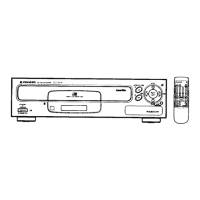
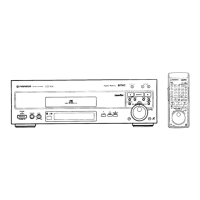
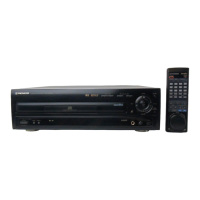
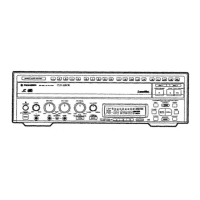
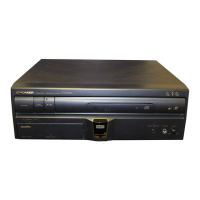
This document describes the Pioneer CLD-990, a multi-format player capable of playing CD, CDV, and LD discs. It is designed for home entertainment systems, offering a range of playback and programming features.
Function Description
The CLD-990 is a versatile player that supports three distinct disc formats:
- CD (Compact Disc): For audio playback.
- CDV (Compact Disc Video): For video and audio playback.
- LD (LaserDisc): For high-quality video and audio playback, including both standard play (CAV) and extended play (CLV) discs.
The device integrates these playback capabilities into a single unit, allowing users to enjoy a wide variety of media. It supports both analog and digital audio output, depending on the disc type and connection. The player is designed to be connected to a television and stereo amplifier for a complete audio-visual experience.
Important Technical Specifications
1. General System:
- Disc System: LaserVision Disc system and Compact Disc digital audio system.
- Laser: Semiconductor laser, wavelength 780 nm.
- Power Requirements: AC 120V, 60 Hz.
- Power Consumption: 39 W.
- Weight: 7.6 kg (16 lbs 11 oz).
- Dimensions (W x H x D): 420 (W) x 116 (H) x 416 (D) mm (16-9/16 x 4-1/2 x 16-3/8 inches).
- Operating Temperature: +5°C to +35°C (41°F to 95°F).
- Operating Humidity: 5% to 90% (no condensation).
2. Disc LaserVision Discs:
- Maximum Playing Times:
- 12-inch standard play disc: 1 hour/both sides.
- 12-inch extended play disc: 2 hours/both sides.
- 8-inch standard play disc: 28 min/both sides.
- 8-inch extended play disc: 14 min/one side.
- 4-inch extended play disc: 40 min/both sides.
- Spindle Motor Speed:
- Standard play disc: 1,800 rpm.
- Extended play disc: 1,800 rpm (inner circumference) to 600 rpm (outer circumference).
- Compact Discs:
- Disc Diameter: 5-inch, 3-inch.
- Thickness: 1.2 mm.
- Rotation Direction (pickup side): Counterclockwise.
- Linear Speed: 1.2 - 1.4 m/sec.
- Maximum Playing Time:
- 5-inch discs: 74 min.
- 3-inch discs: 20 min.
- (For stereo playback).
3. Video Characteristics:
- Format: NTSC specifications.
- Video Output: 1 Vp-p nominal, sync. negative, unterminated.
- Impedance: 75 Ω unterminated.
- Jack: RCA jack.
4. Audio Characteristics:
- Output Level:
- During analog audio output: 200 mVrms (1 kHz, 40%).
- During digital audio output: 500 mVrms (1 kHz, -20 dB).
- Jacks: Both RCA jacks.
- Number of Channels: 2 (Stereo).
- Digital Audio Characteristics:
- Frequency Response: 4 Hz - 20 kHz (±0.5 dB) (EIAJ).
- SN Ratio: 100 dB (EIAJ).
- Dynamic Range: 96 dB (EIAJ).
- Channel Separation: 90 dB (EIAJ).
- Total Harmonic Distortion: 0.003% (EIAJ).
- Wow and Flutter: Limit of measurement (EIAJ).
5. Other Terminals:
- Control Input/Output: Both miniature jacks.
- RF Adaptor Output: Video (composite) to video and audio/audio. Both RCA jacks with DC jack.
6. Accessories:
- Remote control unit (CU-CLD050).
- Size "AAA" (IEC R03) dry cell batteries.
- Video cord.
- Audio cord.
- Operating instructions.
- Warranty card.
Usage Features
The CLD-990 offers a comprehensive set of features for controlling playback and programming:
1. Basic Playback:
- Power On/Off: Simple power control.
- Open/Close: Ejects or retracts the disc tray.
- Play/Pause: Controls playback and temporary pauses.
- Stop: Halts playback.
- Skip: Jumps to the next or previous track/chapter.
- Scan: Fast forwards or reverses through content.
- Direct Search: Allows direct input of track, chapter, or time numbers for immediate access.
2. Programming Features:
- Program Playback: Users can select up to 24 chapters/tracks from a disc and play them back in a desired order. This applies to LDs, CDVs, and CDs.
- Compu Program Editing/Auto Program Editing: Facilitates the creation and modification of playback programs.
- Repeat Playback: Allows repeating a single track/chapter, a programmed sequence, a random sequence, or a specific segment (A-B repeat).
- Random Playback: Plays tracks/chapters in a random order.
3. Search Functions:
- Time Number Search: Locates a specific scene based on elapsed time.
- Track/Chapter Search: Finds specific tracks or chapters.
- Frame Number Search: (CAV discs only) Locates a specific video frame.
- Hi-Lite Scan/Intro Scan: Scans the beginning of each track/chapter to provide a preview.
- Peak Search: Identifies the highest audio level on a CD.
4. Display Switching:
- The player's display can show various information, including:
- No display.
- Screen display (on TV).
- CLV time number (chapter no., minutes, seconds).
- CLV disc with a TOC (total time, remaining time).
- CDV/CD disc time (track no., minutes, seconds).
- CDV disc ABS (absolute time).
- CDV remaining time TRK (remaining track time).
- Other lights/flashes indicating various functions (e.g., OPEN, CLOSE, PLAY, PAUSE, STOP, REPEAT, PGM, RANDOM, HILITE/INTRO, PEAK, DIGITAL SOUND, etc.).
5. Remote Control Operations:
- The included remote control unit provides full functionality, mirroring the controls on the front panel. It requires two "AAA" batteries.
6. Audio Playback Modes:
- Multi Audio Discs: Allows selection between different audio channels (e.g., Stereo, Mono, Left, Right, 1/L, 2/R) for discs with multiple audio tracks.
- Analog Audio LD Discs: Allows selection between analog audio channels (e.g., Stereo, Analog, Digital Sound).
Maintenance Features
1. Cleaning:
- Discs: Use a soft, dry cloth to clean discs. Wipe gently from the inside toward the outer edge. Avoid using solvents like benzene or thinner.
- Player: Use a soft cloth to wipe the exterior.
- Optical Pickup: If discs skip or have poor picture quality, clean the optical pickup with a soft cloth moistened with diluted neutral detergent.
2. Handling Discs:
- Always hold discs by the edges.
- Store discs carefully in their cases.
- Avoid leaving discs in direct sunlight or in hot, humid places.
- Never play cracked or warped discs, as this can damage the player.
- For LD discs, if warped, place them into their protective envelope between two flat pieces of glass (4-5 kg or 10 lbs) for a few days to correct the warp.
3. Troubleshooting:
- The manual provides a comprehensive troubleshooting guide for common issues, including:
- Disc rotation problems.
- Picture quality issues (vertical hold, warped disc, dirty disc).
- Sound quality issues (unnatural, no output).
- Playback issues (skipping, freezing, not starting).
- Remote control malfunctions.
- Connection problems.
- Power issues.
4. Safety Precautions:
- Ventilation: Ensure adequate ventilation around the player. Do not block vents.
- Placement: Place the player on a stable platform. Avoid placing heavy objects on top.
- Moisture: Keep the player away from moisture and humidity to prevent condensation.
- Power Cord: Handle the power cord carefully to avoid damage.
- Servicing: Refer all servicing to qualified service personnel. Do not attempt to open or repair the unit yourself.
This detailed description highlights the CLD-990 as a robust and feature-rich multi-format player designed for enthusiasts of various disc media.

 Need help?


 To Next Page
 General