EasyManua.ls Logo

Pioneer MVH-1400UB - User Manual

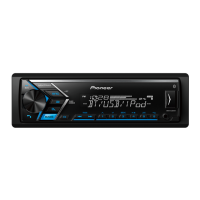
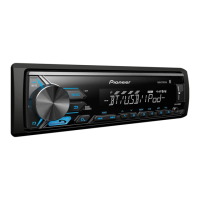
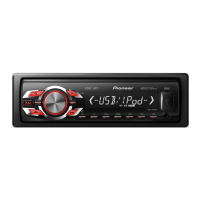
Pioneer MVH-1400UB
124 pages
Print Icon
To Next Page IconTo Next Page
Loading...
Owners Manual
Mode demploi
Manuale distruzioni
Manual de instrucciones
Bedienungsanleitung
Handleiding
Руководство пользователя
RDS MEDIA CENTER RECEIVER
AUTORADIO MULTIMEDIA RDS
RICEVITORE MULTIMEDIALE CON RDS
RECEPTOR Y CENTRO DE COMUNICACIONES RDS
RDS-MULTIMEDIA-EMPFÄNGER
RDS MEDIA CENTER ONTVANGER
ЦИФРОВОЙ МЕДИА-РЕСИВЕР
MVH-1400UB
English NederlandsDeutschEspañolItalianoFrançais Русский

Table of Contents

Questions and Answers

  • L
    laurencastilloJul 26, 2025
    What to do if my Pioneer MVH-1400UB Car Receiver says NO AUDIO?
    • C
      christine59Jul 26, 2025
      If your Pioneer Car Receiver displays 'NO AUDIO', it indicates that there are no songs available. To fix this, transfer audio files to the USB storage device and then connect it to the receiver.
  • J
    Jennifer MooreAug 4, 2025
    How to turn off demo mode on Pioneer MVH-1400UB Car Receiver?
    • L
      lisalopezAug 5, 2025
      To turn off demo mode on your Pioneer Car Receiver, disable the demo display setting in the menu.
  • E
    Eric ArroyoAug 14, 2025
    Why does my Pioneer MVH-1400UB Car Receiver have interference?
    • P
      ppattersonAug 14, 2025
      If you are experiencing interference with your Pioneer Car Receiver, it may be due to nearby electronic devices that emit electric waves, such as cellular phones. To resolve this, move any such devices away from the unit.

Summary

Before you start

Unit Introduction, Cautions, and Troubleshooting

Covers unit info, safety cautions, manual notes, demo mode, and advice for handling trouble.

Operating this unit

Unit Components and Initial Setup

Details head unit, remote control, display, and initial setup menu options.

Basic Operations and Tuner Functions

Covers front panel, power, source, volume, and basic tuner operations like seeking and presets.

Radio Features and Function Settings

Explains station storage, RDS/PTY, and various function settings.

USB Device Operations

Details basic and advanced operations for USB storage devices, including playback and navigation.

iPod Operations and Control Modes

Covers iPod display, browsing, playback, related songs, control modes, and settings.

Audio Adjustments and Initial Settings

Details specific playback functions, audio adjustments, and initial settings configuration.

System Settings and Source Usage

Covers clock, FM step, AUX input, USB PNP, power saving, and sound muting.

Installation

Installation Precautions and Wiring

Highlights safety warnings, connection details, and power cord input for unit installation.

Mounting and Amplifier Connection

Provides instructions for DIN front/rear mounting, securing the unit, and connecting a power amplifier.

Unit Removal and Panel Operations

Details how to remove the unit from the dashboard and manage the front panel for security.

Additional Information

Troubleshooting and Error Messages

Guides users through diagnosing common issues, understanding error messages, and handling device errors.

Device Handling and Compatibility

Offers guidelines for handling USB/iPod devices and details file format and device compatibility.

Content Information and Copyright

Mentions file format compatibility, audiobook support, Russian characters, and copyright details.

Specifications

General and Audio Specifications

Lists power, grounding, current, dimensions, weight, and audio output specifications.

USB and Tuner Specifications

Provides detailed technical specifications for USB connectivity and FM, MW, LW tuners.

Company Information and Registration

Pioneer Contact and Support Details

Lists company contact information, registration websites, and warranty-related details.

Pioneer MVH-1400UB Specifications

General IconGeneral
Audio systemMOSFET
MP3 playbackYes
CD-R playbackNo
Audio formats supportedMP3, WMA
Supported radio bandsAM, FM
Preset stations quantity24
Display typeLCD
Display number of lines1 lines
Line outputs (RCA)2
Product colorBlack
Audio output channels4.0 channels
Maximum power per channel50 W

Related product manuals