EasyManua.ls Logo

Pioneer MVH-1490UB - User Manual

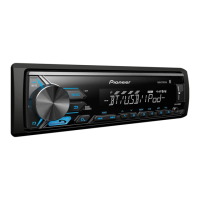
Pioneer MVH-1490UB
16 pages
Print Icon
To Next Page IconTo Next Page
Loading...
Owners Manual
RDS MEDIA CENTER RECEIVER
MVH-1490UB
English

Questions and Answers

  • R
    rwardAug 14, 2025
    What to do if my Pioneer Car Receiver shows 'CHECK USB'?
    • M
      Michelle HannaAug 14, 2025
      If your Pioneer Car Receiver displays 'CHECK USB', it could indicate a short circuit in the USB connector or cable. Ensure the connector and cable aren't trapped or damaged. Alternatively, the connected USB device might be drawing too much power (over 500mA). Disconnect the USB device, turn the ignition off then on, and only use compliant USB storage devices.
  • L
    larry88Aug 17, 2025
    Why does my Pioneer MVH-1490UB keep skipping songs?
    • S
      Sarah JamesAug 18, 2025
      If your Pioneer Car Receiver is skipping songs, it may be due to the connected USB storage device containing files embedded with Windows Media DRM 9/10. Try playing an audio file that is not embedded with Windows Media DRM 9/10.
  • S
    stephenholmesAug 21, 2025
    What does 'PROTECT' mean on my Pioneer Car Receiver display?
    • A
      aliciapruittAug 21, 2025
      If your Pioneer Car Receiver displays 'PROTECT', it indicates that all the files on the USB storage device are embedded with Windows Media DRM 9/10. Transfer audio files not embedded with Windows Media DRM 9/10 to the USB storage device, and then connect it to the receiver.
  • T
    Tina LopezAug 25, 2025
    Why is there no audio from my Pioneer MVH-1490UB Car Receiver?
    • I
      Isaac TurnerAug 26, 2025
      If you're not getting any audio from your Pioneer Car Receiver, one possible cause is that there are no songs on the connected USB device. Transfer audio files to the USB storage device and then connect it to the receiver.
  • K
    Kathryn BonillaAug 29, 2025
    How to stop the Pioneer Car Receiver display from changing randomly?
    • R
      ricardo79Aug 29, 2025
      If your Pioneer Car Receiver display screen changes randomly, it might be because the demo mode is activated. To resolve this, disable the demo display setting in the receiver's configuration menu.
  • B
    Brenda OrtizSep 1, 2025
    Why is my iPod not charging on my Pioneer MVH-1490UB?
    • R
      Robert GonzalesSep 1, 2025
      If your iPod is not charging when connected to the Pioneer Car Receiver, ensure the connection cable isn't shorted out (e.g., by contact with metal). After checking the cable, turn the ignition switch off and then back on, or disconnect and reconnect the iPod.
  • I
    inguyenSep 5, 2025
    What does 'N/A USB' mean on my Pioneer Car Receiver?
    • B
      Brian SanfordSep 5, 2025
      If your Pioneer Car Receiver displays 'N/A USB', it means the connected USB device isn't supported. Ensure you are connecting a USB Mass Storage Class compliant device. Try disconnecting the current device and using a compatible USB storage device instead.
  • D
    diazjenniferSep 9, 2025
    What to do if the repeat play range changes unexpectedly on my Pioneer MVH-1490UB Car Receiver?
    • J
      jessicahaasSep 9, 2025
      To fix unexpected changes in the repeat play range on your Pioneer Car Receiver, simply select the repeat play range again.

Summary

Getting Started

Demo Mode Operation

Explains the demo mode, its activation, and how to cancel it.

Troubleshooting Guide

Provides basic advice for contacting a dealer if the unit malfunctions.

Operating the Unit - Core Functions

Unit and Remote Control Overview

Identifies the head unit's components and the functions of the remote control.

Display Indication

Explains the meaning of various indicators shown on the unit's display.

Initial Setup and Basic Operations

Guides through initial setup procedures and fundamental operations like panel removal.

Operating the Unit - Source Management

Source Selection and Volume Control

How to switch between audio sources and adjust the volume.

Tuner Operations

Details on selecting bands, recalling presets, and manual/seek tuning.

Storing and Recalling Radio Stations

Instructions for saving and retrieving favorite radio stations.

RDS Display Switching

Information on changing the displayed RDS text information.

PTY List and Search

Lists program types for station search and how to perform a PTY search.

USB Storage Device Operations

Instructions for playing files from a USB storage device.

iPod Operations

Basic operations for playing songs, selecting albums, and browsing iPod content.

Operating the Unit - Settings and Features

Function Settings

How to configure settings like BSM, Regional, LOCAL, TA, AF, NEWS, and SEEK.

Advanced Playback Features

Covers repeat play, random play, pause, and sound retriever functions.

iPod Control Modes

Explains operating the iPod directly from the unit or the iPod itself.

Audio Adjustments

Details on fader/balance, preset EQ, tone controls, loudness, and subwoofer settings.

Configuration and Settings

Initial Settings

Guides for setting the clock, FM/MW tuning steps, and other initial configurations.

Source and Feature Settings

Settings for AUX input, USB Plug and Play, rear speaker output, and demo display.

Installation and Connections

Wiring and Connection Guidelines

Important safety warnings and instructions for connecting the unit's wiring.

Mounting and Panel Handling

Information on DIN mounting, removing the unit, and handling the front panel.

Troubleshooting and Error Resolution

Common Operational Issues

Resolves common problems like random display changes and unexpected repeat settings.

Error Messages and Solutions

Provides solutions for various error messages related to devices and communication.

Compatibility and Handling Information

USB and iPod Handling Guidelines

Advice on connecting, securing, and potential issues with USB devices and iPods.

Audio File Compatibility

Details WMA, MP3, and WAV file compatibility, including bit rates and sampling frequencies.

iPod Compatibility and File Management

Lists supported iPod models and file sequence naming recommendations.

Copyright and Trademarks

Specifications

General, Audio, and USB Specifications

Provides details on power, dimensions, weight, audio output, and USB standards.

Tuner and Radio Specifications

Lists frequency ranges, sensitivity, and signal-to-noise ratios for FM, MW, and SW tuners.

Pioneer MVH-1490UB Specifications

General IconGeneral
Channels4
Display TypeLCD
USB PortYes
USB InputFront
BluetoothNo
AUX InputYes
CD PlayerNo
Radio TunerYes
MP3 PlaybackYes
WMA PlaybackYes
FLAC PlaybackNo
Detachable FaceYes
Remote ControlNo
High-Pass FilterYes
Low-Pass FilterYes
DIN Size1 DIN
Peak Power Output50 W
Tuner BandsAM/FM
Equalizer5-Band Graphic Equalizer

Related product manuals