EasyManua.ls Logo

Pioneer MVH-8250 - User Manual

Pioneer MVH-8250
148 pages
Print Icon
To Next Page IconTo Next Page
Loading...
Operation Manual
Manual de instrucciones
Manual de operação
MEDIA CENTER RECEIVER
RECEPTOR Y CENTRO DE COMUNICACIONES
MEDIA CENTER RECEIVER
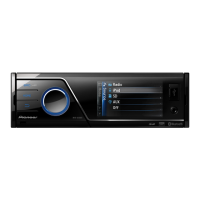
MVH-8250BT
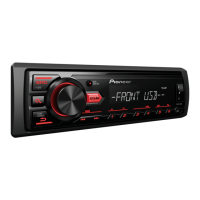
MVH-8250
English
Español
Português (B)
Downloaded from Caradio-Manual.com Manuals

Table of Contents

Other manuals for Pioneer MVH-8250

Questions and Answers

  • M
    Megan CortezAug 13, 2025
    What to do if my Pioneer Car Receiver power will not turn on?
    • A
      alvarezvictorAug 14, 2025
      If the power of your Pioneer Car Receiver does not turn on, the fuse may be blown. Rectify the cause, and then replace the fuse. Make sure to install a fuse with the same rating.
  • J
    Jennifer WarrenAug 17, 2025
    Why is there no sound from my Pioneer Car Receiver and the volume level won't rise?
    • R
      Robert AllisonAug 17, 2025
      If there is no sound and the volume level will not rise on your Pioneer Car Receiver, the cables may not be connected correctly. Ensure that you connect the cables correctly.
  • D
    Deborah WilliamsAug 21, 2025
    How to fix a low volume level on a Pioneer Car Receiver?
    • C
      Caitlin SimmonsAug 21, 2025
      If the volume level is low on your Pioneer Car Receiver: * The attenuator may be on. Turn the attenuator off. * Alternatively, simply adjust the volume level.
  • C
    Cynthia SmithAug 25, 2025
    What causes the sound and video to skip on a Pioneer Car Receiver?
    • D
      Dr. Melissa HahnAug 26, 2025
      If the sound and video skip on your Pioneer Car Receiver, the unit may not be firmly secured. Ensure that the unit is firmly secured.
  • J
    James GomezAug 29, 2025
    What to do if my iPod does not operate correctly with my Pioneer Car Receiver?
    • M
      Ms. Michelle HarrisAug 29, 2025
      If your iPod does not operate correctly with your Pioneer Car Receiver, the cables may be incorrectly connected. Disconnect the cable from the iPod. Once the iPod's main menu is displayed, reconnect the iPod and reset it.
  • E
    ericmorganSep 1, 2025
    How to correct the aspect ratio on my Pioneer Car Receiver when the image is stretched?
    • B
      Brandi BradleySep 1, 2025
      If the aspect ratio is incorrect and the image is stretched on your Pioneer Car Receiver, the aspect ratio setting may be incorrect for the display. Select the appropriate setting for your display.
  • J
    Joseph WalkerSep 4, 2025
    What to do if the image displayed stops and the Pioneer Car Receiver cannot be operated?
    • J
      Joshua DavisSep 5, 2025
      If the image displayed stops (pauses) and the unit cannot be operated, confirm once more that all connections are correct.
  • M
    marie00Sep 8, 2025
    What to do if Pioneer Car Receiver data could no longer be read during playback?
    • J
      Jody MullenSep 8, 2025
      If the data could no longer be read during playback on your Pioneer Car Receiver, stop playback once, and start playback again.

Summary

Precautions and Safety

Important Safeguards

Essential safety guidelines for operating the unit and ensuring user safety.

Safe Driving Practices

Critical warnings and instructions to prevent driver distraction and ensure safe operation.

Battery Exhaustion Avoidance

Guidance on preventing the vehicle battery from draining while using the unit.

Getting Started

About the Unit

Introduction to the MVH-8250BT/MVH-8250 and its basic features.

Resetting the Microprocessor

Procedure to reset the unit's internal microcomputer in case of malfunction.

Demo Mode Operations

Explanation of the unit's demonstration mode and how to operate or cancel it.

Operating the Unit - Core Functions

Unit and Remote Control Overview

Diagram and identification of controls on the main unit and remote.

Basic Operations and Menu Navigation

Fundamental operations like turning on/off, source selection, and menu usage.

Radio Functions

How to tune, store, and recall radio stations, including function settings.

Media Playback Guide

Guide to playing audio, video, and still images from various sources.

Bluetooth Telephone Functions

Connection Menu Operation

Steps for connecting and managing Bluetooth-enabled mobile phones with the unit.

PIN Code Input

Instructions for entering and changing the Bluetooth PIN code for secure connection.

Phone Book Usage

How to access and use the phone book transferred from a connected mobile phone.

Audio and System Settings

Audio Adjustments

Adjusting sound settings like fader, balance, EQ, and subwoofer.

System Settings

Configuring clock, display, language, and auxiliary input settings.

Initial Settings

Initial setup for FM/AM tuning, video signal, and Bluetooth module.

Detailed Video Instructions

Wide Screen Mode Adjustments

Adjusting video display modes for aspect ratio.

DivX Subtitle and Aspect Ratio

Configuring DivX subtitles and video aspect ratio.

Displaying DivX VOD Codes

Viewing DivX VOD registration and deactivation codes.

Additional Information and Troubleshooting

Troubleshooting Guide

Common problems, their causes, and solutions for the unit.

Error Message Explanations

Explanations of error codes and messages displayed by the unit.

Device Guidelines

Handling, compatibility, and usage guidelines for USB/SD devices and iPods.

Specifications

General and Display Specifications

Technical details for power, dimensions, display, and color system.

Audio and Tuner Specifications

Audio output, impedance, equalizer, and tuner frequency details.

Bluetooth and Connectivity Specs

Technical specifications for Bluetooth and USB/SD interfaces.

Pioneer MVH-8250 Specifications

General IconGeneral
BrandPioneer
ModelMVH-8250
CategoryReceiver
LanguageEnglish

Related product manuals