EasyManua.ls Logo

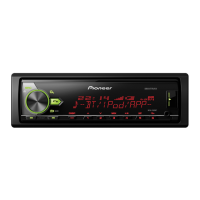
Pioneer MVH-X580DAB - User Manual

Pioneer MVH-X580DAB
28 pages
Print Icon
To Next Page IconTo Next Page
Loading...
In store "130" you
can find and buy almost all necessary goods for your auto
in
Kyiv and other cities, delivery by ground and postal services. Our experienced
consultants will provide you with exhaustive information and help you to chose
the very particular thing. We are waiting for you at the address
http://130.com.ua
PHONES
(044) 338-0-130
(050) 332-0-130
(063) 577-0-130
(067) 353-0-130
Internet store of
autogoods
CAR RECEIVERS — Receivers • Media receivers and stations • Native receivers • CD/DVD changers • FM-modulators/USB adapters • Flash memory • Facia plates and adapters • Antennas • Accessories |
CAR AUDIO — Car audio speakers • Amplifiers • Subwoofers • Processors • Crossovers • Headphones • Accessories | TRIP COMPUTERS — Universal computers • Model computers • Accessories |
GPS NAVIGATORS — Portable GPS • Built-in GPS • GPS modules • GPS trackers • Antennas for GPS navigators • Accessories | VIDEO — DVR • TV sets and monitors • Car TV tuners • Cameras • Videomodules
• Transcoders • Car TV antennas • Accessories | SECURITY SYSTEMS — Car alarms • Bike alarms • Mechanical blockers • Immobilizers • Sensors • Accessories | OPTIC AND LIGHT — Xenon • Bixenon • Lamps
• LED • Stroboscopes • Optic and Headlights • Washers • Light, rain sensors • Accessories | PARKTRONICS AND MIRRORS — Rear parktronics • Front parktronics • Combined parktronics • Rear-view mirrors
• Accessories | HEATING AND COOLING — Seat heaters • Mirrors heaters • Screen-wipers heaters • Engine heaters • Auto-refrigerators • Air conditioning units • Accessories | TUNING — Vibro-isolation
• Noise-isolation • Tint films • Accessories | ACCESSORIES — Radar-detectors • Handsfree, Bluetooth • Windowlifters • Compressors • Beeps, loudspeakers • Measuring instruments • Cleaners • Carsits
• Miscellaneous | MOUNTING — Installation kits • Upholstery • Grilles • Tubes • Cable and wire • Tools • Miscellaneous | POWER — Batteries • Converters • Start-charging equipment • Capacitors
• Accessories | MARINE AUDIO AND ELECTRONICS — Marine receivers • Marine audio speakers • Marine subwoofers • Marine amplifiers • Accessories | CAR CARE PRODUCTS — Additives • Washer fluid •
Care accessories • Car polish • Flavors • Adhesives and sealants | LIQUID AND OIL — Motor oil • Transmission oil • Brake fluid • Antifreeze • Technical lubricant
SKYPE
km-130

Other manuals for Pioneer MVH-X580DAB

Question and Answer IconNeed help?

Do you have a question about the Pioneer MVH-X580DAB and is the answer not in the manual?

Summary

Getting Started

Initial Preparations and Basic Operation

Essential pre-use warnings, basic controls, and fundamental operations.

Advanced Operations and System Setup

Details frequently used operations, panel removal, reset, and accessing the setup menu.

Function Settings and Demo Mode

Explains function settings, demo mode cancellation, and initial system settings.

Digital Audio Broadcasting (DAB)

DAB Service Selection and Reception

Guides on seeking and selecting DAB service components from lists.

Radio Operations

Tuning, Presets, and PTY Functions

Instructions for receiving stations, storing presets, manual tuning, and PTY search.

CD, USB, iPod, and AUX Sources

Connecting and Playing Media

How to connect and play audio from CD, USB, iPod, and AUX devices.

Bluetooth Connectivity and Features

Establishing Bluetooth Connections

Steps for pairing and connecting Bluetooth devices.

Telephone and Audio Operations

Managing calls, phone book, and audio playback via Bluetooth.

Bluetooth Settings and Management

Configuration options for Bluetooth devices and connections.

Mobile Application Integration

General App Mode and Spotify

Using general apps and streaming via Spotify on your mobile device.

Pioneer ARC APP Control

Instructions for connecting and controlling the Pioneer ARC APP.

Audio Configuration

Speaker Tuning and Operation Modes

Guides on setting operation modes and adjusting speaker crossover frequencies.

System and Feature Settings

Core Function and Source Settings

Configuration for DAB, FM, TA, AF, NEWS, SEEK, SAVE/UNSAVE features.

Audio Customization Options

Adjusts EQ, Fader, Balance, Subwoofer settings for optimal sound.

System and Display Configuration

Manages Language, Clock, Display, Connectivity, and App settings.

Illumination Settings

Display and Key Color Customization

Adjusts unit colors, brightness, and phone call illumination effects.

MIXTRAX Effects Configuration

Sound and Visual Effect Settings

Controls playback length, flash areas, patterns, and sound effects for MIXTRAX.

Installation and Connections

Wiring and Connection Guidelines

Detailed instructions for connecting power, speakers, and other components safely.

Mounting and Unit Installation

Steps for mounting the unit, including DIN mount and removal from dashboard.

Microphone Installation

Mounting the Microphone

Instructions for installing the microphone on the sun visor or steering column.

Troubleshooting and Error Handling

Resolving Common Operational Issues

Solutions for display, repeat play, and subfolder playback problems.

Understanding Error Messages

Explains common error codes related to amplifier, antenna, CD, USB, and Bluetooth.

Handling Guidelines and Compatibility

Media Handling and Device Support

Guidelines for using discs, USB storage devices, and iPods with the unit.

Audio File Format Compatibility

Details on supported MP3, WAV, AAC, FLAC, USB, and iPod file formats.

Copyright and Trademarks

Legal and Brand Information

Information on Bluetooth, iTunes, WMA, FLAC, MIXTRAX, Spotify, and Android copyrights.

Technical Specifications

General and Audio Performance

Covers power source, dimensions, maximum output, equalizer, and filters.

Tuner and Connectivity Details

Details FM, MW, LW, DAB, USB, and Bluetooth specifications and bands.

Pioneer MVH-X580DAB Specifications

General IconGeneral
Audio systemMOSFET
MP3 playbackYes
CD-R playbackNo
Audio formats supportedAAC, FLAC, MP3, WAV, WMA
Supported radio bandsAM, DAB, DAB+, FM
Preset stations quantity24
DIN size1 DIN
Product colorBlack
Audio output channels4.0 channels
Maximum power per channel50 W
Display typeLCD
Display number of lines1.5 lines
Line outputs (RCA)3
Key illumination colorMulti

Related product manuals