EasyManua.ls Logo

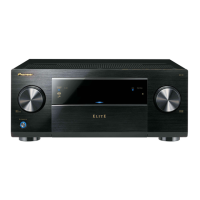
Pioneer SC-89 - User Manual

Pioneer SC-89
58 pages
Print Icon
To Next Page IconTo Next Page
Loading...
2014Pioneer PC Setup
Operating Instructions
Mode d’emploi
Bedienungsanleitung
取扱説明書

Questions and Answers

  • L
    lsandersAug 11, 2025
    How to fix Pioneer Stereo Receiver PC Setup if it cannot be installed?
    • C
      Christy ColemanAug 11, 2025
      If Pioneer Stereo Receiver PC Setup can't be installed, it could be due to insufficient system resources or incompatibilities with other applications. Try restarting the computer and then opening the installation file (2014Pioneer PC Setup.exe) with no other applications running. If the problem persists, quit other applications and relaunch the installation file.
  • J
    jennyarnoldAug 27, 2025
    What to do if Pioneer Stereo Receiver PC Setup does not interact well with the receiver?
    • J
      James ClarkAug 27, 2025
      If Pioneer Stereo Receiver PC Setup isn't interacting well with the receiver, try the following: * Ensure the receiver's power is on and wait about 60 seconds for network functions to start, then restart PC Setup. * Verify the receiver or computer is connected to the LAN with a LAN cable, then restart PC Setup. * Check that the router's power is on, then restart PC Setup. * If your router doesn't support DHCP, set the receiver's IP address in both the receiver and PC Setup, then restart PC Setup. * Review the computer's network and security settings, then restart PC Setup. * If another device is using Port 4 at Port Number Setup on the AV receiver, stop using that device to release the connection.
  • S
    stacey19Sep 3, 2025
    Why is connecting not possible in a WAN environment with my Pioneer Stereo Receiver?
    • C
      Chelsea PowellSep 3, 2025
      If connecting in a WAN environment isn't possible with your Pioneer Stereo Receiver, the issue might stem from problems with the router's performance or settings, or incorrect PC Setup settings. Use a UPnP-compatible router. Connection is possible even with routers that are not UPnP-compatible. The WAN IP address displayed on the GUI when the receiver is set to the maintenance mode must be set with PC Setup. From “Settings”, select “Protocol/Demo/ File”, then select “Internet” and make the settings there. If the TCP port has been changed on the receiver, connections must be made to that same TCP port.
  • J
    John SanchezSep 10, 2025
    Why are some functions unavailable on my Pioneer Stereo Receiver?
    • A
      Alexandra WoodsSep 12, 2025
      Some functions may be disabled when “Stand-alone” is selected in Select Protocol/ Demo/File. These functions become available for use on models SC-89, SC-87, SC-85, SC-LX88, SC-LX78, and SC-LX58 when the PC is connected to an AV receiver.

Pioneer SC-89 Specifications

General IconGeneral
Amplification TypeClass D
Channels9.2
THX CertifiedYes
HDMI Inputs8
HDMI Outputs2
4K Ultra HD Pass-throughYes
4K Ultra HD UpscalingYes
Dolby AtmosYes
DTS:XYes
AirPlayYes
BluetoothYes
Wi-FiYes
Phono InputYes
Frequency Response5 Hz - 100 kHz
Input Sensitivity200 mV
THD0.08%
USB InputYes
Supported Audio FormatsAIFF, ALAC, WAV, FLAC, MP3, WMA, AAC
Streaming ServicesPandora, Spotify

Related product manuals