
 Need help?
Do you have a question about the Pioneer VSX-915-S/-K and is the answer not in the manual?
Explains the concept of home theater systems and surround sound.
Instructions on how to insert batteries into the remote control.
Guidelines for placing the unit for optimal performance and safety.
Requirements for airflow to prevent overheating and ensure proper operation.
Quick steps to set up surround sound for the first time.
Guide to connecting speakers to the receiver for optimal audio output.
Step-by-step instructions for the automatic system configuration.
Explains the automated room calibration system.
Troubleshooting common issues encountered during automatic setup.
General guidelines for connecting various audio and video cables.
Specific instructions for hooking up DVD players and TVs.
Detailed guide for speaker wiring and placement.
Tips for optimizing speaker positioning for the best sound experience.
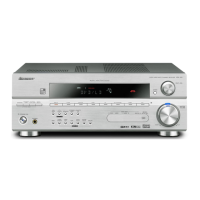
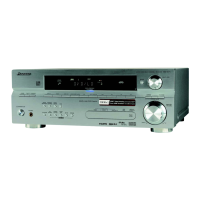
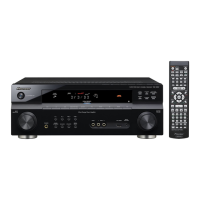
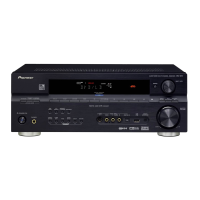
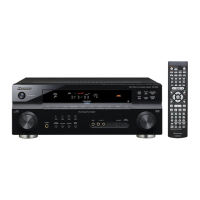
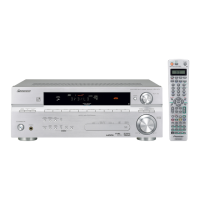
Identifies and explains the buttons and indicators on the receiver's front panel.
Details the meaning of various icons and messages shown on the receiver's display.
Describes the functions of each button on the remote for specific models.
Explains how to achieve surround sound playback with different sources.
Describes various modes to enhance the listening experience.
How to use the automatic sound equalization feature.
Detailed manual calibration for speaker performance.
Adjusting speaker volume balance for optimal surround sound.
Setting speaker distances for accurate sound delay and placement.
Instructions for tuning into FM and AM radio broadcasts.
How to store favorite radio stations for quick access.
Programming the remote for external devices.
A reference of codes for manufacturers to program the remote.
Setting up a secondary speaker system.
Connecting external amplifiers to enhance power.
Configuring digital and component video input assignments.
Adjusting audio dynamics for different listening levels.
Solutions for common operational problems and malfunctions.
Procedure to restore factory default settings.
Technical details and performance metrics of the receiver.
 General
| Channels | 7.1 |
|---|---|
| HDMI Outputs | 1 |
| Component Video Outputs | 1 |
| Audio Formats Supported | Dolby Digital EX, Dolby Pro Logic IIx, DTS-ES, DTS 96/24, DTS Neo:6 |
| Video Formats Supported | Composite, S-Video, Component |
| Input Sensitivity and Impedance | 200 mV / 47 kΩ (Line) |
| Impedance | 6 Ω |
| Digital Input | 1 Coaxial |
| Digital Audio Inputs | 1 Coaxial |
| Speaker Impedance | 6 Ω |
| Tuner | AM/FM |
| Video Inputs/Outputs | Composite: 4 in, S-Video: 3 in, Component: 2 in |


 To Next Page
