EasyManua.ls Logo

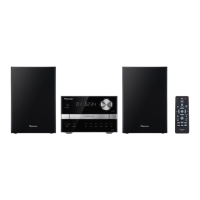
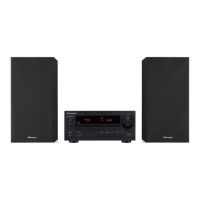
Pioneer X-MT2000 - User Manual

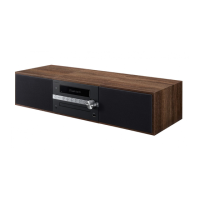
Pioneer X-MT2000
64 pages
Print Icon
To Next Page IconTo Next Page
Loading...
Operating Instructions
Mode d'emploi
STEREO CD RECEIVER SYSTEM
SYSTÈME DE RÉCEPTEUR CD STÉRÉO
X-MT2000

Table of Contents

Other manuals for Pioneer X-MT2000

Question and Answer IconNeed help?

Do you have a question about the Pioneer X-MT2000 and is the answer not in the manual?

Summary

IMPORTANT SAFETY INSTRUCTIONS

General Operating & Installation Precautions

Covers instructions, cleaning, water, accessories, installation, power, location, and non-use periods.

Electrical & Environmental Safety

Covers grounding, power cord, liquid entry, servicing, damage, outdoor antenna, lightning, power lines, overloading, and heat.

1 Before You Start

Checking whats in the box

Verify all supplied accessories are present before setup.

Using this manual

Guide explains manual structure: setup, usage, and additional information.

Removing the transport stopper

Instructions to remove the transport stopper for safe disc tray operation.

Putting the batteries in the remote

Steps to insert AAA batteries into the remote control unit correctly.

Hints on installation

Recommendations for choosing a suitable location for optimal performance and longevity.

Avoiding condensation problems

Guidance on preventing moisture buildup by allowing the unit to acclimate.

2 Connecting Up

The back panel

Overview of connection terminals located on the rear of the unit.

Connecting the AM and FM antennas

Instructions for connecting supplied antennas for radio reception.

AM loop antenna

Assembly and connection steps for the AM loop antenna.

FM wire antenna

Guidance on connecting the FM wire antenna for optimal reception.

Connecting external antennas

Instructions for connecting optional outdoor antennas for improved reception.

External AM antenna

Details on connecting an external AM antenna using vinyl-insulated wire.

External FM antenna

Instructions for connecting an outdoor FM antenna using coaxial cable.

Connecting the speakers

Steps for connecting speakers, emphasizing correct polarity for best sound.

Using a sub-woofer

Instructions for connecting a powered sub-woofer for enhanced bass.

Connecting to other components

How to connect external audio sources like MD players or turntables.

Plugging in to an AC outlet

Final connection step to power the unit and initial demonstration sequence.

Power cord caution

Important warnings regarding safe handling and placement of the power cord.

3 Controls and Displays

Front panel

Identification and function of controls on the unit's front panel.

Display

Explanation of the indicators and symbols shown on the fluorescent display.

Remote control

Detailed description of each button function on the remote control.

Remote control range

Information on the optimal operating range and angle for the remote.

4 Getting Started

Setting the clock

Step-by-step guide to setting the system's internal clock.

Switching on the clock in standby

How to configure the clock display for standby mode to save power.

Playing CDs

Basic instructions for loading, playing, and controlling CD playback.

Playing discs back-to-back or individually

How to set play modes (ALL/SINGLE) for multi-disc playback.

Changing the disc information display

Ways to view different disc playback information on the display.

Listening to the radio

Instructions for tuning into AM and FM radio stations.

Improving stereo FM sound

How to switch FM reception to mono for better sound quality.

Listening to a connected component

Steps to select and play audio from connected external components.

5 Using the CD Player

Programming the track order

Guide to creating custom playlists of up to 32 tracks.

Programming a single disc playlist

Steps to create a playlist from tracks on one selected CD.

Programming a multi disc playlist

How to create playlists from tracks across multiple CDs.

Adding a track to the playlist

Procedure for adding specific tracks to an existing playlist.

Clearing a track from the playlist

How to remove the last added track or specific tracks from a playlist.

Checking and editing the playlist

Steps to view and manage tracks within a programmed playlist.

Erasing the playlist

How to delete all programmed tracks from a playlist.

Using random play

Instructions for shuffling track playback order from one or all discs.

Using repeat play

How to set repeat modes for single tracks or entire discs.

Waking up to a CD

Setting the timer to wake up to a CD playback.

Activating;deactivating the timer

How to enable or disable the timer function for wake-up alarms.

Setting the wake up time

Detailed steps to set the wake-up and switch-off times for the alarm.

Sleeping to a CD

How to use the sleep timer to switch the system off after a set period.

6 Using the Tuner

Saving station presets

Instructions for storing favorite radio stations for quick access.

Listening to station presets

How to select and play saved radio station presets.

Waking up to the radio or auxiliary component

Setting the timer to wake up to radio broadcasts or connected auxiliary devices.

Activating;deactivating the timer

How to enable or disable the timer function for wake-up alarms.

Setting the wake up time

Steps to configure the wake-up and switch-off times for radio/auxiliary alarm.

Sleeping to the radio

How to use the sleep timer to switch the system off after a set period while listening to radio.

7 Additional Information

Handling discs

Best practices for handling CDs to prevent damage and ensure playback.

Storing discs

Recommendations for proper storage of CDs to maintain their condition.

Discs to avoid

Information on incompatible or damaged discs that should not be used.

CD lens cleaner

Guidance on using or not using CD lens cleaners for maintenance.

Cleaning external surfaces

Methods for cleaning the exterior of the unit safely and effectively.

Moving the unit

Instructions for safely moving the unit, including replacing the transport stopper.

Magnetic shielding of speakers

Explanation of speaker shielding and its effect on nearby displays.

Troubleshooting

Solutions for common problems and malfunctions with the system.

Specifications

Technical details and performance characteristics of the stereo system.

Speaker System

Technical specifications for the included speaker system.

We Want You Listening For A Lifetime

Information on safe listening levels and hearing protection.

Switching off the demo mode

How to disable the unit's demonstration sequence.

Summary

IMPORTANT SAFETY INSTRUCTIONS

General Operating & Installation Precautions

Covers instructions, cleaning, water, accessories, installation, power, location, and non-use periods.

Electrical & Environmental Safety

Covers grounding, power cord, liquid entry, servicing, damage, outdoor antenna, lightning, power lines, overloading, and heat.

1 Before You Start

Checking whats in the box

Verify all supplied accessories are present before setup.

Using this manual

Guide explains manual structure: setup, usage, and additional information.

Removing the transport stopper

Instructions to remove the transport stopper for safe disc tray operation.

Putting the batteries in the remote

Steps to insert AAA batteries into the remote control unit correctly.

Hints on installation

Recommendations for choosing a suitable location for optimal performance and longevity.

Avoiding condensation problems

Guidance on preventing moisture buildup by allowing the unit to acclimate.

2 Connecting Up

The back panel

Overview of connection terminals located on the rear of the unit.

Connecting the AM and FM antennas

Instructions for connecting supplied antennas for radio reception.

AM loop antenna

Assembly and connection steps for the AM loop antenna.

FM wire antenna

Guidance on connecting the FM wire antenna for optimal reception.

Connecting external antennas

Instructions for connecting optional outdoor antennas for improved reception.

External AM antenna

Details on connecting an external AM antenna using vinyl-insulated wire.

External FM antenna

Instructions for connecting an outdoor FM antenna using coaxial cable.

Connecting the speakers

Steps for connecting speakers, emphasizing correct polarity for best sound.

Using a sub-woofer

Instructions for connecting a powered sub-woofer for enhanced bass.

Connecting to other components

How to connect external audio sources like MD players or turntables.

Plugging in to an AC outlet

Final connection step to power the unit and initial demonstration sequence.

Power cord caution

Important warnings regarding safe handling and placement of the power cord.

3 Controls and Displays

Front panel

Identification and function of controls on the unit's front panel.

Display

Explanation of the indicators and symbols shown on the fluorescent display.

Remote control

Detailed description of each button function on the remote control.

Remote control range

Information on the optimal operating range and angle for the remote.

4 Getting Started

Setting the clock

Step-by-step guide to setting the system's internal clock.

Switching on the clock in standby

How to configure the clock display for standby mode to save power.

Playing CDs

Basic instructions for loading, playing, and controlling CD playback.

Playing discs back-to-back or individually

How to set play modes (ALL/SINGLE) for multi-disc playback.

Changing the disc information display

Ways to view different disc playback information on the display.

Listening to the radio

Instructions for tuning into AM and FM radio stations.

Improving stereo FM sound

How to switch FM reception to mono for better sound quality.

Listening to a connected component

Steps to select and play audio from connected external components.

5 Using the CD Player

Programming the track order

Guide to creating custom playlists of up to 32 tracks.

Programming a single disc playlist

Steps to create a playlist from tracks on one selected CD.

Programming a multi disc playlist

How to create playlists from tracks across multiple CDs.

Adding a track to the playlist

Procedure for adding specific tracks to an existing playlist.

Clearing a track from the playlist

How to remove the last added track or specific tracks from a playlist.

Checking and editing the playlist

Steps to view and manage tracks within a programmed playlist.

Erasing the playlist

How to delete all programmed tracks from a playlist.

Using random play

Instructions for shuffling track playback order from one or all discs.

Using repeat play

How to set repeat modes for single tracks or entire discs.

Waking up to a CD

Setting the timer to wake up to a CD playback.

Activating;deactivating the timer

How to enable or disable the timer function for wake-up alarms.

Setting the wake up time

Detailed steps to set the wake-up and switch-off times for the alarm.

Sleeping to a CD

How to use the sleep timer to switch the system off after a set period.

6 Using the Tuner

Saving station presets

Instructions for storing favorite radio stations for quick access.

Listening to station presets

How to select and play saved radio station presets.

Waking up to the radio or auxiliary component

Setting the timer to wake up to radio broadcasts or connected auxiliary devices.

Activating;deactivating the timer

How to enable or disable the timer function for wake-up alarms.

Setting the wake up time

Steps to configure the wake-up and switch-off times for radio/auxiliary alarm.

Sleeping to the radio

How to use the sleep timer to switch the system off after a set period while listening to radio.

7 Additional Information

Handling discs

Best practices for handling CDs to prevent damage and ensure playback.

Storing discs

Recommendations for proper storage of CDs to maintain their condition.

Discs to avoid

Information on incompatible or damaged discs that should not be used.

CD lens cleaner

Guidance on using or not using CD lens cleaners for maintenance.

Cleaning external surfaces

Methods for cleaning the exterior of the unit safely and effectively.

Moving the unit

Instructions for safely moving the unit, including replacing the transport stopper.

Magnetic shielding of speakers

Explanation of speaker shielding and its effect on nearby displays.

Troubleshooting

Solutions for common problems and malfunctions with the system.

Specifications

Technical details and performance characteristics of the stereo system.

Speaker System

Technical specifications for the included speaker system.

We Want You Listening For A Lifetime

Information on safe listening levels and hearing protection.

Switching off the demo mode

How to disable the unit's demonstration sequence.

Pioneer X-MT2000 Specifications

General IconGeneral
CategoryCar Receiver
BluetoothYes
USB PortYes
Aux InputYes
Display TypeLCD
Channels4
CD PlayerYes
MP3 PlaybackYes
WMA PlaybackYes
Remote ControlYes

Related product manuals