
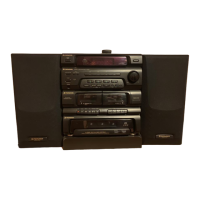
 Need help?
Do you have a question about the Pioneer XR-J1500C and is the answer not in the manual?
 Power
Power| power_requirements_us_canada | AC 120 V, 60 Hz |
|---|---|
| power_requirements_australia | AC 240 V, 50/60 Hz |
| power_requirements_europe | AC 220-230 V, 50/60 Hz |
| power_consumption_us_canada | 130 W |
| power_consumption_australia | 180 W |
 Amplifier Specifications
| continuous_average_power_output | 33 W per channel, min., at 6 ohms from 80 Hz to 15, 000 Hz |
|---|---|
| continuous_power_output_din_europe | 180 W |
| continuous_power_output_rms | 30 W+ 30 W (1 kHz, T.H.D. 10%, 6 ohms) |
Speaker System| enclosure | Book-shelf style, bass reflex type |
|---|---|
| system_type | 3-way 3-speaker system |
| nominal_impedance | 6 ohms |
Tuner Specifications| fm_frequency_range | 87.5 MHz to 108.0 MHz |
|---|---|
| am_frequency_range_9khz | 522 kHz to 1, 611 kHz |
| am_frequency_range_10khz | 530 kHz to 1, 720 kHz |
 Weight and Dimensions
| dimensions | 360 (W) x 375 (H) x 340 (D) mm |
|---|---|
| dimensions_in_inches | 14-3/16 (W) x 14-3/4 (H) x 13-3/8 (D) in |
| weight_without_package_us_canada | 9.5 kg (20 lb 15 oz) |
Do not expose the appliance to rain or moisture to prevent fire or shock hazard.
Ensure proper plug insertion to prevent blade exposure and electric shock.
Includes polarization, power lines, grounding, object entry, and servicing advice.
Caution regarding laser diode class and not removing covers.
Instructions to remove transit protection clamps from the CD player before use.
Handle the power cord by the plug. Do not pull the cord, pinch it, or use a damaged cord.
Memorize up to 30 stations by pressing MEMORY, selecting number, and confirming.
Instructions for loading discs and starting playback using the CD/II button.
Enables random playback of all tracks or repeating single tracks/discs.
Detailed steps to select and program specific tracks from multiple discs for playback.
Steps to tune into a broadcast and record it onto a cassette tape.
Instructions for transferring audio from one cassette to another.
Steps for recording audio tracks from a CD onto a cassette tape.
Detailed guide to set the timer for automatic playback at a specified time.
Covers issues like no power, no sound, and distorted audio.
Addresses problems with radio reception and CD playback.
Covers issues with tape loading, playback, recording, and sound quality.
Addresses problems with the remote unit and timer functions.

 To Next Page
