EasyManua.ls Logo

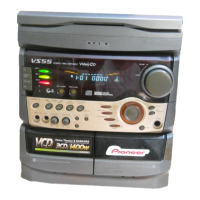
Pioneer XR-VS500D - User Manual

Pioneer XR-VS500D
163 pages
Print Icon
To Next Page IconTo Next Page
Loading...
ORDER NO.
PIONEER CORPORATION 4-1, Meguro 1-chome, Meguro-ku, Tokyo 153-8654, Japan
PIONEER ELECTRONICS SERVICE, INC. P.O. Box 1760, Long Beach, CA 90801-1760, U.S.A.
PIONEER EUROPE NV Haven 1087, Keetberglaan 1, 9120 Melsele, Belgium
PIONEER ELECTRONICS ASIACENTRE PTE. LTD. 253 Alexandra Road, #04-01, Singapore 159936
PIONEER CORPORATION 2000
RRV2340
T – ZZK AUG. 2000 Printed in Japan
THIS MANUAL IS APPLICABLE TO THE FOLLOWING MODEL(S) AND TYPE(S).
Model No. Order No. Remarks
XR-A9800D/KUCXJ RRV2329
This service manual should be used together with the following manual(s):
STEREO DVD CASSETTE DECK RECEIVER
XR-VS500D
XR-VS300D
CONTENTS
1. SAFETY INFORMATION
......................................
2
2. CONTRAST OF MISCELLANEOUS PARTS
........
3
3. SCHEMATIC DIAGRAM
.....................................
10
4. PCB CONNECTION DIAGRAM
..........................
20
5. GENERAL INFORMATION
.................................
22
Type
Model
Power Requirement
Region The voltage can be converted by
XR-VS500D XR-VS300D No. the following method.
DBXJ AC110-127V/220-230V/240V 3 With the voltage selector
DDXJ/RA AC110-127V/220-230V/240V 1 With the voltage selector
DDXJ/RB AC110-127V/220-230V/240V 2 With the voltage selector
DDXJ/RD AC110-127V/220-230V/240V 4 With the voltage selector
DLXJ/NC AC110-127V/220-230V/240V 3 With the voltage selector

Questions and Answers

  • C
    chamberschristopherAug 2, 2025
    Why won't my Pioneer XR-VS500D Stereo Receiver power on?
    • R
      rhawkinsAug 2, 2025
      If your Pioneer Stereo Receiver's power supply isn't working even when plugged in and the standby LED is lit, it could be due to several reasons. First, the microcomputer may not be resetting; check if terminal RESET (11Pin) is 'H', and if not, confirm the operation of the RESET circuit. Second, the AC pulse might not be input; verify if the AC pulse is reaching the AC input terminal (26Pin), and if not, check the AC pulse generation circuit. Finally, the oscillation circuit of the microcomputer may not be oscillating; in this case, consider exchanging the microcomputer or the oscillation circuit.
  • T
    Timothy BrownAug 8, 2025
    Why does my Pioneer XR-VS500D Stereo Receiver turn off immediately after turning on?
    • H
      hbrownAug 8, 2025
      If your Pioneer Stereo Receiver powers off soon after being turned on, it could be due to the PROTECT input not becoming 'H'. Confirm if 'H' is input to PROTECT input (55Pin) when 'H' is output to the terminal of SCAN ON. If 'H' is not input, check diode D5570 etc. Also, if the function is DVD, ensure the voltage of the 3.3DETECT (24Pin) terminal of the microcomputer is at least 2.9V; adjust if necessary.
  • H
    Heather BarryAug 14, 2025
    What to do if DVD does not operate on Pioneer XR-VS500D Stereo Receiver?
    • G
      garrisonaliciaAug 14, 2025
      If the DVD function on your Pioneer Stereo Receiver isn't working and the time isn't displayed, it might not be communicating with the DVD microcomputer. Check if the terminals (5, 27Pin, 95-97Pin) for communication are operating correctly. If not, ensure that the FFC cable etc. are connected. Also, verify that 'H' is being output to terminal DVDRESET (3Pin).
  • V
    Victoria GrossAug 20, 2025
    How to fix Pioneer XR-VS500D Stereo Receiver if KEY is not accepted?
    • D
      David BensonAug 20, 2025
      If the keys on your Pioneer Stereo Receiver are not working, it might be recognizing that another key is already pressed. When no key is pressed, confirm that the KEY input terminal (18-20Pin) reads 5V. If not, check the KEY SW on the line for breaks.
  • R
    raymond66Aug 27, 2025
    What to do if the spectrum analyzer display is not working on Pioneer XR-VS500D Stereo Receiver?
    • L
      Lisa JordanAug 27, 2025
      If the spectrum analyzer display on your Pioneer Stereo Receiver isn't showing, the spectrum analyzer input might be missing. Verify that the Spectrum analyzer input terminal (23Pin) is at least 0.3V. If it is 0.3V or more, confirm that DISPLAY MODE is DISP6. If it's less than 0.3V and changeable, check the Spectrum analyzer IC control terminal (8-10Pin). If it was changeable, check if the Spectrum analyzer IC breaks.

Summary

Safety Information

Label Check and Laser Safety Cautions

Details laser product warnings and cautions for safe servicing.

Model Part Contrast

XR-VS500 D Contrast Table

Lists part differences for XR-VS500D models.

Schematic Diagrams

Connect Assy Schematic (XR-VS300 D)

Wiring diagram for the Connect Assy (2CH) for XR-VS300D.

PCB Connection Diagrams

Connect Assy (2 CH) PCB Layout

PCB connection diagram for Connect Assy (2CH) for XR-VS300D.

General Information and IC Pinout

IC Pin Function (PDC064 A)

Details pin functions for the System Control Microcomputer IC.

Pioneer XR-VS500D Specifications

General IconGeneral
BrandPioneer
ModelXR-VS500D
CategoryStereo Receiver
LanguageEnglish

Related product manuals