24 English 25English
STANDBY
To ensure maximum battery life, the PIPELINE BOX DNA60 gradually enters standby
mode approximately 10 seconds after the last button press. During this process, the
display dims initially and is completely deactivated after an additional 20 seconds.
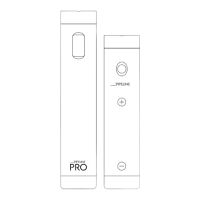
You can reactivate the device by pressing the re button (instant puff).
BUTTON LOCK
To prevent accidental button presses (e.g., during transport), you can activate the button
lock. Simply press the re button three times in quick succession to activate it. Repeat the
process to unlock the buttons.
LOCKING THE NAVIGATION BUTTONS
Press and hold both navigation buttons simultaneously for 3 seconds to lock them.
This action will x the set power [W] or temperature [F/C] to prevent unintended changes
while keeping the re button function active. Repeat the process to unlock the navigation
buttons.
STEALTH MODE
To permanently deactivate the display, rst activate the device’s button lock by pressing
the re button three times in quick succession. Then, hold down the re button and the
(-) button for 5 seconds. The device will now switch to Stealth Mode. Repeat the process
to deactivate Stealth Mode.
CHANGING PROFILES
The PIPELINE BOX DNA60 offers 8 pre-congured application proles used to save
settings for specic atomizer congurations.
To switch between proles, start by locking the navigation buttons by holding down both
navigation buttons simultaneously for 3 seconds. Then, press any navigation button twice
in quick succession.
Now you can use the navigation buttons to select the desired application prole and
conrm it by pressing the re button.
All settings made after selecting a prole will be automatically saved within the chosen
prole and can be reused at any time.
POWER MODE // WATT
With this prole, you can operate the device exclusively in power control mode (watts),
the temperature control (TC-MODE) is deactivated.
POWER MODE // BOOST
This prole also operates the device exclusively in power control mode but provides the
option to increase the initial power output [W] for the rst second. To adjust the intensity
of the “boost”, start by activating the device’s button lock by pressing the re button three
times in quick succession. Then, hold down both navigation buttons simultaneously for 3
seconds. Use the navigation buttons to select your desired value between 0 (no boost)
and 11 (maximum boost), then conrm with the re button.



 To Next Page
 Loading...