26 English 27English
TC-MODE // NiFe30
A temperature-controlled prole specially designed for nickel-iron wires
(30% nickel content).
TC-MODE // SS316L
A temperature-controlled prole specially designed for stainless steel wires
(V4A / 1.4404 / X2CrNiMo17-12-2 / AISI 316L).
TC-MODE // SS304
A temperature-controlled prole specially designed for stainless steel wires
(V2A / 1.4301 / X5CrNi18-10 / AISI 304).
TC-MODE // Titanium
A temperature-controlled prole specially designed for titanium wires.
TC-MODE // Ni200
A temperature-controlled prole specially designed for nickel wires.
TC-MODE // Zirconium
A temperature-controlled prole specially designed for zirconium wires.
LOCKING THE RESISTANCE
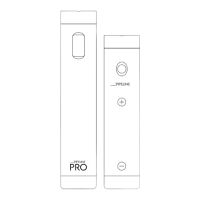
To use the temperature control of your PIPELINE BOX DNA60, you must lock the
resistance [Ω] before using a new atomizer/coil. If a temperature-controlled operating
mode is already active, and the resistance [Ω] of the newly screwed-on atomizer
signicantly differs from the previously locked one, a prompt will appear after a brief press
of the re button, saying “New Coil? UP YES / DOWN NO.” In this situation, you can use
the (+) button to lock the new resistance [Ω] (recommended) or use the (-) button to keep
the previously set one.
The locking of the resistance [Ω] can also be done manually. To do this, rst activate the
button lock of the device by pressing the re button 3 times in rapid succession. Then,
hold down the re button and the (+) button for 2 seconds. The locking of the resistance
[Ω] will be conrmed by a lock symbol next to the displayed resistance (replacing “Ω”).
Repeat the process to release the xation.
Make sure to lock the resistance only with cold atomizers/coils (room temperature),
otherwise, the displayed temperature [F/C] may signicantly differ from the actual
one!
ADJUSTING THE POWER
If the device is in power control mode (watts), use the navigation buttons to increase
(+) or decrease (-) the power [W]. Holding down one of the buttons will increase the
adjustment speed. If the device is in a temperature-controlled operating mode, rst
activate the button lock of the device by pressing the re button 3 times in rapid
succession. Then, hold both navigation buttons simultaneously for 3 seconds to change
the power [W] that the device delivers until the temperature control automatically limits
the power. After making the adjustment, conrm the desired value with the re button.
ADJUSTING THE TEMPERATURE
To change the set temperature [F/C], the device must be in a temperature-controlled
operating mode. Use the navigation buttons to increase (+) or decrease
(-) the temperature [F/C]. Holding down one of the buttons will increase the adjustment
speed.



 To Next Page
 Loading...