9.
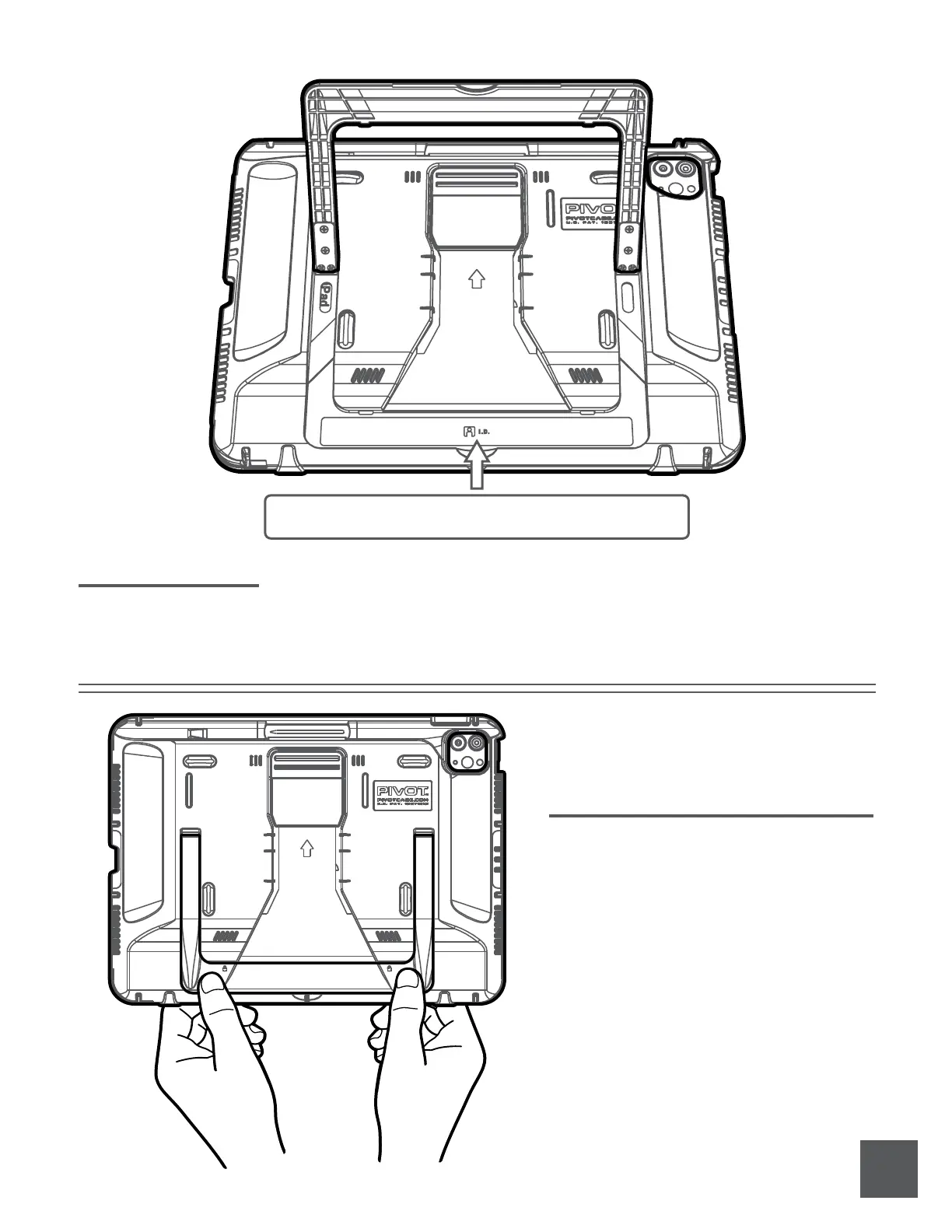
To close the PIVOT Kickstand, rotate it from
any open angle until it is nearly in the
closed position, or at a 0-degree angle,
parallel to the case body.
Press or squeeze the Snap-Closures on both
the left and right side of the kickstand. The
closures are identified by the padlock icons.
You may hear an audible “click” when the
closures engage with the case body.
Closing Kickstand
The I.D. Label Area is located on the case back behind the Kickstand.
Recommended Label Template: Avery 5167.
I.D. Label Area
Label Area
5.9-inch x 0.6-inch



 To Next Page